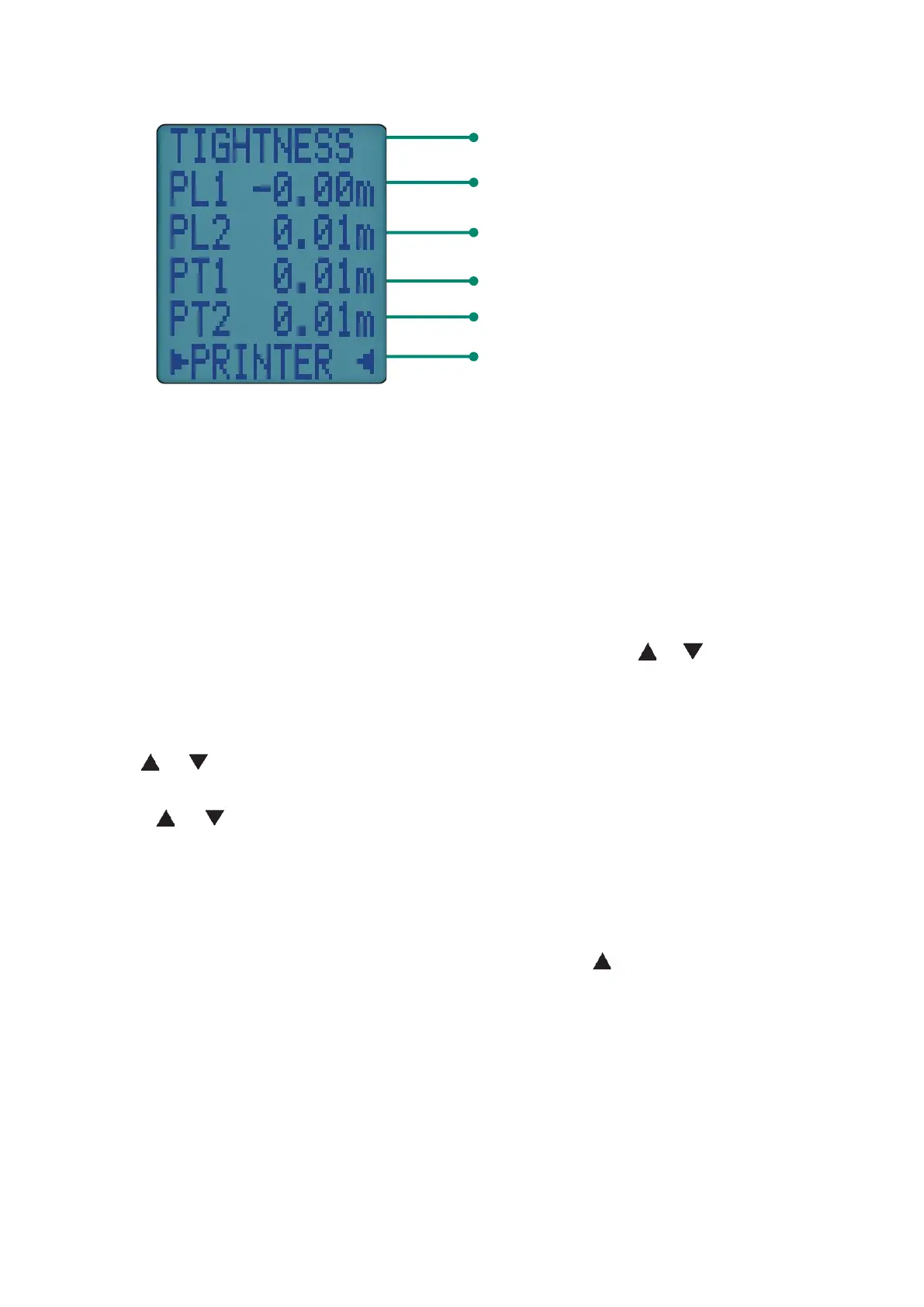
When complete display shows:
You can change:
• Let by time interval
• Stabilisation interval
• Tightness test interval
Select SETTINGS from tightness test start screen using &
Press ENTER to select which test time to change.
Use to increase or decrease time then press ENTER to confirm.
Press or until RUN appears on status bar then press ENTER to start.
TIGHTNESS tests are automatically stored in memory with a log number.
Send TIGHTNESS test log to your optional KANE-IRP3 printer by pressing
ENTER or wirelessly to your KANE LIVE App using & ENTER
KANE458s MANUAL 33
Tightness test automatically stored in
memory
Pressure at start of let-by test
Pressure at end of let-by test
Pressure at end of tightness test
Pressure at start of tightness test
Press ENTER to print complete test
EDITING TEST TIMES



 To Next Page