Wirelessly connect optional KANE LINK devices to your KANE LINK
Analyser or wirelessly transfer test results to your smartphone or tablet.
Rotate dial to KANE LINK to manage how your analyser
communicates with wireless devices or your smartphone or tablet.
To ADD, REMOVE and check STATUS of any KANE LINK device select
using or & ENTER
To add select WPCP2 using & ENTER.
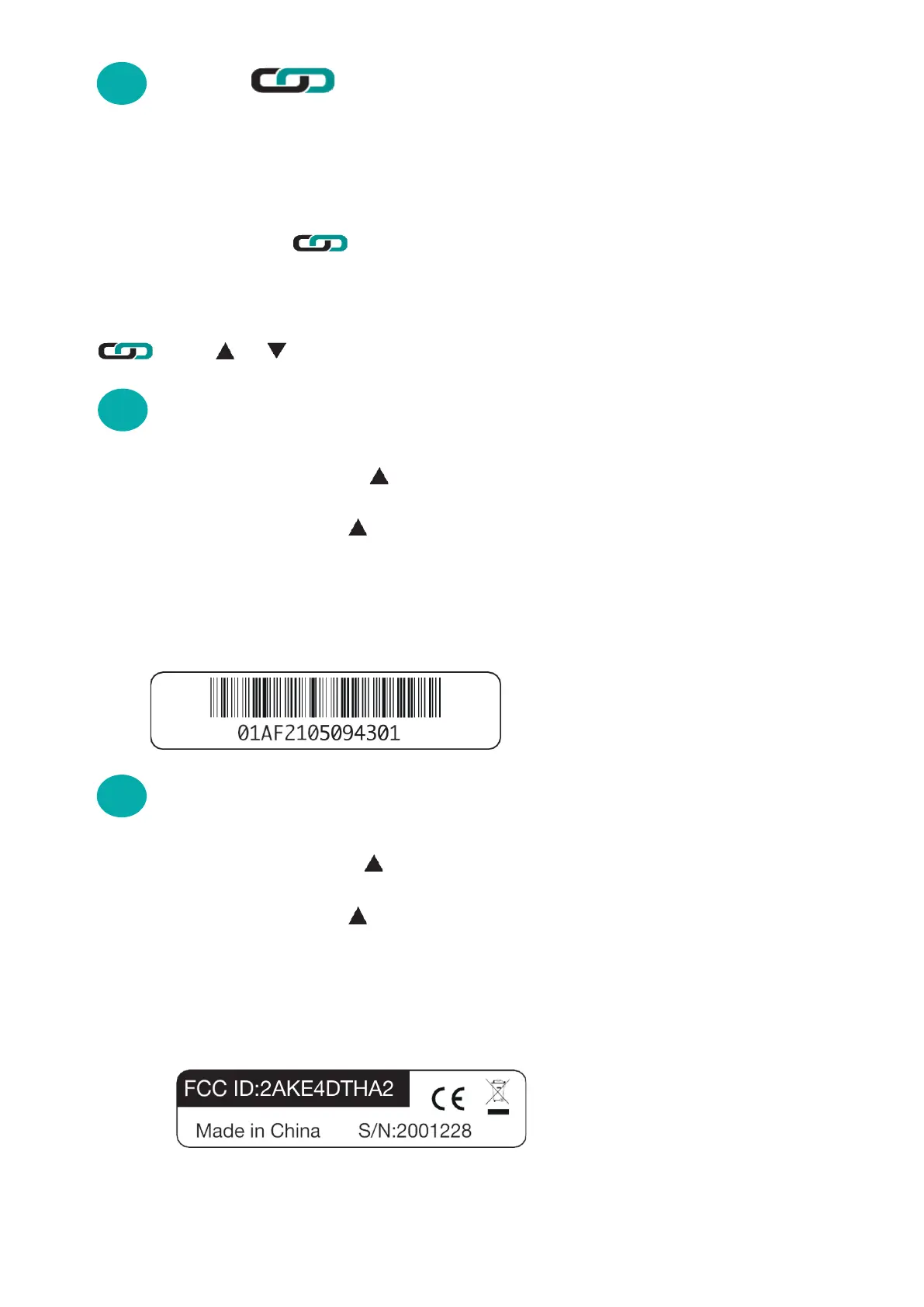
Enter serial number using & ENTER - Each serial number must be
10 digits long.
If longer use last 10 digits - e.g: in this example enter last 10 digits:
2105094301
To add select DTHA2 using & ENTER.
Enter serial number using & ENTER - Each serial number must be 10
digits long.
If shorter enter 0’s to make up to 10 - e.g: in this example enter 2001228 as
0002001228.
KANE458s MANUAL 37
15
KANE LINK WIRELESS MEASUREMENT
AND DATA TRANSFER
15.1
15.2 DTHA2 ANEMOMETER
WPCP2 PIPE CLAMP TEMPERATURE PROBES



 To Next Page