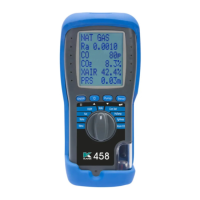
KEYPAD & ROTARY DIAL
Keypad
SYMBOL DESCRIPTION
PUMP
Press to turn pump on or off
DATA HOLD - Short press to hold current data on screen - see status
bar section on page 14
NAVIGATE UP - Short press to scroll up
ENTER
ENTER KEY - Use to select current option - also selects torch in some
dial positions
NAVIGATE DOWN - Short press to scroll down
STORED LOG - Long press to store data
SEND
PRINT LOG - Short press to transfer a log - Analyser offers a
destination choice
KANE458s MANUAL 9
Rotary
Dial
2.2
SYMBOL DESCRIPTION
Add, Manage or Delete KANE LINK devices & App Settings
MENU Manage Analyser Settings
STATUS View Analyser Status
AUX Personalise Analyser Display
O2 / EFF Appliance Efficiency Test
RATIO Appliance CO / CO2 Ratio Test
IAQ Ambient CO & CO2 Test
COM TEST Domestic Gas Boiler Commissioning Test
TEMP / PRS Temperature & Pressure Test
TIGHTNESS Let-by & Tightness Test
ROOM CO Migration & Sweep Test



 To Next Page