SmartVision & SmartVision LITE – User Guide (Rev. 2.7) – Version 1943.4105 7
Installation
Inserting the SIM Card
The SIM Card is issued by a telephone service provider when you take out your
telephone contract.
Please note: only Mini-SIM (2-FF) Cards are supported by SmartVision. If you have a
different SIM card, please ask your telephone service provider to replace it with a
Mini SIM. It is recommended to change the format of the SIM card rather than using
an adapter.
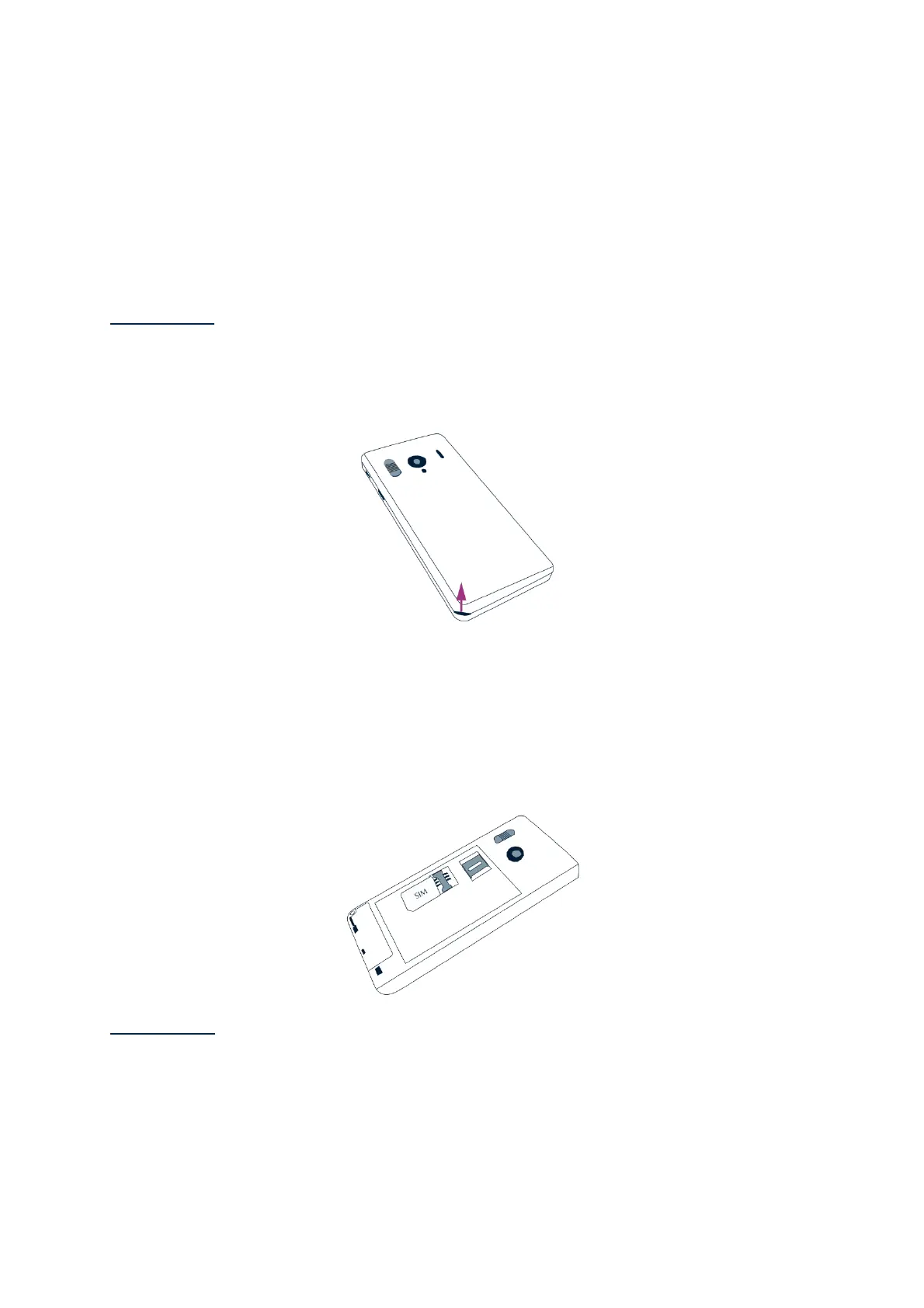
Inserting the SIM Card:
1. Turn the device upside down, look for the notch at the bottom left, and lift the
back cover.
2. Install the SIM Card, with the chip downwards and the tapered angle to the
bottom right. Slide the SIM card pushing upwards to fit it snugly into its
compartment.
Please note: the Micro-SD memory card reader is located right above the SIM Card
holder. Depending on the configuration of your product, the Micro-SD may be already
installed in the product.



 To Next Page