SmartVision & SmartVision LITE – User Guide (Rev. 2.7) – Version 1943.4105 86
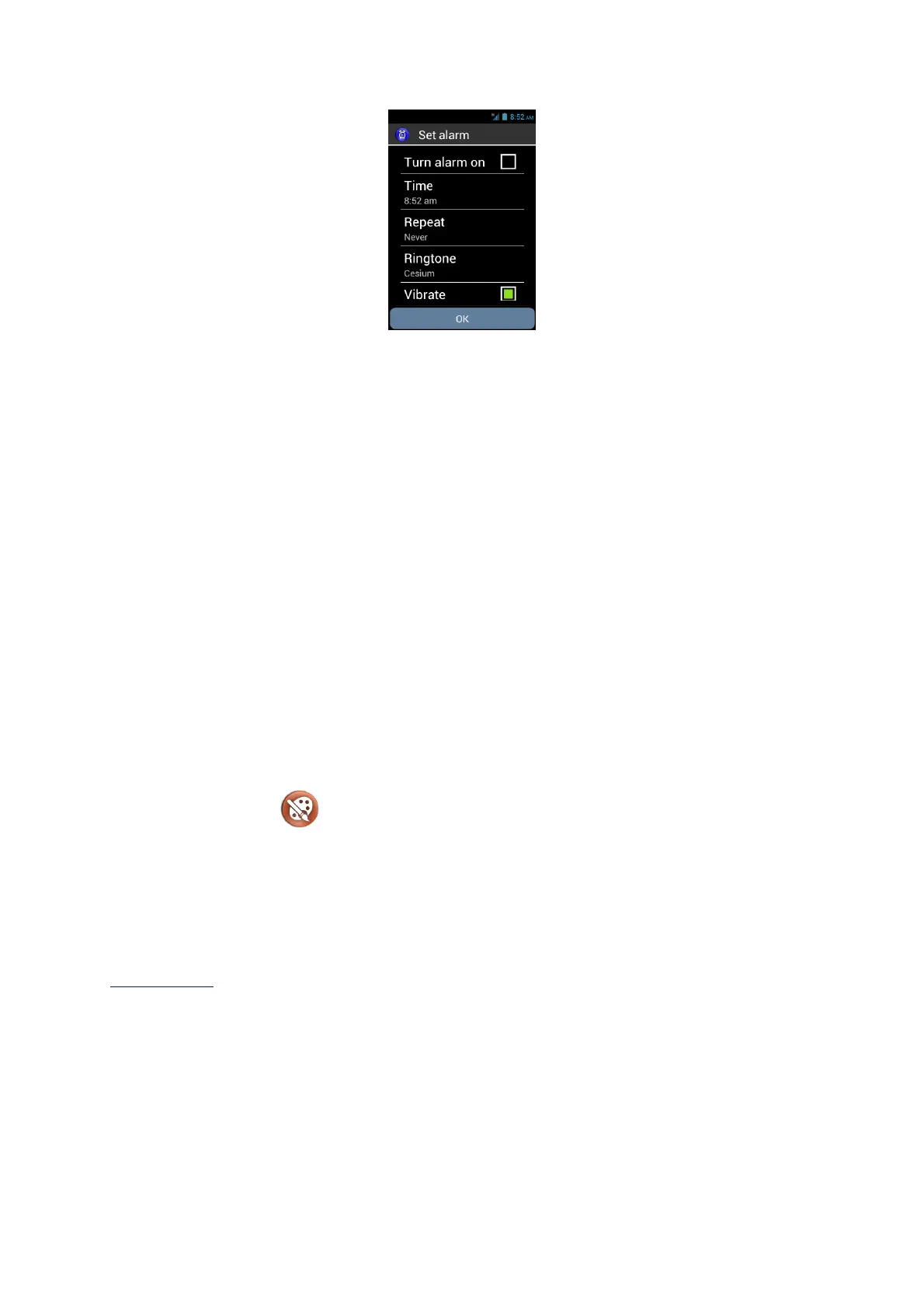
Fill the different fields (Turn alarm on, time, repeat, ringtone, and label) and save the
alarm by selecting "OK" at the end of the list.
Once registered, you are automatically redirected to the main screen of the alarm.
Activate an alarm
From the main screen of the application, use the navigation keys to scroll through the
different alarms saved on your SmartVision. Press the "OK" button to activate or
deactivate the selected alarm.
Delete or modify an alarm
From the main screen of the application, use the navigation keys to scroll through the
different alarms saved on your SmartVision. Long press the "OK" button to open the
contextual menu. The following options are available: "Turn alarm on”, "Edit alarm"
or "Delete alarm."
Colors Detection
"Colors detection" , allows you to use the phone's camera for the recognition
and detection of colors.
- « Announce colors »: point the camera on an object, and the color will be
announced automatically. Press the "OK" key to repeat.
- « Find color »: select a color from the list and when the camera will see this
color, a sound is played.
Please note: it is recommended to position the phone about twenty centimeters
above the target and in a bright environment to optimize the result.
Downloads
The "Downloads" application gives the list of all items downloaded from the internet
browser.



 To Next Page