MICRO REMOTE
of remote communications,
and system I/O.
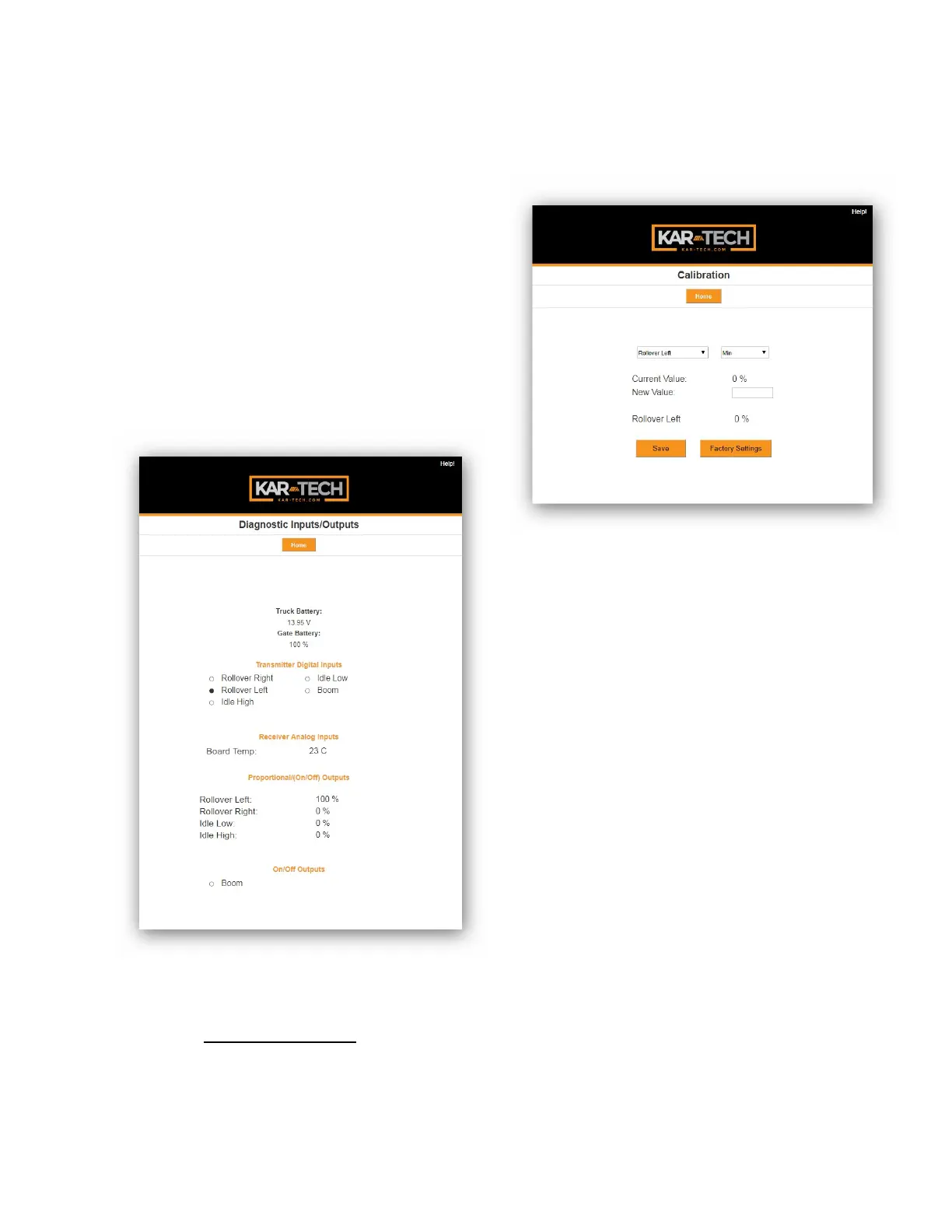
When the round circle next to
a label is dark, the
corresponding ON/OFF input
or output is sensed to be
active or ON.
Diagnostics
CALIBRATION
To change the configuration of
the unit, tap the Calibration
icon.
Calibration
The password to gain access
to the calibration screens is
1262.
To adjust a proportional
output’s configuration, use
the following procedure:
1. Select the output to
change from the first
drop-down menu
a. ROLLOVER LEFT –
Select to adjust



 To Next Page