English 5.906-468.0 Rev. 00 (02/09) 25
Î Remove the drive belt cover (see Chapter 5.11).
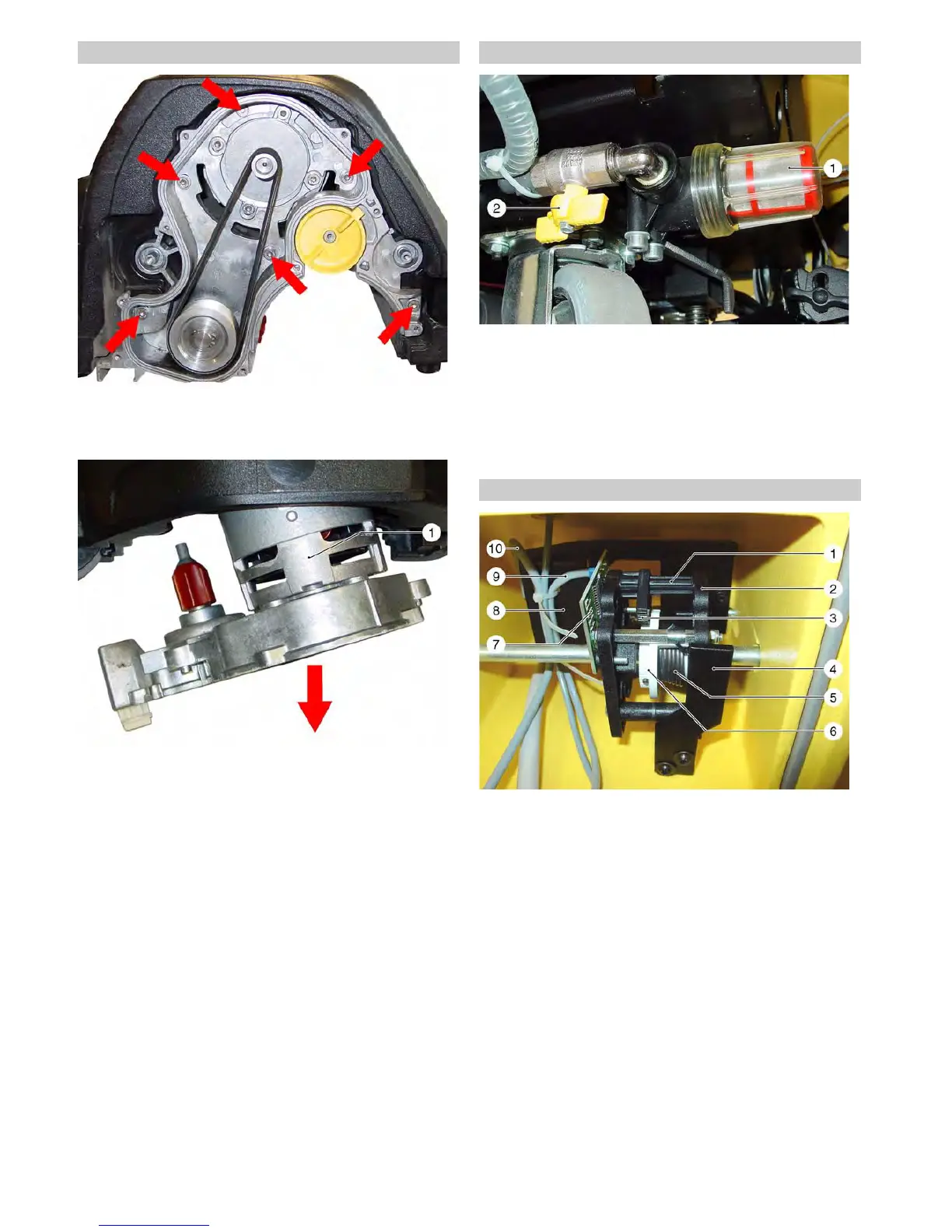
Î Unscrew the fastening screws (arrows) of the brush drive.
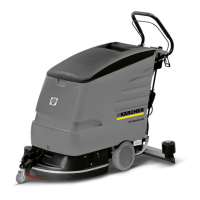
Î Pull the brush drive out of the brush head.
Î Disconnect the connecting cable of the brush motor.
Î Install the new brush drive in reverse sequence.
Brush mirror adjustment
Î Park the brush head on an even surface.
Î Install the new brush rollers.
Î Slightly shake the brush head so that the brush drive with the
brush rollers can adapt to the even surface.
Î Tighten the fastening screws (arrows).
1 Brush drive
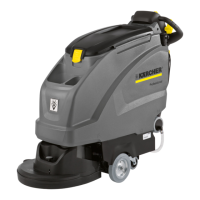
Î Close the stop valve.
Î Unscrew the filter cup.
Î Remove the sieve and rinse it.
Î Assemble in reverse order.
1Filter pot
2 Locking tap
If the fault message "Gas>POTI_ZER_MAX" is displayed, the
drive control is not set correctly and the appliance will not run. In
this case, the positioning of the tooth segement and the toothed
gear is incorrect.
Î Unscrew the operating panel.
Î Remove the right and left drive levers.
Î Remove the entire drive control.
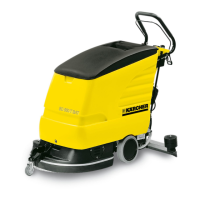
Î Unscrew the side plate and readjust the position of the tooth
segment to the toothed wheel by one tooth forward/backwards.
Î Check the drive control and adjust by moving it by one more
tooth if necessary.
1 Shaft with magnet
2 Side plate
3 Toothed gear segment
4 Halting plate
5 Return spring
6 Toothed gear
7 Magnetic sensor for drive control (B1)
8 Microswitch (S6), suction turbine
9 Connection cable, magnetic sensor
10 Connection cables, microswitch (S6)
5.12 Remove the brush drive on the BR brush head 5.13 Clean water filter.
5.14 Adjust drive control


 To Next Page