76
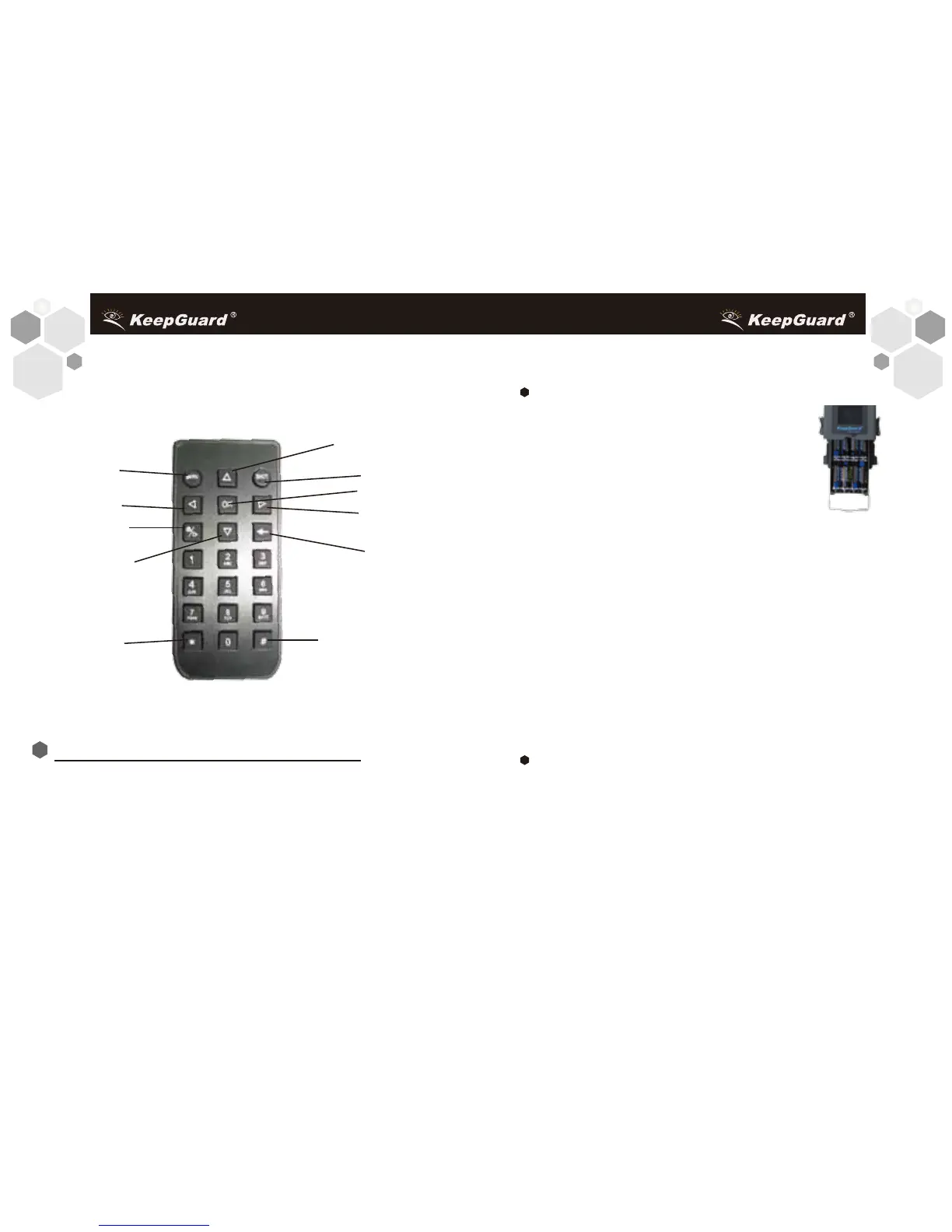
Fig.2: Remote
Down/Send
INSTALLING THE BATTERIES and SD CARD
Before you begin learning how to use your KeepGuard Cam, you
will first need to install a set of batteries and insert an SD card and
SIM card. Although that may only take you a minute, there are
some important notes about both batteries and SD cards you
should be aware of, so please take the time to read the following
directions and cautions:
Loading Batteries
After opening the two latches on the bottom
of the KeepGuard Cam, you will see that the
KeepGuard Cam has eight battery slots.
Starting at the top of the battery compartment,
slots 1, 2, 3 and 4 form one group, while slots
5, 6, 7 and 8 form the other group, each
providing 6 volts in parallel. For maximum
battery life, you should install a full set of eight
batteries. The KeepGuard Cam may also be operated by
just four batteries installed in the top group only, starting at slot 1.
Battery life will be shorter with 4 batteries, but the camera will
operate normally. Whether you use 4 or 8, be sure to insert each
battery with correct polarity (negative or "flat"end against the
long spring of each battery slot). KeepGuard recommends using
eight new lithium AA or alkaline AA batteries. NiMh
Rechargeable batteries can also be used, but they might have a
shorter life span due to their reduced efficiency over time and at
low temperature. It is also possible to use a lead-acid external
battery cell with 6V output or suitable AC adapter-see below for
more details.
Using an External Power Source (optional, user provided)
Optionally, you can connect an external 6V DC power source to
the "DC In" jack at the bottom of the KeepGuard Cam. It is
recommended to use a power source with a current output
greater than 1000mA. However, during bright daytime operation
when no flash is required, the KeepGuard Cam can function
Menu/Exit
UP
Shot
OK
Right
Left
Video/Photo
Delete
/ @ _ : .
A,a, 0


 To Next Page