with much less current (>400mA). Please use a compatible
power source cable (not provided) to connect the external DC
power source with the power input jack of the KeepGuard Cam,
making sure that the polarity is correct.
Inserting the SD Card
The KeepGuard Cams have 32MB internal memory, which can
hold only about 18 photos (12MP resolution). This is handy for
testing and getting familiar with the camera, but you will no doubt
want to leave the camera unattended for longer than a day, so
using an SD card is recommended. Insert the SD card (with the
camera′s power switch in the OFF position) before beginning to
operate the camera. Don′t insert or remove the SDcard when the
power switch is in the ON position. The KeepGuard Cam uses a
standard SD (Secure Digital) memory card to save photos (in
.jpg format) and/or videos (in .asf format). SD and SDHC (High
Capacity) cards up to a maximum 32GB capacity are supported.
Before inserting the SD card into the card slot after opening the
camera's front cover, please makesure that the write-protect
switch on the side of he card is″off″ (NOT in the″Lock″position).
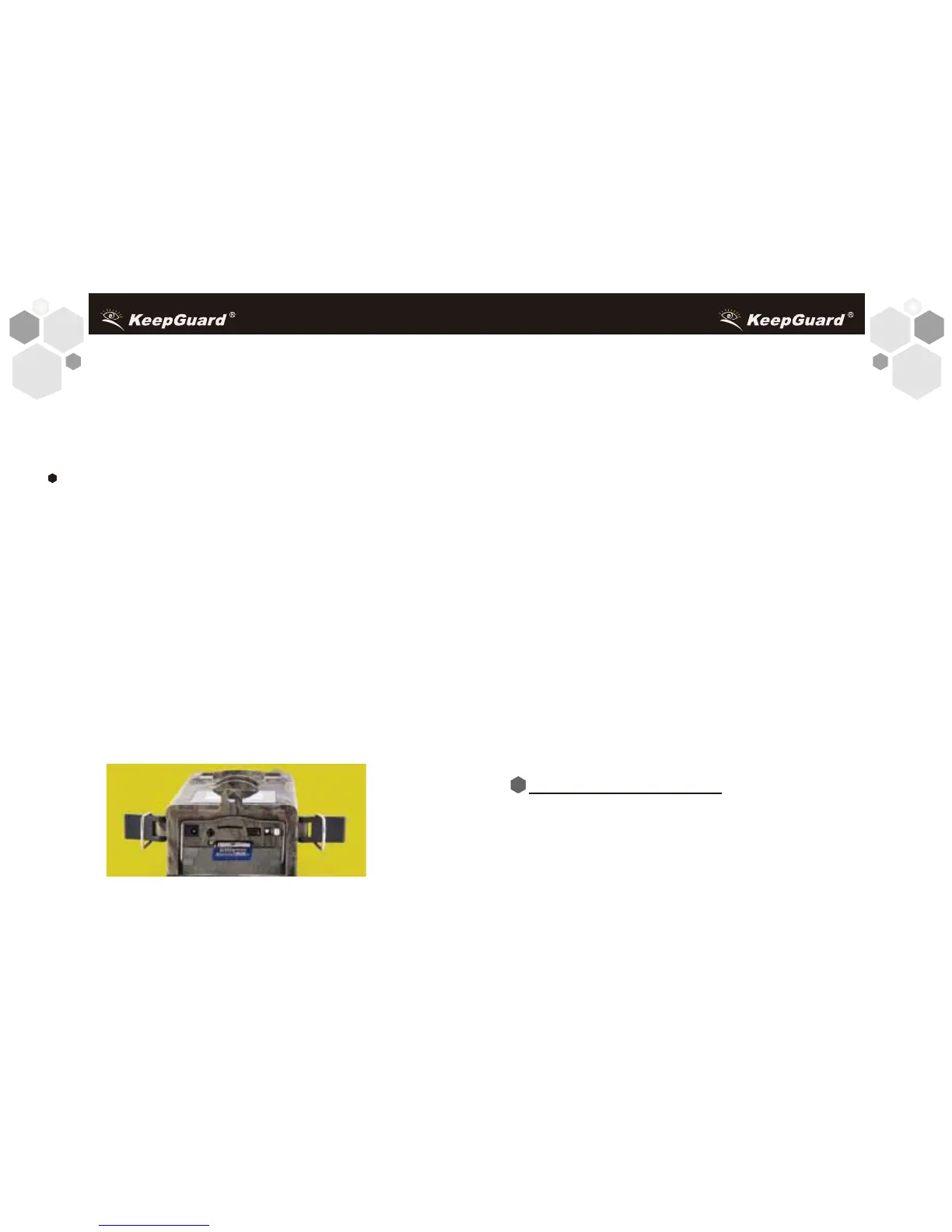
Following describes how to insert and remove The SD card:
98
• Insert the SD card into the card slot with its label side
downwards (see above). A"click" sound indicates that the card is
installed successfully.If the wrong side of the card is facing up,
you will not be able to insert it without force-there is only one
correct way to insert cards. If the SD card is not installed
correctly, the device will not display an SD card icon on the LCD
in SETUP mode (the SD card icon displayed after switching to
SETUP mode will have a″lock″ symbol inside it in it if the caris
locked). Formatting the SD card by using the KeepGuard Cam's
"Format" parameter before using it for the first time is
recommended, especially when a card has been used in other
devices (see ″Changing Menu Parameter Settings″for details) .
• To take out the SD card, just gently push in (do not try to pull it
out without pushing in first). The card is released from the slot
and ready to be removed when you hear the click.
WARNING
Be sure the camera′s power is switched OFF before
inserting or removing SD cards or batteries.
Once you've prepared your KeepGuard Cam by properly install
-ing batteries and SD/SIM card, you could simply take it outside,
strap it to a tree, switch it on and leave-and you might get some
great photos that are exactly what you wanted. However, we
USING THE KeepGuard CAM


 To Next Page