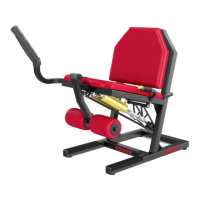
M7i WHEELCHAIR-ACCESSIBLE TOTAL BODY TRAINER
15
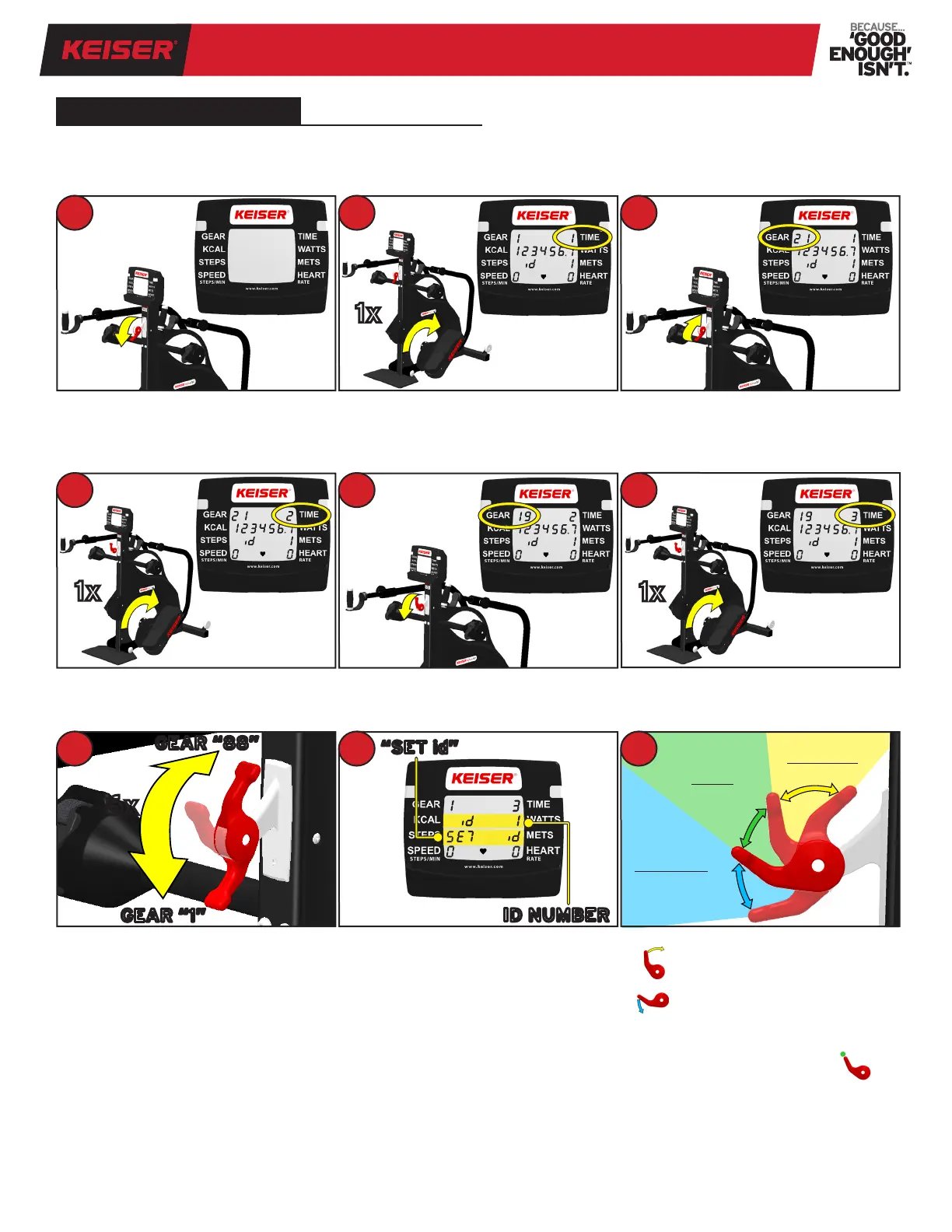
To receive and download workout information from your M7i to any Bluetooth
®
smart Ready device, a machine ID number
is required. The following is a one-time machine ID setup procedure. NOTE: Steps 1 through 7 must be completed within
one minute.
Begin with the computer off and pull
Resistance Lever all the way down
towards you. This is GEAR “1” position.
Pedal 1 full revolution to change the
TIME value to “2”.
Shift the Resistance Lever from top to
bottom (GEAR “88” to GEAR “1”) for a
total of 6 times.
NOTE: If the computer shuts down at
any time before Step 8, the setup has
timed out. Restart the procedure from
Step 1 at a time when Steps 1–7 may be
completed within one minute.
Pedal 1 full revolution to change the
TIME value to “1”.
Shift the Resistance Lever down to
GEAR “19”.
Upon successful completion of
Steps 1–7, “SET id” will appear on
the display. Proceed to Step 9 to set
ID number.
Shift the Resistance Lever up to GEAR
“21”.
Pedal 1 full revolution to change the
TIME value to “3”.
1
1x
2 3
1x
4
1x
6
GEAR “1”
GEAR “88”
6x
7 9
GEAR 1 to 7
DECREASES
ID number
GEAR 8 to 16
HOLDS
ID number
GEAR 17 to 24
INCREASES
ID number
8
“SET id”
ID NUMBER
5
M7i BLUETOOTH
®
smart
Set Machine ID (“id”):
increases “id” number
decreases “id” number
Set the “id” number to any number
between 1 and 199.
To hold the “id” number, put ------ to
any GEAR number between 8 and 16.
NOTE: The computer must shut down
to save the “id” number and exit the
Bluetooth
®
smart set up mode. Allow
the computer to shut down before use
(estimated time, one minute) .


 To Next Page