©2009 4Front Engineered Solutions, Inc.
January 2009 6004754F — HK and HK-S Hydraulic Dock Leveler, 3 Button — SafeTFrame
™
27
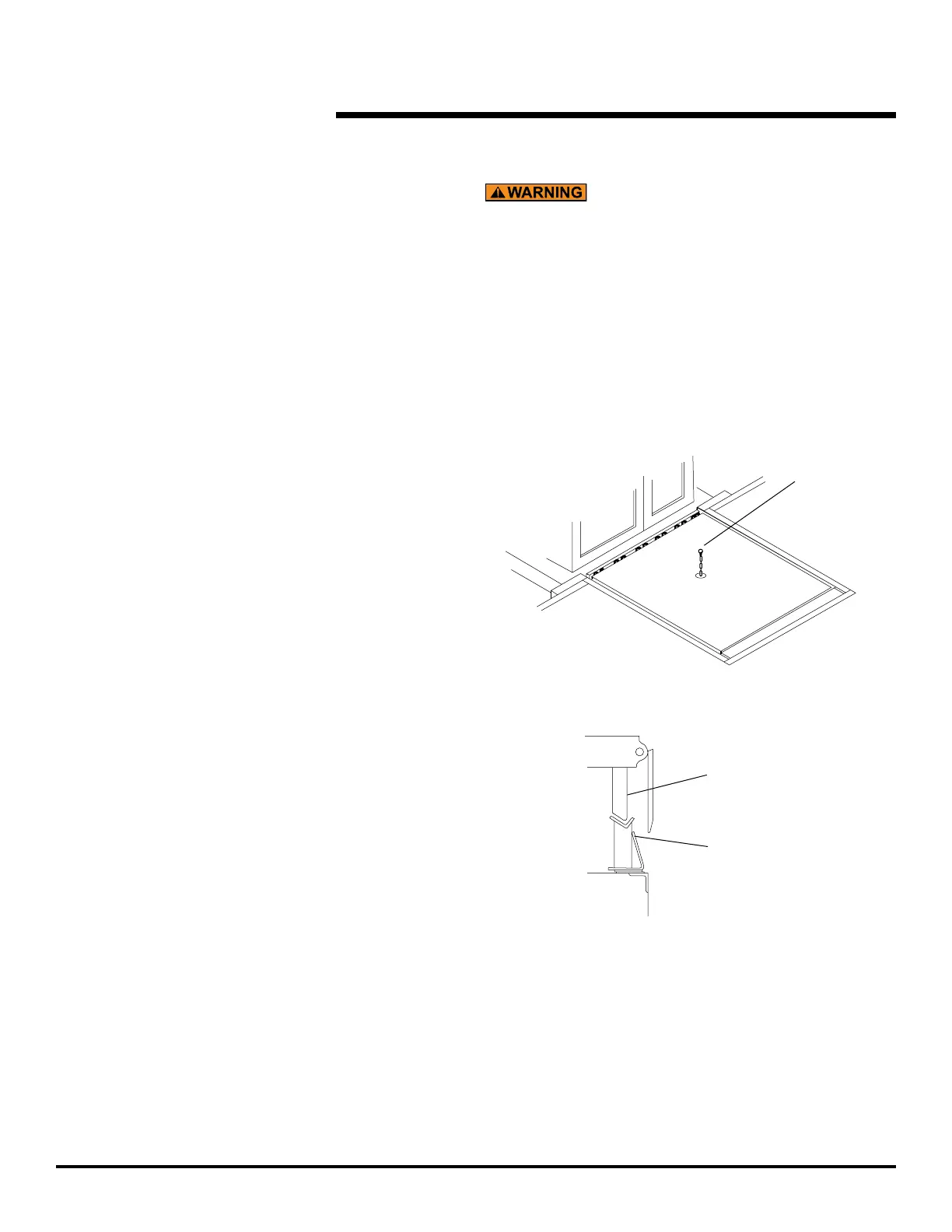
Dock level
support leg
Front angle
dock level
support
STANDARD OPERATION, continued
Before allowing vehicle to leave always return the dock
leveler to its dock level (stored) position with the dock
level support legs supported by the front dock level
supports. Failure to do so may leave the dock leveler
in a position below the level of the dock oor. This
condition may result in unexpected drop of personnel
or material handling equipment and result in death or
serious injury.
Fig. 27
Fig. 28
To return the dock leveler to the stored position when
loading or unloading is complete, or to load end loads:
rise and the lip will lower.
vehicle bed. The ramp will lower to the dock level
(stored) position.
8.3 Check that the lip is not extended and the ramp
is supported by both dock level supports before
8.4 Push “STOP” button in.
Unchock or release vehicle.
Tell vehicle driver “Your vehicle may now leave the
dock.”
BELOW DOCK CONTROL (BDC)
To lower the ramp without extending the lip for end loading
below dock level:
Pull the “STOP” button out.
before the ramp reaches its highest position.
BDC chain located in the middle of the ramp until it is
fully extended. Hold the chain until the ramp passes
below dock level. See Fig. 27.
Load or unload end loads.
When loading or unloading is complete, return the dock
leveler to the stored position.
at least 4" above dock level.
reaches its highest position. The ramp will lower to
its stored position.
6.3 Visually check that the lip is not extended and the
ramp is supported by both dock level supports
Push “STOP” button in.
Unchock or release vehicle.
Tell vehicle driver “Your vehicle may now leave the dock”.
8.
9.
10.
1.
2.
3.
4.
5.
6.
7.
8.
9.


 To Next Page