ArcValidator
Operating manual - EN
2. INSTALLATION
2.1 Computer software setup
An internet connection is required for the ArcValidator computer software installation.
Installing ArcValidator computer software
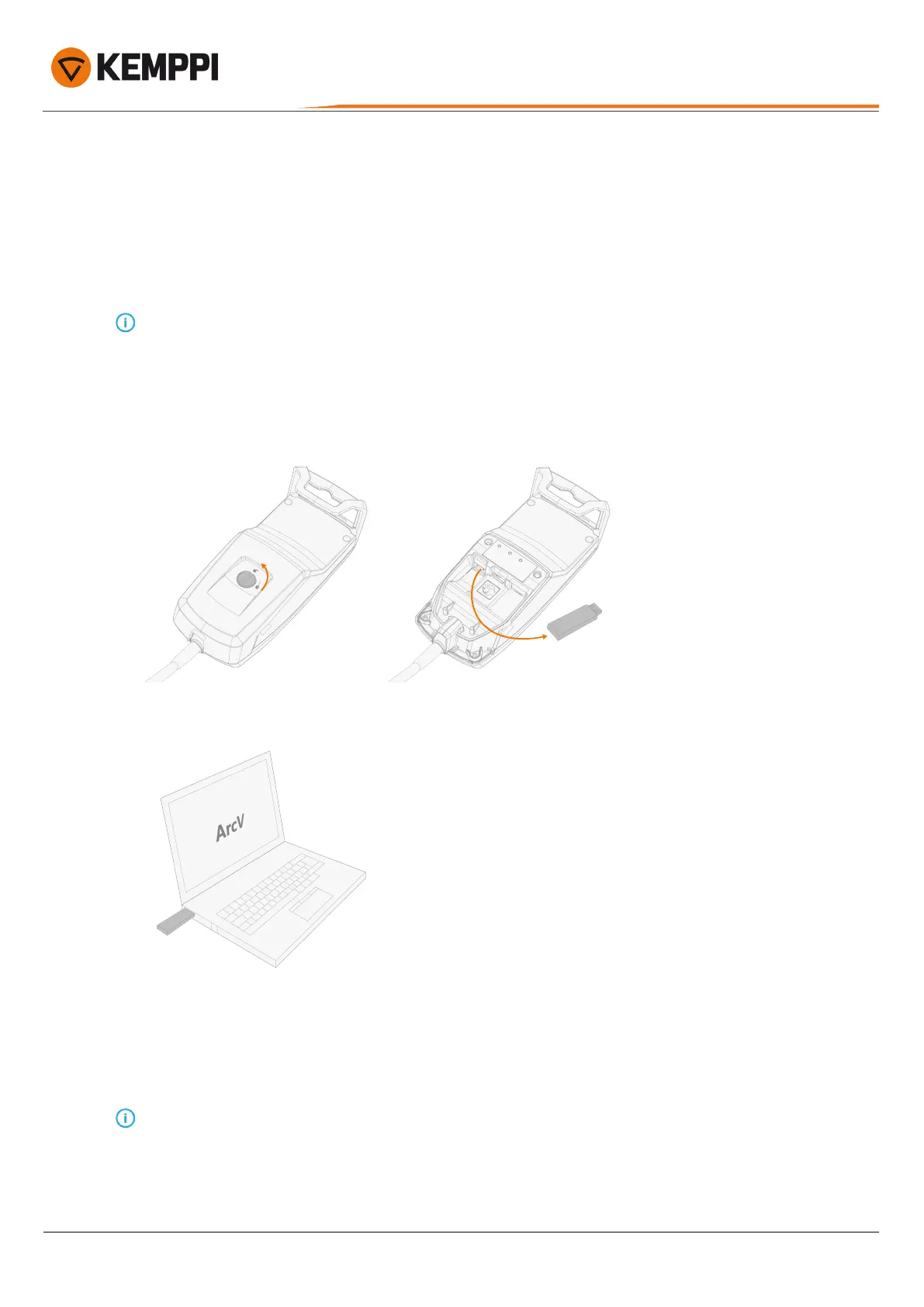
To install the ArcValidator computer software to your computer:
1. Remove the ArcValidator DataStick from the ArcValidator RC USB port.
2. Insert the DataStick to your computer's USB port.
3. Browse to the DataStick root folder.
4. Select the installation link (ArcV.application).
>> The newest version of the ArcValidator computer software is downloaded from Kemppi's internet servers.
5. Run the installer and follow the on-screen guidance to install the software.
Do not run the software installer as an admin user.
Once the installation is complete, it is recommended to restart the software. This will allow the software to check
Kemppi internet servers for updates.
© Kemppi
8
AVPCRC / 2224











 To Next Page