ZIGZAG CONTROL
SETTING STITCHWINH
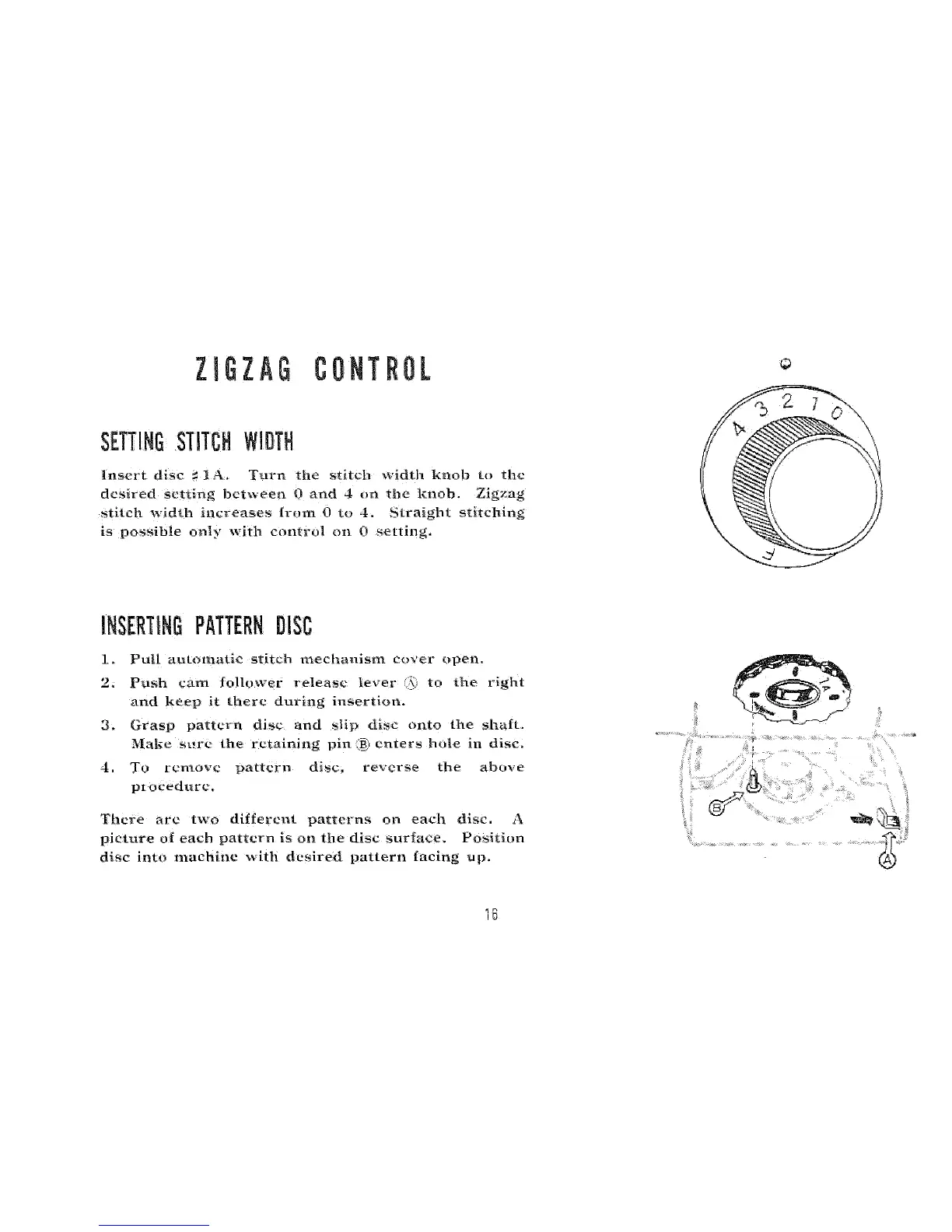
insert disc _ t A. Turn the stitch width knob to the
desired setting between 0 and 4 on ttle knob. Zigzag
stitch width increases from 0 to i. Straight stitching
is possible only with control oil 0 setting,
INSERTINGPATTERNDiSC
1. Putl automatic stitch mechanism cover open
2. Push cam follower release te_er ) _o the right
and keep it there during insertion.
3. Grasp pa_tern disc and slip disc oi_to the shaft.
Ma|_e sure the retaining pin (B_Ienters hnle in disc,
4, To remove pattern disc. reverse the above
pi oeedure,
There are two ditfercnt patterns oo each disc, A
picture o{ each pattern is on the disc surlace. Positi_m
disc into machine with desired pmtern facing up.
1B



 To Next Page