ENGLISH
14
Operating instructions
Learn about your microwave
oven
This section introduces you to the basics you need to
know to operate your microwave oven Please read
this information before use
CAUTION
To avoid risk of personal injury or property
damage, do not run oven empty
To avoid risk of personal injury or property
damage, do not use stoneware, aluminum foil,
metal utensils, or metal trimmed utensils in the
oven
•
•
Clock
You must set your clock rst in order for the
microwave to work
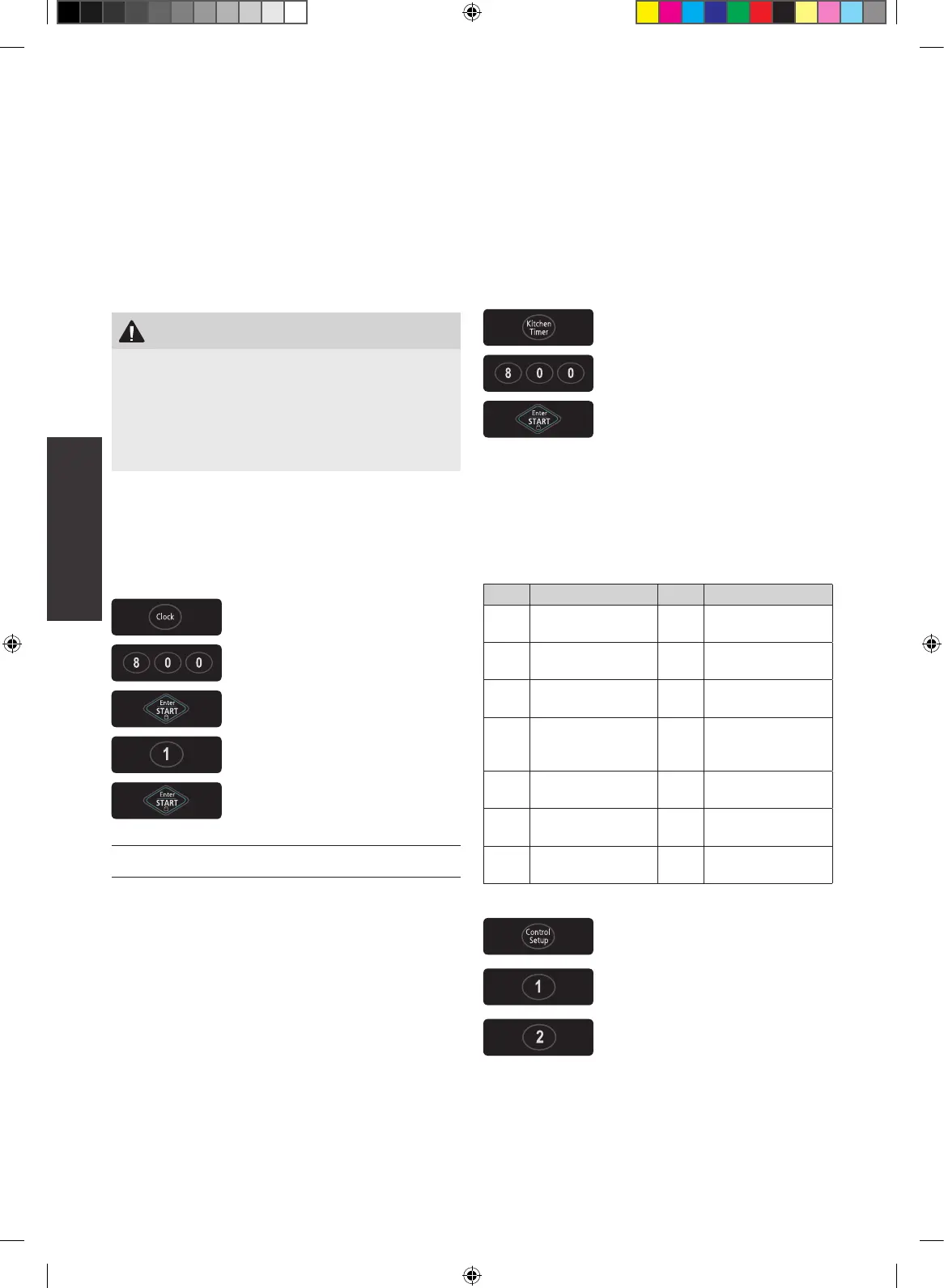
Example: To set 8:00 AM.
1 Touch CLOCK pad
2 Enter the time by using the
number pads
3 Touch ENTER/ START pad
4 Touch 1 for AM
5 Touch ENTER/START pad
NOTE
Follow steps 1-3 above in the 24 hour clock mode
Kitchen Timer
You can use your microwave oven as a timer Use
the Kitchen Timer for timing up to 99 minutes, 99
seconds
Example: To set for 8 minutes.
1 Touch KITCHEN TIMER pad
2 Enter the time by using the
number pads
3 Touch ENTER/START pad
When the time is over, you will hear beeps and END
will display
Control Setup
You can change the default values See following
chart for more information
No. Function No. Result
1
Weight mode
selected
1
2
Lbs
Kg
2 Sound on/off control
1
2
Sound ON
Sound OFF
3
Clock display
control
1
2
12HR
24HR
4 Display
1
2
3
Slow speed
Normal speed
Fast speed
5 Remind end signal
1
2
ON
OFF
6 Demo mode
1
2
ON
OFF
7
Daylight
Saving time
1
2
ON
OFF
Example: To change weight mode (from Lbs. to Kg).
1 Touch CONTROL SETUP pad
2 Touch number 1 pad
3 Touch number 2 pad


 To Next Page