EasyManua.ls Logo

Kentec Electronics Sigma A-CP - User Manual

Kentec Electronics Sigma A-CP
107 pages
Print Icon
To Next Page IconTo Next Page
Loading...
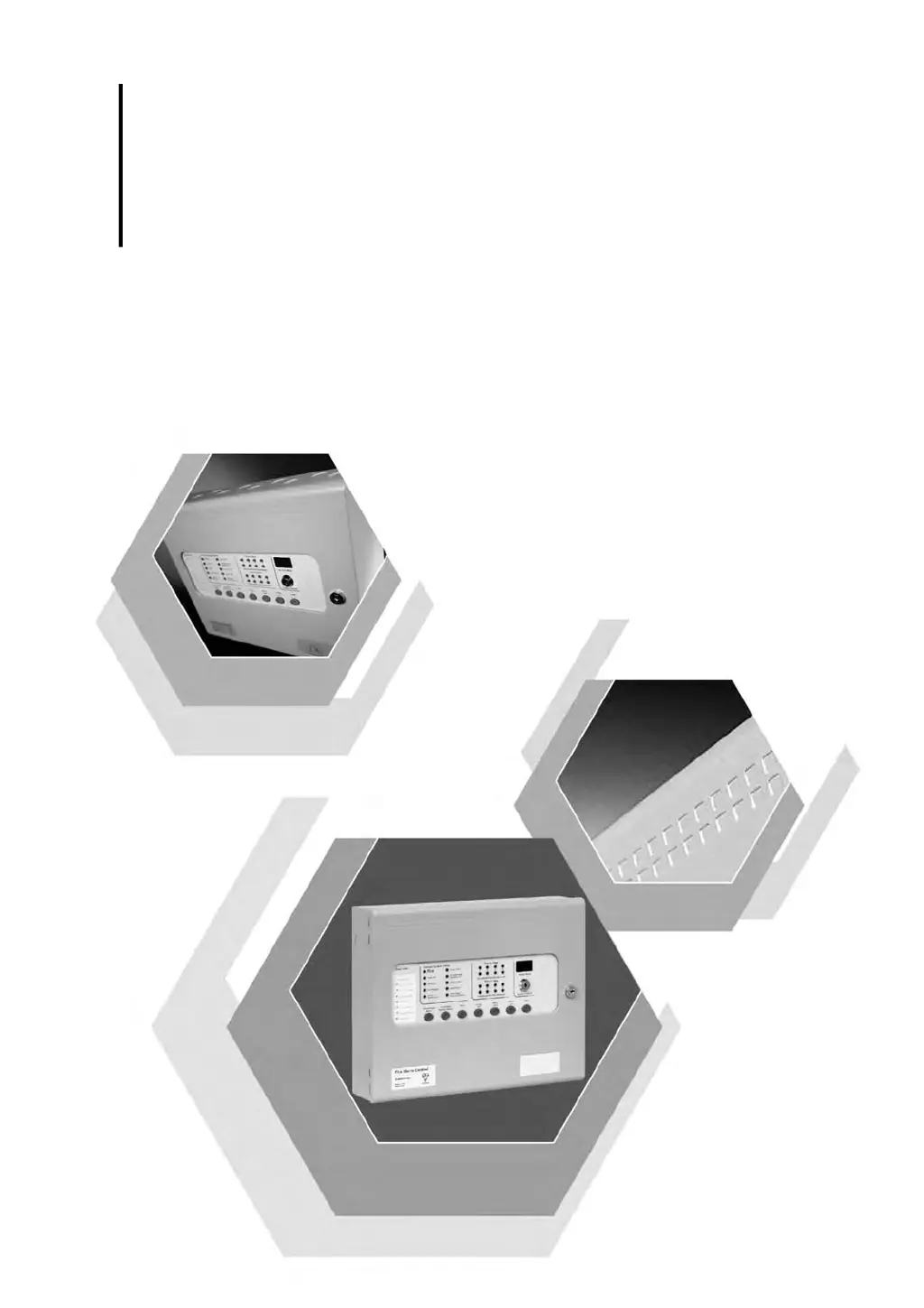
Sigma A-CP
Man-1194 Issue 04 February 2014
Conventional Fire Control Panel
Installation and Operation Manual
www.acornfiresecurity.com

Table of Contents

Questions and Answers

  • S
    Steven CarlsonAug 2, 2025
    What to do if Kentec Electronics Fire Alarms show Batt Fail?
    • J
      Jeffrey ChambersAug 2, 2025
      The 'Batt Fail' message on your Kentec Electronics Fire Alarms system indicates that the standby batteries are either disconnected or the charging circuit of the fire control panel has failed. Check the connections at the standby batteries. Disconnect the standby battery leads from the fire control panel and test for 28 V on the standby battery leads.
  • L
    lori20Aug 6, 2025
    How to fix Mains Fail on Kentec Electronics Sigma A-CP Fire Alarms?
    • D
      Dr. Jo Young DVMAug 6, 2025
      If your Kentec Electronics Fire Alarms system displays a 'Mains Fail' message, it indicates an AC power failure. First, check for a loss of power at the source. Then, inspect the fuse located in the main terminal block.
  • K
    Kimberly CastroAug 10, 2025
    How to troubleshoot Earth Trbl on Kentec Electronics Sigma A-CP?
    • K
      Karen RossAug 10, 2025
      If your Kentec Electronics Fire Alarms system is showing 'Earth Trbl', it means part of the field wiring is connected to earth ground. To resolve this, remove all field wiring and reconnect the cables one at a time until the 'Earth Trbl' message reappears. This will help you locate the cable connected to earth ground.
  • A
    Anthony RodriguezAug 14, 2025
    What causes Aux 24V Trbl on Kentec Electronics Sigma A-CP Fire Alarms and how to fix it?
    • N
      Nancy RobinsonAug 14, 2025
      The 'Aux 24V Trbl' message on your Kentec Electronics Fire Alarms system indicates that the 1.1 Amp fuse protecting the AUX 24 V output has blown. To fix this, power down the fire control panel, correct the cause of the excessive current draw, and then restart the fire control panel to reset the electronic fuse of the AUX 24 V output.
  • S
    Steven StevensonAug 19, 2025
    How to fix NAC1 Trbl on Kentec Electronics Sigma A-CP Fire Alarms?
    • G
      gregoryunderwoodAug 19, 2025
      If your Kentec Electronics Fire Alarms system displays 'NAC1 Trbl', it indicates a short or open circuit on the NAC output. Remove the wiring and reconnect the EOL resistor. Also, check the NAC circuit wiring.
  • B
    Barbara MurphyAug 23, 2025
    How to solve NAC2 Trbl on Kentec Electronics Fire Alarms?
    • L
      longjefferyAug 23, 2025
      If your Kentec Electronics Fire Alarms system displays 'NAC2 Trbl', it indicates a short or open circuit exists on the NAC output. Remove wiring and reconnect the EOL resistor. Check NAC circuit wiring.
  • J
    Jill ButlerAug 27, 2025
    What does CPU Trbl mean on Kentec Electronics Sigma A-CP Fire Alarms?
    • N
      Nathan JacksonAug 27, 2025
      The 'CPU Trbl' message on your Kentec Electronics Fire Alarms system means the central processor unit failed to execute code and was restarted by the system watchdog. Press the watchdog reset button. If the system does not return to normal, the panel is likely damaged and the circuit board needs replacement.

Summary

Introduction

Using This Manual

Provides guidance on how to effectively navigate and utilize the manual.

Document Conventions

Explains stylistic conventions, part numbering, and terminology used.

If You Need Help

Offers contact information and support hours for technical assistance.

Limited Returns and Repairs Policy

Details policies for returning, repairing, and handling faulty equipment.

Component Failure

Describes procedures for addressing equipment defects and replacement parts.

Out of Warranty Items

Outlines the process and conditions for customer repairs and out-of-warranty service.

Overview

Hardware Features

Details the physical components and their functions on the fire control panel.

Internal Power Supply

Explains the features and operation of the panel's internal power supply unit.

Panel Controls and Indicators

Describes the layout and function of the panel's buttons, LEDs, and displays.

Field Terminals

Details the connections for detection zones, NACs, relays, and auxiliary power.

Installation

General Installation Checklist

A step-by-step guide to ensure all installation requirements are met.

Before You Begin

Provides essential preparatory steps and cautions before commencing installation.

Determining System Current Draw

Explains how to calculate system current for proper operation and battery sizing.

Mounting the Fire Control Panel

Covers the procedures for physically mounting the fire control panel cabinet.

Separation of Circuits

Details requirements for separating power-limited and non-power-limited wiring.

AC Cabling

Provides instructions for connecting the panel to the main AC power source.

Standby-Battery Cabling

Guides the connection of standby batteries for backup power supply.

Field Cabling

Covers wiring for detection zones, NACs, relays, and other field devices.

Detection Zones

Explains wiring and configuration for detection zones, including styles and supervision.

Notification Appliance Circuits (NAC) s

Details wiring, operation, and synchronization of Notification Appliance Circuits.

Programming and Operating

Programming the Fire Control Panel

Outlines the process for configuring the fire control panel's software settings.

Navigate the Menu

Instructions on using the Mode, Select, and Enter buttons to navigate menus.

Default Operation

Explains the importance of default settings and how to program them.

Configuration Codes

Lists and describes various configuration codes available for the panel.

Functions and Codes

Details specific functions and their corresponding codes for Access Level 2 operation.

Control Operation

Explains the operation of panel controls like Reset, Write Enable, and watchdog events.

Alarm Delays

Describes how to activate and configure alarm delay settings for zones.

Relay Operation

Explains the function and operation of the panel's Trouble, Supervisory, and Fire relays.

Maintenance and Repair

Cleaning the External Cabinet and Fascia-Door

Provides instructions for cleaning the exterior surfaces of the fire control panel.

Inspecting Batteries

Details procedures for inspecting standby batteries for integrity and performance.

Replacing Standby-Batteries

Guides users on replacing exhausted or aging standby batteries.

Replacing Fuses

Explains how to replace battery, transformer, and AC input fuses.

AC Input Fuse

Details the procedure for removing and installing the AC input fuse.

Replacing Cabinet Components

Refers to general wiring information for replacing cabinet components.

Specifications

Electrical

Lists electrical specifications for AC line connection and power supply.

Maximum Current Draw

Details the maximum current ratings for various panel outputs and overall draw.

Rechargeable Battery Circuit

Provides specifications for the rechargeable battery circuit, including type and charging.

Initiating Device Circuit (IDC) Ratings

Specifies voltage, current, impedance, and detector limits for IDC circuits.

Notification Appliance Circuit (NAC)

Details ratings for NAC circuits, including special application and regulated modes.

Relay Ratings

Lists the voltage, current, and contact type ratings for panel relays.

Cabling

Specifies wire gauges, material, and cross-sectional size requirements for cabling.

Physical Specifications

Provides dimensions and mounting screw diameter for the fire control panel.

Equipment List

Sigma A-CP Fire Control Panels

Lists various models of the Sigma A-CP Fire Control Panel and their features.

Supporting Components and Replacements

Lists available supporting components and replacement parts for the panel.

Detectors

Details compatible detector models from various manufacturers and their limits.

Notification Appliances

Lists compatible notification appliance devices from different series and brands.

Calculations

Determining the Amp-Hour Rating

Guides the calculation of required battery amp-hour rating based on load currents.

Current-Load

Details current loads for various panel functions and battery capacities.

NAC Wiring Length

Explains how to calculate the maximum allowable wire length for NAC circuits.

Sample Lmax Calculation

Demonstrates the calculation method for determining maximum wire length.

Kentec Electronics Sigma A-CP Specifications

General IconGeneral
Event logUp to 1000 events
StandardsEN54-2, EN54-4
TypeAddressable Fire Alarm Control Panel
DisplayLCD
Battery BackupUp to 7Ah
Operating Temperature+40°C
Relative HumidityUp to 95% non-condensing