21
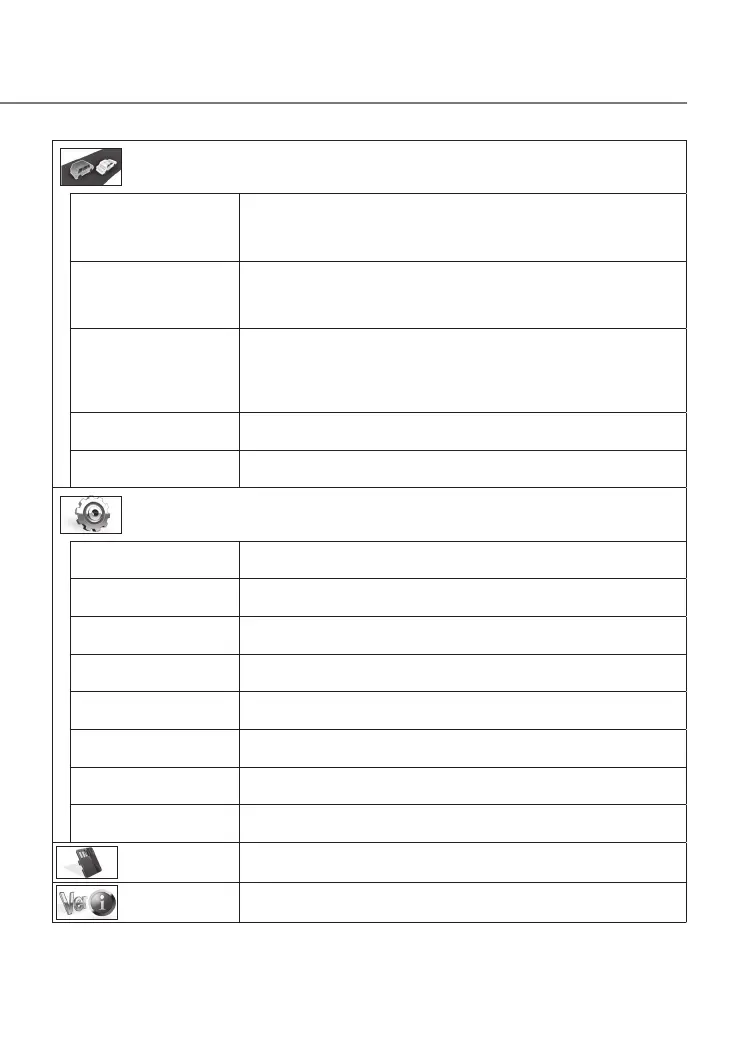
Driving support settings
Forward collision warning ON/OFF*
Detects the distance between your vehicle and the vehicle in front and notifies
with a warning sound to prevent a collision with the vehicle in front if a safe
distance is not maintained. This operates at 19mph
(
30 km/h
)
and faster.
Lane departure warning ON/OFF*
Detects the lane your vehicle is driving in and notifies with a warning sound
when your vehicle is departing from the current lane. This operates at 37mph
(
60 km/h
)
and faster.
Departure delay warning ON/OFF*
When your vehicle is stopped behind the vehicle in front and then the vehicle
in front begins moving, a warning sign notifies if your vehicle is late to begin
moving. A warning sound is also output when, for example, your vehicle moves
backward.
Detection range settings Before using the driving support function, adjust the horizon and hoot front
edge position settings to match the vehicle.
(
Á
P.12)
Mounting height settings 1.2 m*/1.35 m/2 m
Set the mounting height of the device from the road surface.
(
Á
P.12)
System settings
Date/time Automatic*/Manual
Set the date and time automatically or manually.
(
Á
P.22)
Daylight saving time OFF*/+1 hr./+30 min
Set daylight saving time.
Notification volume Set the notification volume to any of six levels (mute to maximum).
Playback volume Set the recording video playback volume to any of six levels (mute to
maximum).
Monitor display timer Always on*/10 sec/1 min/3 min
Set the screen display time.
Select units km/h/MPH*
Switch to kilometer or mile display.
Factory reset Reset the device settings to the factory default state.
System version Display the version of the device firmware.
Format SD card
Delete all files and format the SD card.
(
Á
P.13)
Update system
Update the device firmware.
(
Á
P.23)
DRV-430_B5A-0959-01_EU_EN.indd 21 2017/12/21 12:13


 To Next Page