TK-3170
16
REALIGNMENT / DISASSEMBLY FOR REPAIR
8-5. Memory Reset Mode
• This mode is used to clear data for functions that can be
set in Self-Programming Mode or to return to reset values
(default).
• Pressing [S] key when “SELF” is shown, sets the display
to “CANCEL”.
• Turning the selector alternately switches the display be-
tween “CANCEL” ↔ “READY”.
• Pressing [B] key when “READY” is shown, clears the data
and sets the display to “CLEAR”.
• Pressing [S] key again, returns the display to “SELF”.
• Pressing [S] key when “CANCEL” is shown, returns the
display to “SELF” without resetting the data.
9. Firmware Version Information Mode
Turn the transceiver ON with the [Side1] key held down.
Then, the version is displayed during holding the [Side1] key.
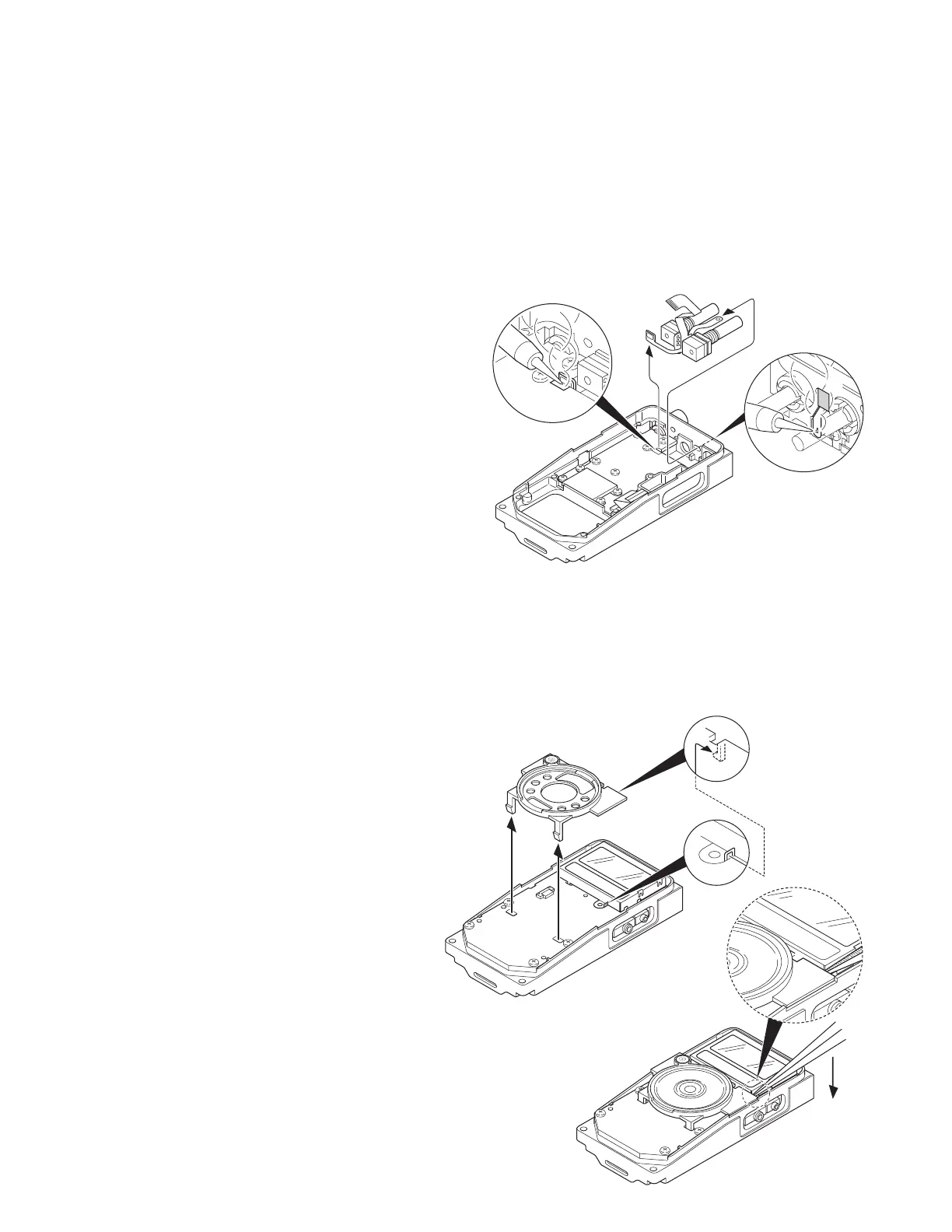
1. Removing the FPC
1) Remove the solder from the TX-RX unit using a solder iron
( q ).
2) Peel the double-sided tape ( w ).
3) Remove the solder from the battery terminal block using
the solder iron ( e ).
Note : You must replace the FPC and the double-sided tape
(4 x 7 mm) when replacing the volume or the selector.
2. Separating the Speaker Holder from
the Control Unit
1) As in shown in the figure below, the speaker holder is at-
tached to the LCD cover with tab ( q ).
Use a pair of tweezers or similar instrument to lift the
speaker holder away from the control unit ( w ).
e
q
w
q
w










 To Next Page