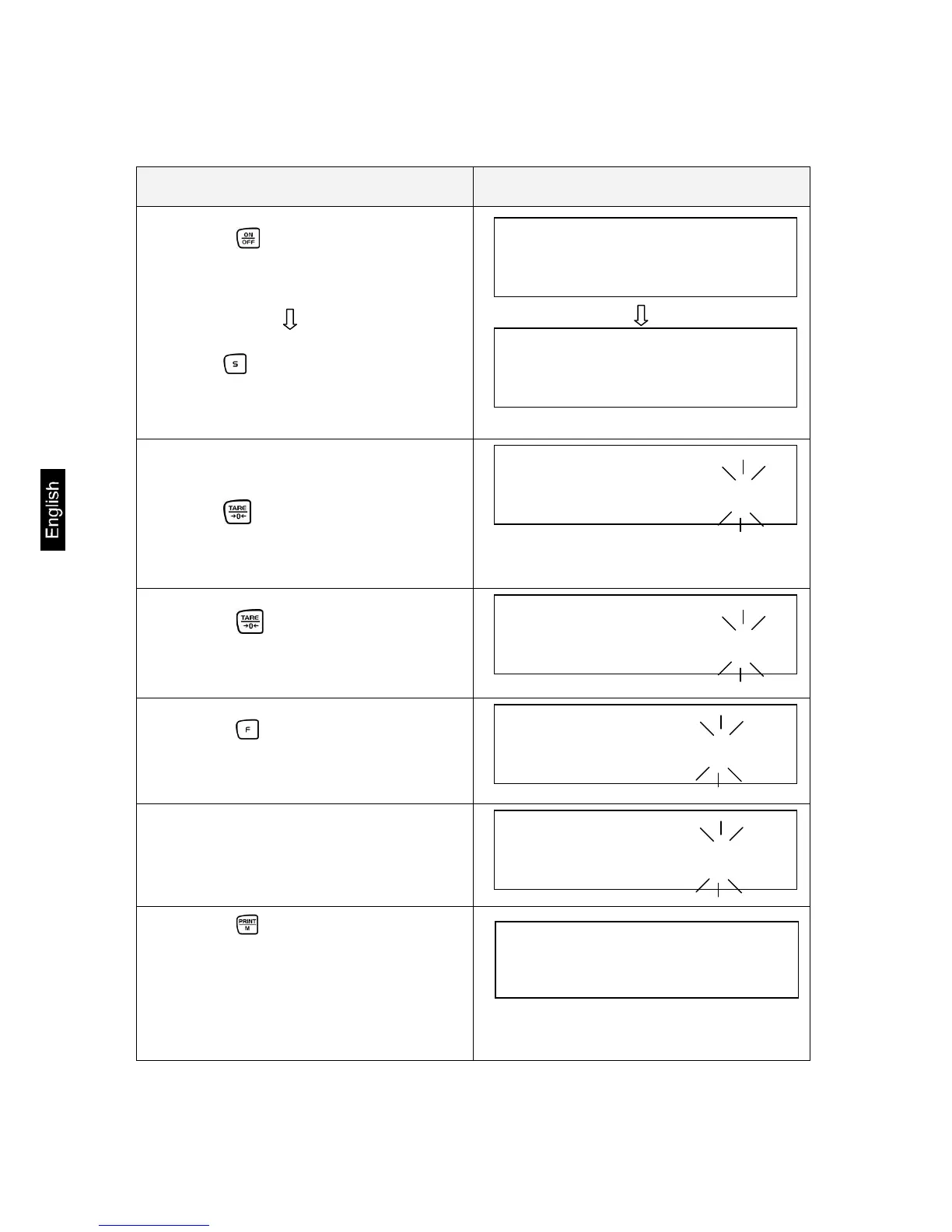
6.2.4.3 Entering the limit values using the keyboard
Operation Display
1. Use the key to switch the balance
on.
Set tolerance weighing:
Press the key until [L. SEt] appears
and then release.
2. Flashing display is either 000.000 or
the currently stored lower limit value.
Press the key:
The last digit in the display starts to
flash.
3. Use the key to increase the nu-
merical value of the selected digit.
4. Use the key to select the digit you
wish to alter (from right to left).
5. Further entries as described in items
3 and 4.
6. Use the key to store. The stored
lower weight value is displayed briefly.
Entry is now completed if 1 tolerance
mark was selected in the basic setting
(chap. 7.2.1).



 To Next Page
 Loading...