EasyManua.ls Logo

KERN MPE 250K100HNM - User Manual

KERN MPE 250K100HNM
24 pages
Print Icon
To Next Page IconTo Next Page
Loading...
KERN & Sohn GmbH
Ziegelei 1
D-72336 Balingen
E-Mail: info@kern-sohn.com
Tel: +49-[0]7433- 9933-0
Fax: +49-[0]7433-9933-149
Internet: www.kern-sohn.com
Service Manual
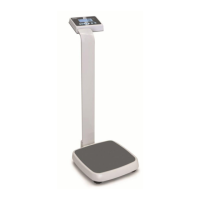
Personal floor scale with BMI function
KERN MPE_HNM / MPE_PNM
Type MPE 250K100HNM
Type MPE 250K100PNM
Version 1.0
07/2018
GB
MPE_HNM / MPE_PNM -SH-e-1810

Questions and Answers

  • J
    Jamie MurphyAug 14, 2025
    Why is the weight value incorrect on my KERN Scales?
    • R
      Roger AdamsAug 14, 2025
      An incorrect weight value on your KERN Scales can stem from several causes. It could be due to a calibration error, so try performing the calibration again using an accurate weight. Also, make sure that the platform or load cell isn't touching anything. Verify the weighing unit parameter settings are correct. Finally, check the load cell and its connectors.
  • P
    Phillip HodgesAug 17, 2025
    What to do if the display is unstable on KERN Scales?
    • A
      albertwashingtonAug 17, 2025
      An unstable display on your KERN Scales can be caused by several factors. First, make sure that goods are not touching anything around the scale. Also, check for air variations or vibrations in the environment. Temperature changes, a faulty load cell or its connections, or a faulty power supply could also be responsible. Ensure the scale is in an acceptable location, check the connectors and load cell, and verify the power supply and battery.
  • B
    Brian WoodAug 21, 2025
    What to do if my KERN Scales display 'OL' or '-------'?
    • S
      Stacey StoneAug 21, 2025
      If your KERN Scales are showing 'OL' or '-------', it typically indicates that the maximum capacity has been exceeded. It could also mean the load cell or mechanics are damaged, or the power supply is faulty. Ensure the platform is installed correctly, try turning the scale on again, and perform the calibration again.
  • L
    Logan StoutAug 25, 2025
    Why can't I use the full capacity of my KERN MPE 250K100HNM?
    • P
      Patrick McdonaldAug 25, 2025
      If you cannot use the full capacity of your KERN Scales, it might be because the overload protection stoppers or transport locks haven't been removed. Check under the platform for these. Incorrect parameter settings, an AD problem, or a damaged load cell or mechanism could also be the cause. Verify the weighing unit and parameter settings, and check the load cell.
  • J
    John McphersonAug 27, 2025
    How to fix a blank display with no self-test on KERN Scales?
    • R
      Robert NicholsAug 27, 2025
      A blank display with no self-test on your KERN Scales usually indicates a power issue. The mains power might be off, the power supply could be faulty or not plugged in, the internal battery might not be charged, or there could be a problem with the on/off switch. Check that power is getting to the scale and that the on/off switch is working. Verify the voltages indicated on the power labels.
  • E
    ericwongAug 31, 2025
    Why is the corner weight different on the platform of my KERN MPE 250K100HNM?
    • D
      David ChoiAug 31, 2025
      Different corner weights on your KERN Scales platform can occur if the overload protection stoppers or transport locks haven't been removed. It could also indicate damage to the load cell or mechanism. Check for stoppers and locks under the platform. Use an accurate weight to calibrate and check the load cell.
  • M
    matthew12Sep 3, 2025
    What does it mean when KERN MPE 250K100HNM Scales display '-------' or 'NULL'?
    • H
      hjohnsonSep 3, 2025
      A display of '-------' or 'NULL' on your KERN Scales suggests that the weight on the platform is below the permissible limit. It could also mean the pan isn't installed correctly, the power supply is faulty, or the load cell or mechanism is faulty. Check that the platform is installed correctly, try turning the scale on again, and perform the calibration again.
  • J
    joseph85Sep 7, 2025
    What to do if KERN MPE 250K100HNM Scales have a blank display after the self-test?
    • F
      franklinrobertSep 7, 2025
      If your KERN Scales display a blank screen after the self-test, it could be due to a few reasons. The pan might not be installed, the weight might be unstable, or the load cell could be damaged. Verify that the pans are installed correctly and try turning the scale on again.
  • S
    sotodianeSep 10, 2025
    Why is the battery not charging on my KERN Scales?
    • C
      chollandSep 10, 2025
      If the battery is not charging on your KERN Scales, it could be due to a few reasons: there might be a problem with the mains voltage, the charging circuit might be faulty, or there could be an issue with the battery itself. Check the mains and adapter, inspect the battery, and examine the charging circuit.

Summary

Basic Information

Appliance Overview

Keyboard Overview

Display Overview and Operation

Balance Assembly and Installation

Instructions on how to level the balance using foot screws and check levelling regularly.

Mains Connection

Details on power supply connection and LED indicator for battery status.

Rechargeable Battery Operation

Instructions for inserting and charging the rechargeable battery, and battery status indicators.

AA Battery Operation

Guidance on operating the balance with AA batteries and battery status indicators.

Insert AA Batteries

Step-by-step instructions with images for inserting AA batteries into the compartment.

Menu Navigation and Configuration

Navigation in the Menu

Instructions on how to navigate through the menu, select functions, and change settings.

Menu Overview: Auto Cutout and RS-232

Details on automatic shutdown settings and RS-232 interface parameters like mode and baud rate.

Menu Overview: Data Output and Printer

Configuration options for data output format, printer type, and background illumination settings.

Service Menu and Calibration

Accessing service menu, setting display speed, and procedures for calibration.

RS 232 Data Output and Pin Allocation

RS 232 Technical Data

Specifications for the RS 232 connection, including pinout, baud rate, and parity.

Adjustment Switch and Verification Validity

Position Adjustment Switch and Seals

Details on the adjustment switch and self-destroying seals for verification.

Verification Validity Period

Table outlining verification validity periods for different types of scales in various locations.

Scale Adjustment

Adjustment Procedure

Step-by-step guide for performing the balance adjustment process, including weight loading and confirmation.

Maintenance and Troubleshooting

General Maintenance Checks

General advice for troubleshooting, checking mechanical/electrical influences, and connections.

Error Codes and Solutions (Part 1)

List of initial error messages, their descriptions, and recommended solutions for troubleshooting.

Error Codes and Solutions (Part 2)

Continuation of error codes, descriptions, and solutions for troubleshooting balance issues.

Determine the Problem: PCB vs. Load Cell

Steps to diagnose problems by isolating issues between the PCB and the load cell.

Load Cell Checks

Procedure to check load cell connections, moisture, and input/output resistances.

Voltage Checks

Instructions for checking AC power, adaptor, PCB input, battery, and charging voltages.

Trouble Shooting Guide

Table detailing common problems, their possible causes, and common solutions for quick diagnosis.

Replace Main Board

Technical Drawings

MPE_HM Model Exploded View

Exploded view diagram of the MPE_HM model, showing all components with their respective numbers.

KERN MPE 250K100HNM Specifications

General IconGeneral
BrandKERN
ModelMPE 250K100HNM
CategoryScales
LanguageEnglish

Related product manuals