EasyManua.ls Logo

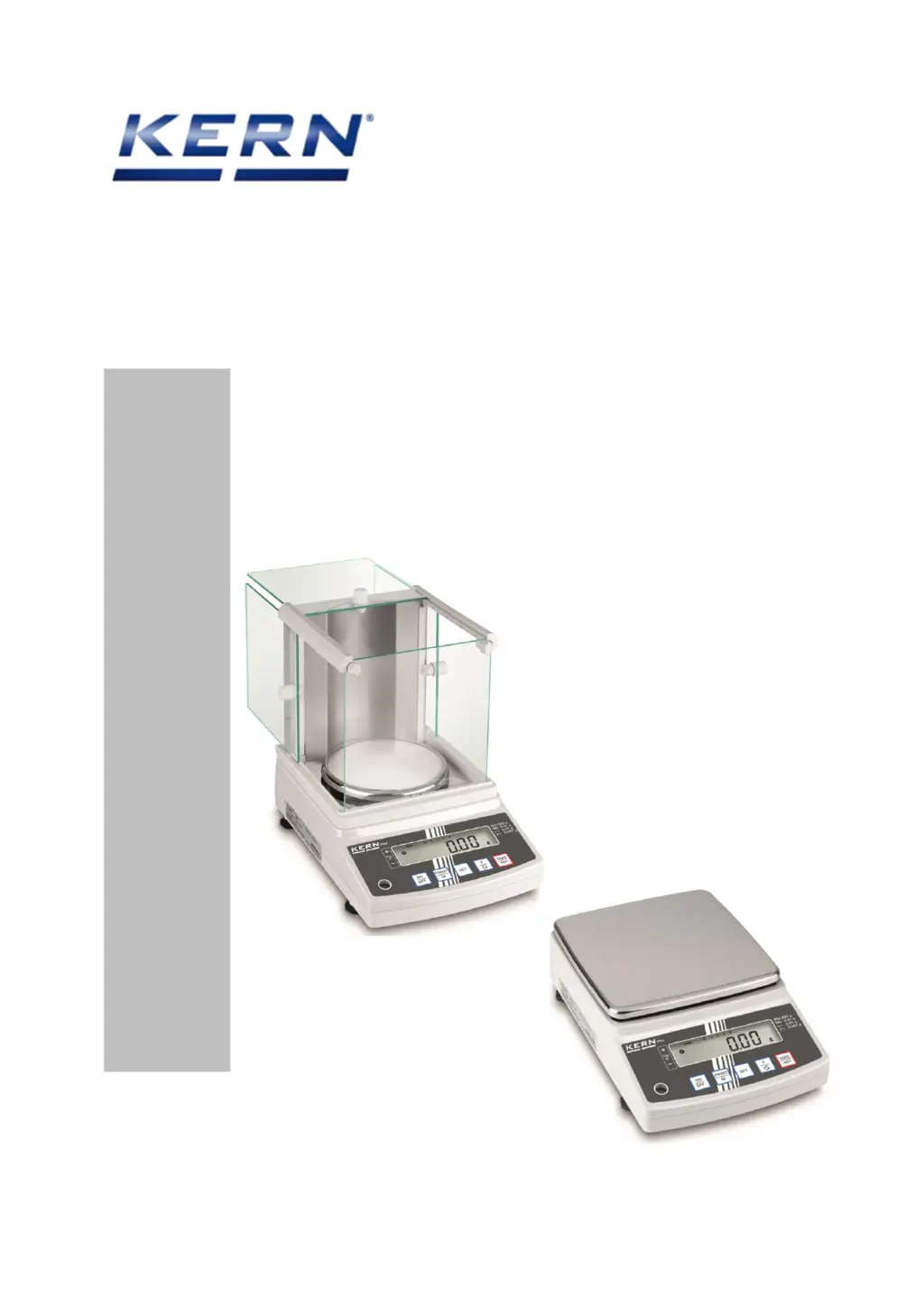
KERN PNJ - User Manual

KERN PNJ
27 pages
Print Icon
To Next Page IconTo Next Page
Loading...
KERN & Sohn GmbH
Ziegelei 1
D-72336 Balingen
E-Mail: info@kern-sohn.com
Tel: +49-[0]7433- 9933-0
Fax: +49-[0]7433-9933-149
Internet: www.kern-sohn.com
Servicemanual
Precision balances
KERN PNJ/PNS
Version 1.1
03/2020
GB

Questions and Answers

  • K
    Katherine NelsonAug 18, 2025
    Why does nothing appear on the display of my KERN Scales?
    • R
      Robert JohnsonAug 19, 2025
      If nothing appears on the display, it could be due to several reasons. It might be an AJDP circuit board failure, in which case you should replace the AJDP circuit board. Alternatively, the AC adapter may have failed and need replacement. A poor cable connection inside the scale could also be the cause, so inspect the internal connections. Finally, check if the battery is uncharged, and if so, charge it.
  • J
    Jeffrey TuckerAug 20, 2025
    Why is the display value unstable on my KERN PNJ?
    • L
      Lori FryeAug 20, 2025
      An unstable display value with poor reproducibility and zero point fluctuation can occur for several reasons. The weighing pan might be binding, so check the weighing pan. There could be a foreign object inside the scale, so inspect the inside of the scale. It could also be due to a tuning fork assembly or mechanical unit failure, requiring replacement of the mechanical unit. Lastly, consider if wind or vibration is affecting the scale; if so, reconsider the installation location and response speed.
  • M
    Matthew RoblesAug 23, 2025
    What to do if the display disappears during measurement on my KERN PNJ?
    • M
      Matthew RivasAug 23, 2025
      If the display disappears during measurement, this could be due to an AJDP circuit board failure, in which case you should replace the AJDP circuit board. It may also be due to an AC adapter failure, so replace the AC adapter.
  • J
    james47Aug 26, 2025
    What does it mean when “u-Err” or “o-Err” appears on my KERN PNJ Scales?
    • L
      Lisa LaraAug 26, 2025
      The appearance of “u-Err” or “o-Err” after “AA---” indicates a few potential issues. It could be due to the use of an irregular weighing pan, so check the weighing pan. There might be a tuning fork assembly failure or mechanical unit failure, requiring replacement of the mechanical unit. An AJDP circuit board failure could also be the cause, so replace the AJDP circuit board. Additionally, check the address data, as the error might be due to an incorrect setting of address data or changed coefficient memories caused by noises or static electricity.
  • M
    Michael BauerAug 27, 2025
    Why does my KERN PNJ have a large span deviation?
    • C
      cbyrdAug 28, 2025
      A large span deviation can be attributed to several factors. It could be due to a tuning fork assembly failure or mechanical unit failure, meaning you should replace the mechanical unit. Another cause could be an AJDP circuit board failure, so replace the AJDP circuit board. Also, check the address data, as an incorrect setting or changed coefficient memories due to noises or static electricity could be the reason.
  • U
    uclarkAug 30, 2025
    Why does ' ' appear on the display of my KERN PNJ before 'Capacity + 9d'?
    • C
      caseywatsonAug 30, 2025
      If ' ' appears on the display before 'Capacity + 9d' is reached, it may be because the sum of the tare and weight exceeded capacity, so check the tare. It could also be due to incorrect address data settings or changed coefficient memories, so check the address data. Another possible cause is that the span calibration utilized a weight with a large error, so check the weight.
  • N
    Nicholas JonesSep 1, 2025
    What causes poor linearity in KERN PNJ?
    • Y
      youngnicoleSep 1, 2025
      Poor linearity in KERN Scales can stem from several issues. A tuning fork assembly failure or mechanical unit failure might be the cause, so replace the mechanical unit. It could also result from an incorrect address data setting or changed coefficient memories, so check the address data. Finally, the problem might be that the span calibration used a weight with a large error, so check the weight.
  • M
    mcintoshbrittanySep 4, 2025
    How to fix excessive corner error on KERN Scales?
    • C
      Charles EllisSep 4, 2025
      Excessive corner error may be due to a mechanism failure, in which case you should replace the mechanical unit. Another potential cause is the weighing pan (pan base) binding on something, so check the installation of the weighing pan (pan base).
  • B
    bjacksonSep 6, 2025
    What does “b-Err” mean on the display of my KERN Scales?
    • M
      Molly BryantSep 6, 2025
      If the display shows “b-Err”, this could be due to an AJDP circuit board failure, so replace the AJDP circuit board. It may also be caused by coefficient memories (address data) that have changed due to noises or static electricity, so check the address data.
  • A
    Alexandra BassSep 8, 2025
    What does “d-Err” mean on the display of my KERN PNJ Scales?
    • C
      Cody SuttonSep 8, 2025
      If the display shows “d-Err”, this could be due to an AJDP circuit board failure, so replace the AJDP circuit board. It may also be caused by coefficient memories (address data) that have changed due to noises or static electricity, so check the address data.

Summary

Basic Information

Introduction

Keyboard overview

3.1 Overview of display

Details of the balance display, including icons, indicators, and units.

3.2 Removing the case

Step-by-step guide for safely removing the balance casing.

3.3 Attaching the case

Instructions for reassembling the balance casing after service.

Trouble shooting table

4.1 Initial inspection

Initial checks to perform before troubleshooting balance issues.

Troubleshooting procedure

Inspection of electrical section (AJDP circuit board)

Adjustment

7.1 Adjustment with internal weight (only models PNJ)

Procedure for internal weight adjustment on KERN PNJ models.

7.2 Adjustment with external weight (only models PNS)

Procedure for external weight adjustment on KERN PNS models.

7.3 CALIBRATION OF BUILT-IN WEIGHT (REFCAL)

Calibration procedure for built-in weight on AJH-CE type scales.

7.4 Resetting address data and linearity calibration

Steps for correcting address data and performing linearity calibration.

7.5 Resetting address data (coefficients)

Procedure to re-set address data after loss or PCB replacement, including data sheet usage.

7.6 Linearity calibration

Detailed steps for performing linearity calibration on the scale.

7.7 Corner Error Adjustment

Procedure for adjusting and correcting corner errors on the balance.

7.8 Overload adjustment

Steps for performing overload adjustment and setting stopper ranges.

Replacing the AJDP circuit board

8.1 How to remove the AJDP circuit board

Instructions for safely removing the AJDP circuit board from the balance.

8.2 Install the AJDP circuit board

Procedure for installing the AJDP circuit board and checking alignment.

Removing the mechanism unit

KERN PNJ Specifications

General IconGeneral
BrandKERN
ModelPNJ
CategoryScales
LanguageEnglish

Related product manuals