Calibration
Keysight M9181A Calibration and Verification Procedure 35
Calibration Steps
Calibrate Zeros (Calibration Step 1)
This step performs calibration on the “zero” measurement for the offset calibration
of DCV, 2WΩ, and 4WΩ.
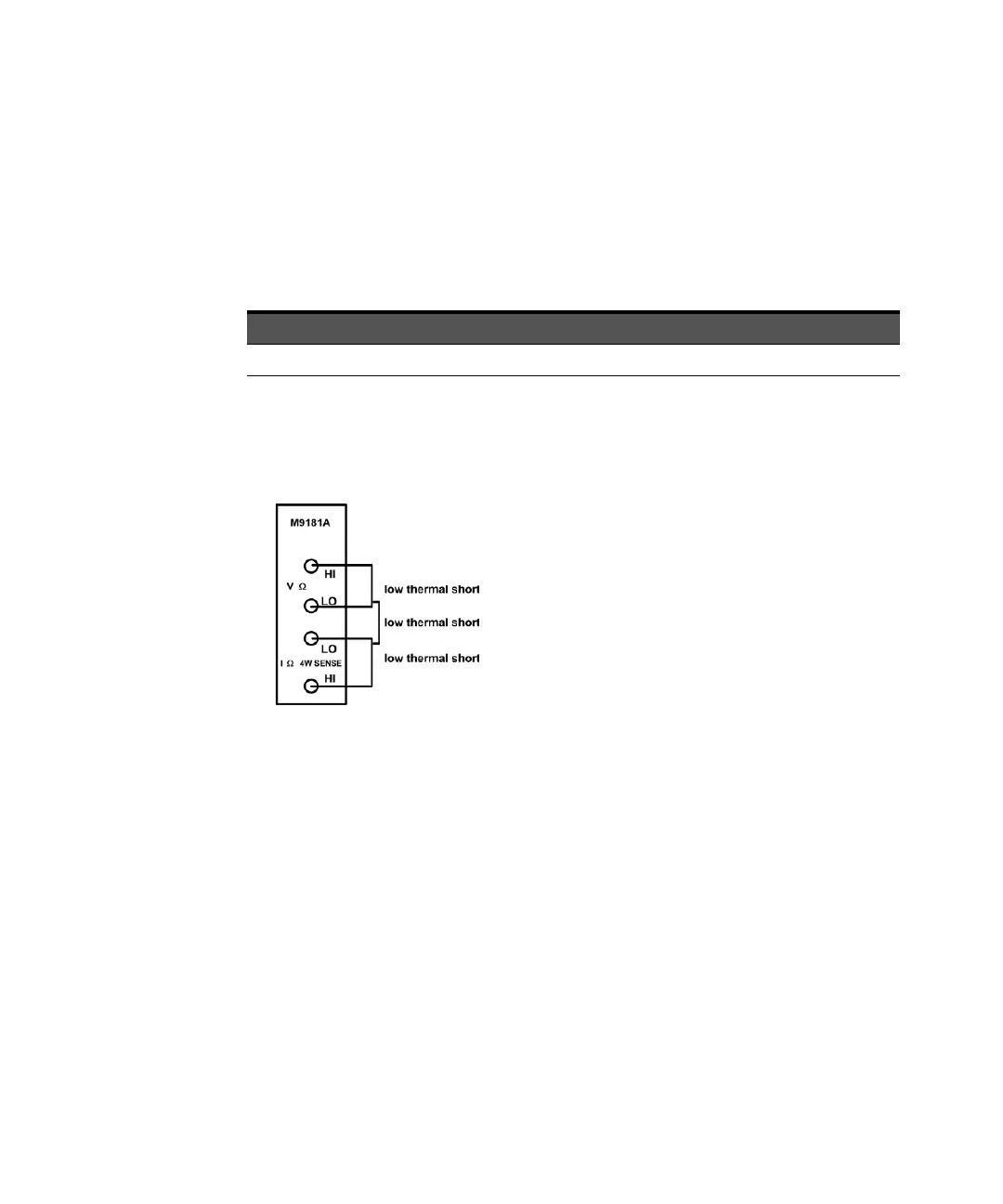
This procedure uses a low-thermal shorting block across the input connectors.
1 Install the shorting block on the front panel voltage input terminals of the
DMM, as shown below.
2 Now Perform the calibration process (see “Calibration Process” on page 31).
Enter the calibration value of 0.00 for the calibration value (because the source
is 0 V).
SFP Cal Step Calibration Name Input Value VDC
1 Zeros 0.00 Low Thermal Short



 To Next Page