Calibration Procedures 1
Keysight U3606B Service Guide 39
Self-Tests
A brief power-on self-test occurs automatically whenever you turn on the
instrument. This limited test assures that the instrument is capable to operate.
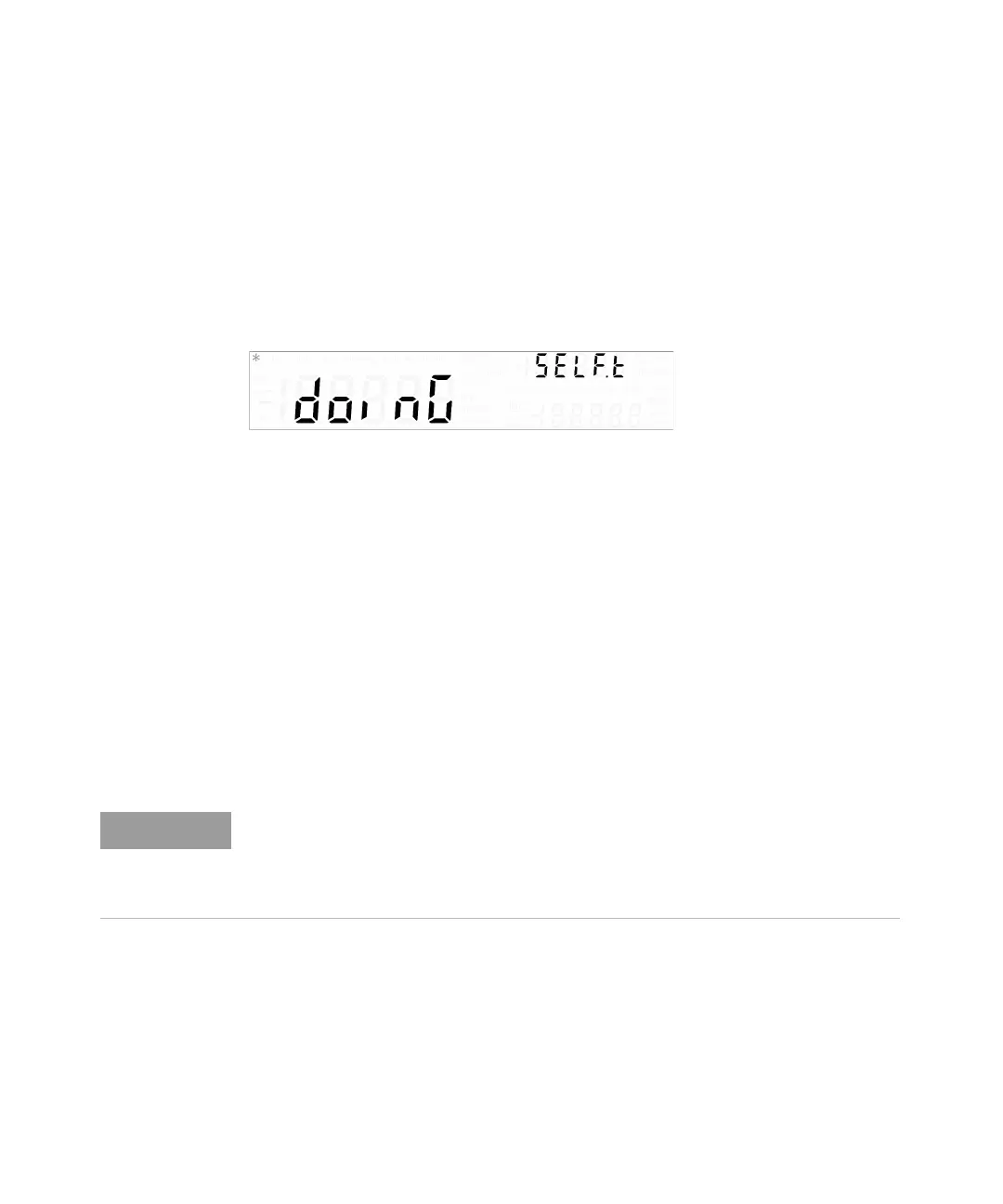
During the self-test, all display segments and annunciators are turned on before
doinG and SELF.t are shown on the primary and upper secondary displays
respectively.
If the self-test fails, the Error annunciator is turned on.
Read the errors using the utility menu (see Chapter 4 of the U3606B User’s Guide,
“Reading error messages,” starting on page 129), or use the SYSTem:ERRor?
query from the remote interface (see the U3606B Programmer’s Reference).
A list of the possible self-test errors is given in Chapter 6 of the U3606B User’s
Guide, “List of Error Messages,” starting on page 181. If repair is required, contact
the nearest Keysight Service Center.
You can initiate a more complete self-test from the utility menu (see Chapter 4 of
the U3606B User’s Guide, “Performing a self-test,” starting on page 142), or by
sending the *TST? command to the instrument from a remote interface.
The command may take up to 30 seconds to complete. You may need to set an
appropriate remote interface SCPI query time-out value.
– The instrument returns to normal operation if all self-tests pass. The Error
annunciator is turned on if a failure occurs.
–The *TST? command returns a +0 if all self-tests pass or a +1 if a failure
occurred.




 To Next Page