Calibration Procedures 1
Keysight U3606B Service Guide 67
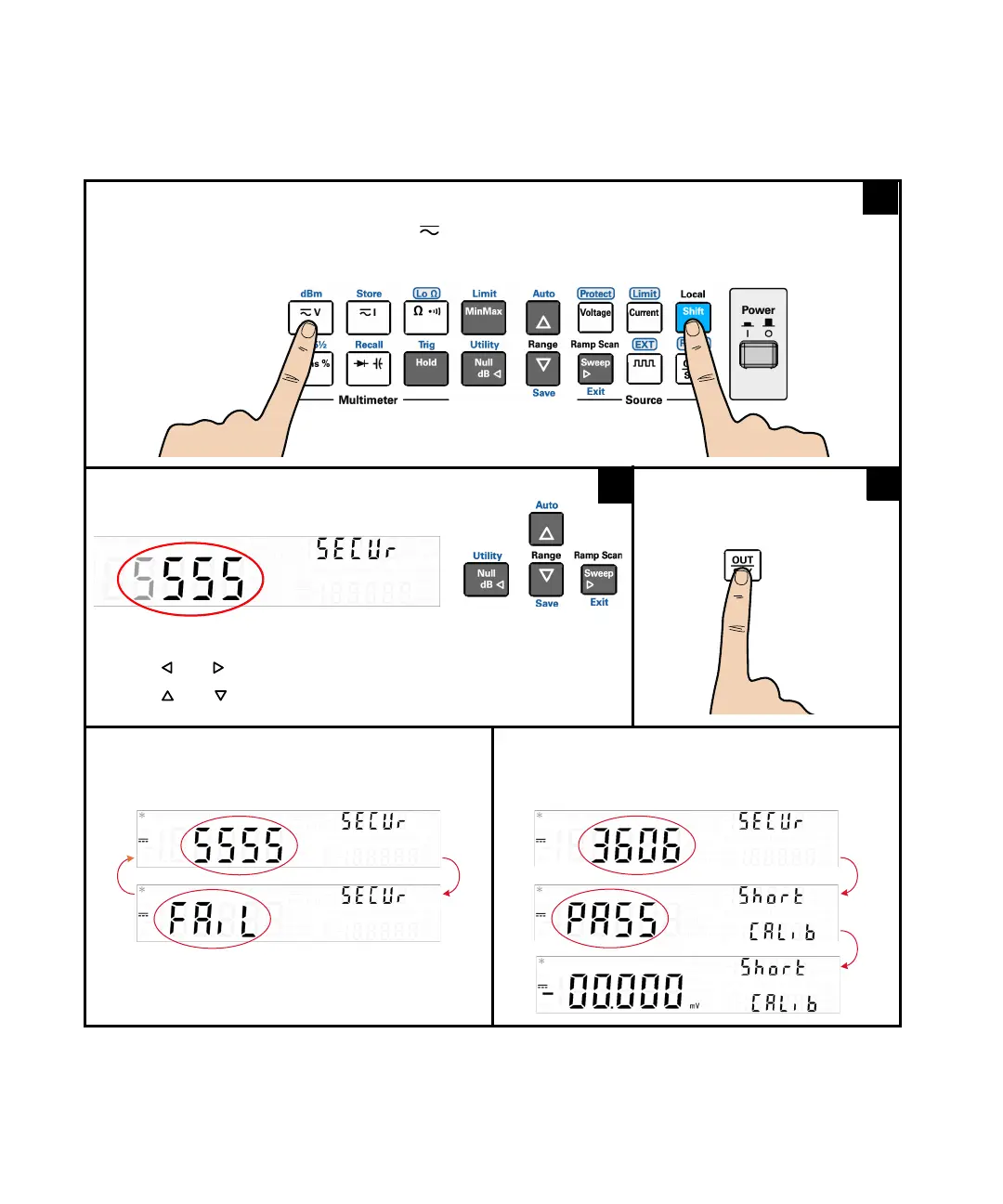
During normal operation, press [Shift] and [] simultaneously to enter the Calibration Security
Code menu.
If the incorrect security code is entered,
FAiL is
displayed for 3 seconds before you return to the
Calibration Security Code menu.
If the correct security code is entered, PASS is
displayed for 3 seconds before you enter the
Adjustment mode.
Use the arrow keys to enter the calibration security code.
– Press [] or [] to move the cursor.
– Press [] or [] to increment or decrement the digit selected.
To enter the
security code
1




 To Next Page