Quad Camera DVR
21
6
6
.
.
P
P
l
l
a
a
y
y
b
b
a
a
c
c
k
k
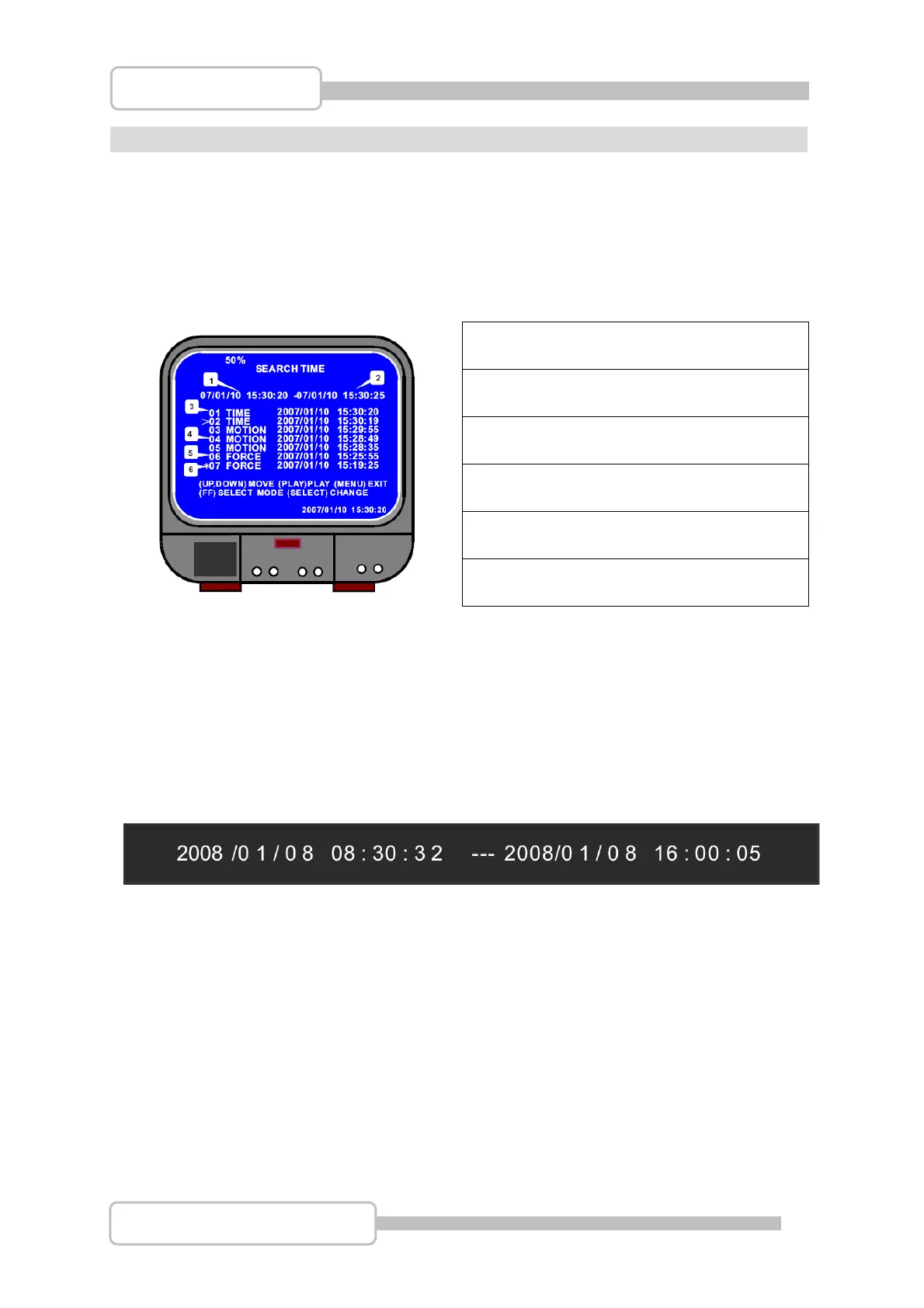
To playback the last event which has been saved on the Hard Drive, press the X
PLAY
button. To show the recorded events list press the
MENU button and use the Ç / S
UP and È / T DOWN buttons to navigate through the events list. To playback an event
from the list press the X
PLAY button on the highlighted event.
① Start Time
② End Time
③ Time: Continue Record
④ Motion: Motion Triggered
⑤ Force: Force Record
⑥ * An event which has not been viewed
Another way to search through video is to enter the time period you wish to view.
Press the XX
FWD button and then use Ç / S UP and È / T DOWN to move the
prompt. Pressing the
SEL button allows the time and date values to be changed. Press
the X
PLAY button to play to video from the selected time period.
Digital Video Recorder



 To Next Page