Quad Camera DVR
7
2
2
.
.
I
I
n
n
s
s
t
t
a
a
l
l
l
l
a
a
t
t
i
i
o
o
n
n
Be sure power is not connected before starting the installation!
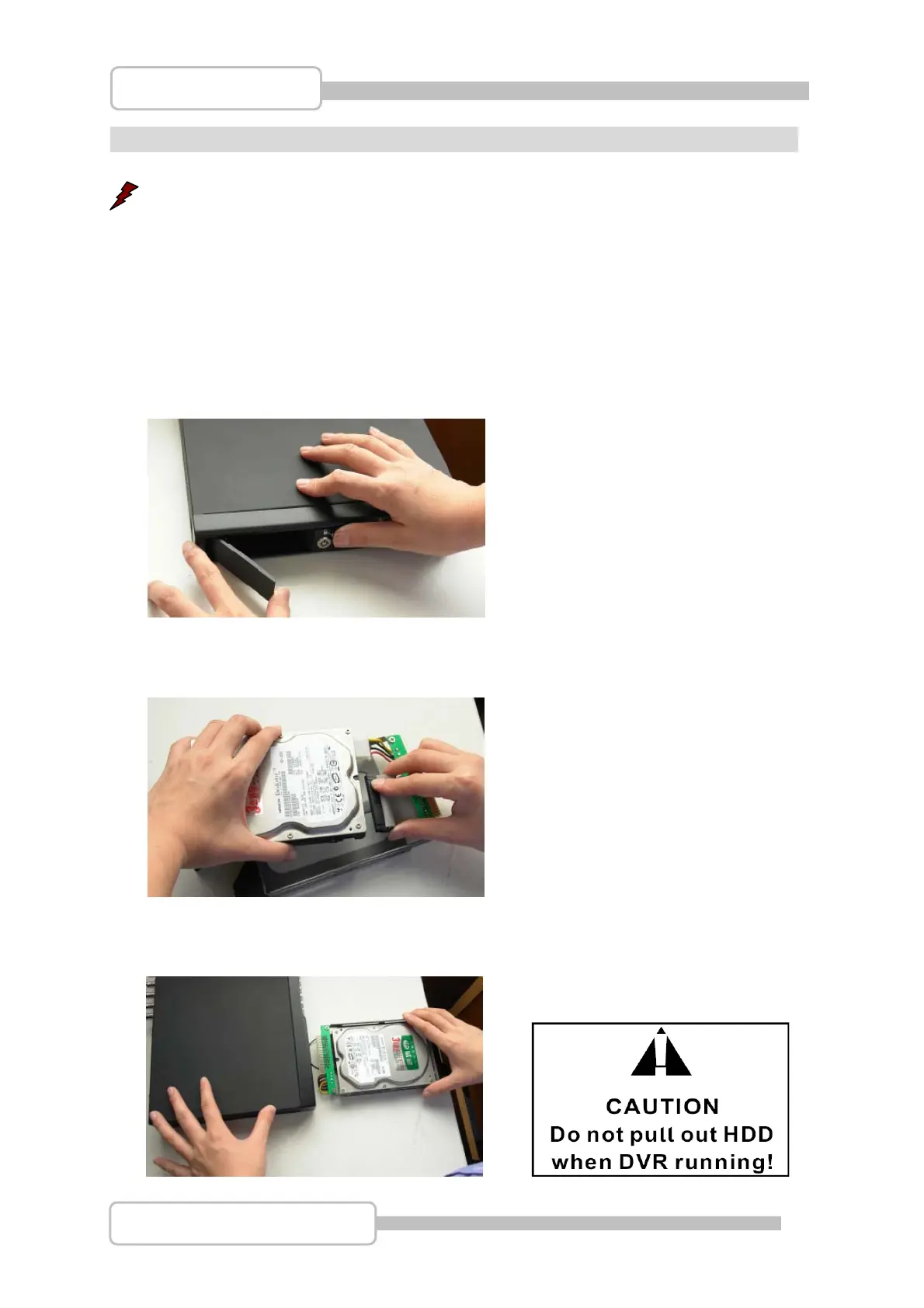
1. Install the Hard Disk Drive
There is a caddy supplied, into which the Hard Drive is installed, this caddy is then inserted into
the drive bay at the front of the DVR.
Note: Make sure the jumper on the HDD is set to “Master” to make sure it operates correctly.
Step1: Remove caddy from the front of DVR unit.
Step2: Attach drive to the caddies IDE and Power connectors, and then screw the HDD into caddy
using the 4 supplied screws.
Setp3: Insert caddy back into DVR unit and press the latch until locked in place. The caddy can
then be locked if necessary.
Digital Video Recorder



 To Next Page