OPTIMA FEATURES & FUNCTIONS GUIDE
20
*IF EQUIPPED
Cruise Control*
Audio Controls*
•
• Cruise Control is designed to function above approximately
25 mph
• The cruise control system will not activate until the brake
pedal has been depressed at least once after ignition ON or
engine starting
QUICK TIPS
Pressing the Audio Mode button for more than 1 second will
turn Audio Mode ON/OFF.
QUICK TIPS
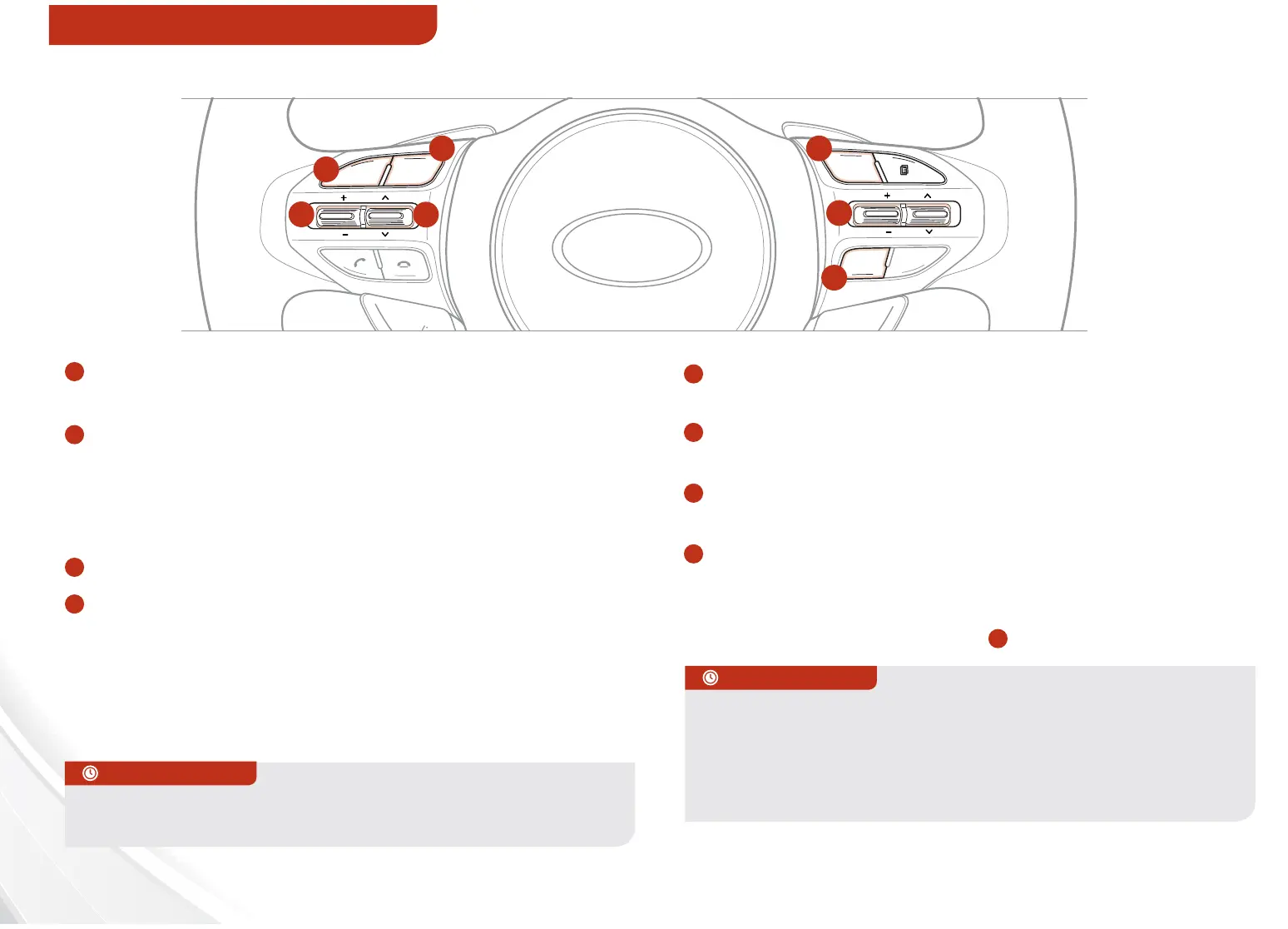
A
Audio Mode button: Press to cycle through FM1-2 / AM
/ SAT 1-3 / CD / USB / AUX / iPod
®
B
Seek/Preset button
Radio Mode: Press to advance through Preset Stations.
Press and hold to AUTO SEEK
CD / USB / iPod
®
Mode: Press to move TRACK UP/
DOWN. Press & hold to FF/REW
C
Volume button: Press up/down to raise/lower volume
D
Mute button: Press to mute all audio
E
Cruise Control ON/OFF: Press to turn the
Cruise Control ON/OFF
F
Resume Cruising Speed: Press to resume or increase
Cruising Speed
F
Set Cruising Speed button: Press to set or decrease
Cruising Speed
G
Cruise Control Cancel button: To cancel Cruise
Control setting, do one of the following:
• Press the brake pedal
• Press the CANCEL button
G
VOL
VOL
MUTE
MODE
CRUISE
CANCEL OK
RES
SET
D
A
B
C
E
F
G
For further audio system operations, refer to pages 16-24.
REMINDER: Your vehicle’s steering wheel buttons may dier from
those in the illustrations. See your Owner’s Manual for more details.
REMINDER: Driving while distracted is dangerous and should be
avoided. Drivers should remain attentive to driving and always exercise
caution when using the steering-wheel-mounted controls while driving.
STEERING WHEEL CONTROLS















 To Next Page