7
ALWAYS CHECK THE OWNER’S MANUAL FOR COMPLETE OPERATING INFORMATION AND SAFETY WARNINGS.
*IF EQUIPPED
Active ECO System*
The Active ECO system helps improve fuel
efficiency by controlling several vehicle
components. When activated, it optimizes
drivetrain operations such as engine power
and transmission for better fuel economy.
To turn ON, press the ECO button
B
. The
button light will turn on and the green
ECO indicator light
C
in the instrument
cluster will illuminate (indicating that you
are getting optimal fuel efficiency). The
Active ECO System will remain on even
when the engine is turned off and restarted.
To turn the Active ECO System OFF, press
ECO button
B
again.
CANCEL OK
ECO
B
Optima Active ECO
Video
To view a video on your
mobile device, SNAP this
QR code or visit the listed
website.
Refer to page 2 for more
information.
QR CODE
www.KuTechVideos.com/qf13/2014
•
To help improve your
fuel eciency:
• Drive at a moderate
speed, accelerating
smoothly and at a
moderate rate
• Keep tires inflated to
the recommended
pressure
• Be sure the wheels are
properly aligned
For more information on Active ECO, refer to your
Owner’s Manual or contact your local dealership.
C
CANCEL OK
SET
ECO
Drive Mode Integrated
Control System*
Drive Mode:
The Drive Mode may
be selected depending on driver’s
preferences and road conditions.
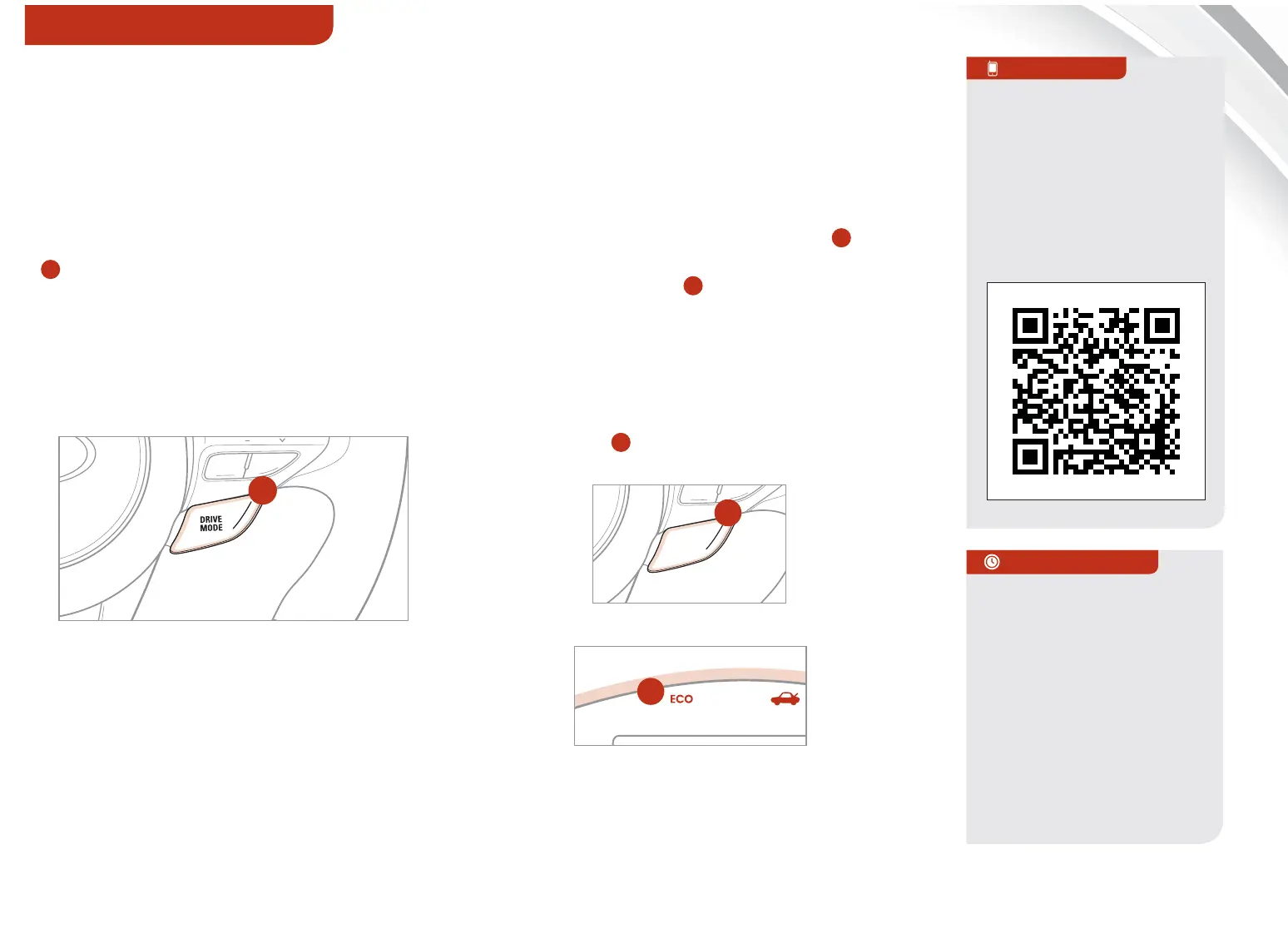
To scroll through the different Drive
Modes, press the DRIVE MODE button
A
. The Instrument Cluster will display
SPORT or ECO when selected. When in
Normal mode, it will not display in the
Instrument Cluster.
REMINDER: The system is turned ON and to
Normal Mode when ignition is in the ON position
A
(located on Steering Wheel)
(located on Steering Wheel)
(located on Instrument Cluster)
QUICK TIPS
INSTRUMENT CLUSTER















 To Next Page