OPTIMA FEATURES & FUNCTIONS GUIDE
22
*IF EQUIPPED
AUDIO SYSTEM
DISP
RADIO
MEDIA
PHONE
SCAN
SETUP
MENU
ENTER TUNE
FILE
POWER
PUSH
VOL
Bluetooth
®
1
2
3
4
56
RPT RDM
SEEK
TRACK
CAT
FOLDER
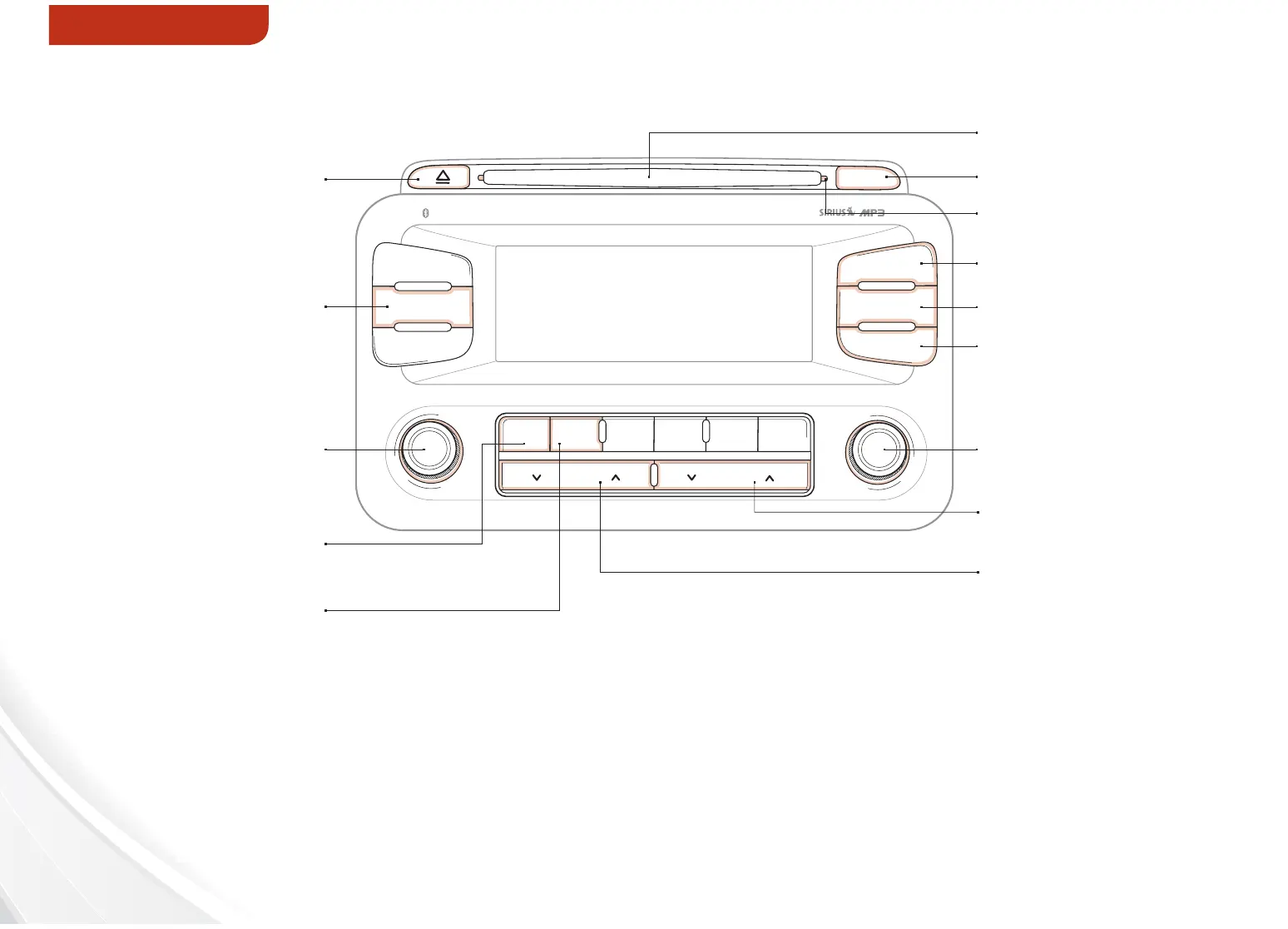
Standard Audio System Operation — CD/Aux/USB/iPod
®
*
Insert CD
Press to Scan CD/AUX/
USB/iPod
®
Track
Press to turn Display ON/OFF
Press to enter Setup mode
Press to enter Menu mode
Press to eject CD
Press to select CD/AUX /
USB/iPod
®
track
Press to power ON/OFF.
Rotate to adjust volume
Press button to select
Random playback. Press
and hold button to select
Random playback of all
songs in CD/file/folder
Press to select Repeat
playback. Press and hold
button to select Repeat
playback of all songs in
CD /file/folder
Press to display CD/MP3/
AUX/USB/iPod
®
mode
Indicates that a CD is inserted
Rotate to browse songs.
Press to select song
Press to move Up/Down
one Category/File folder
For further audio system operations, refer to pages 21-24. REMINDER: Sirius™ service not available in AK or HI.
REMINDER: Your vehicle’s audio system may dier from that in the
illustration. See your Owner’s Manual for more details.















 To Next Page