23
ALWAYS CHECK THE OWNER’S MANUAL FOR COMPLETE OPERATING INFORMATION AND SAFETY WARNINGS.
*IF EQUIPPED
AUDIO SYSTEM
REMINDER: Sirius™ service not available in AK or HI.
For further navigation system operation, refer to the Digital Navigation
System User's Manual.
For further audio system operations, refer to pages 21-24.
•
ProlongeduseoftheNavigationsysteminACCmodemaydrain
the vehicle’s battery. A warning screen may appear periodically
to remind users that the Navigation System should be operated
with the engine running to prevent battery discharge.
QUICK TIPS
When using the voice command feature, wait for
the system BEEP before speaking the command.
QUICK TIPS
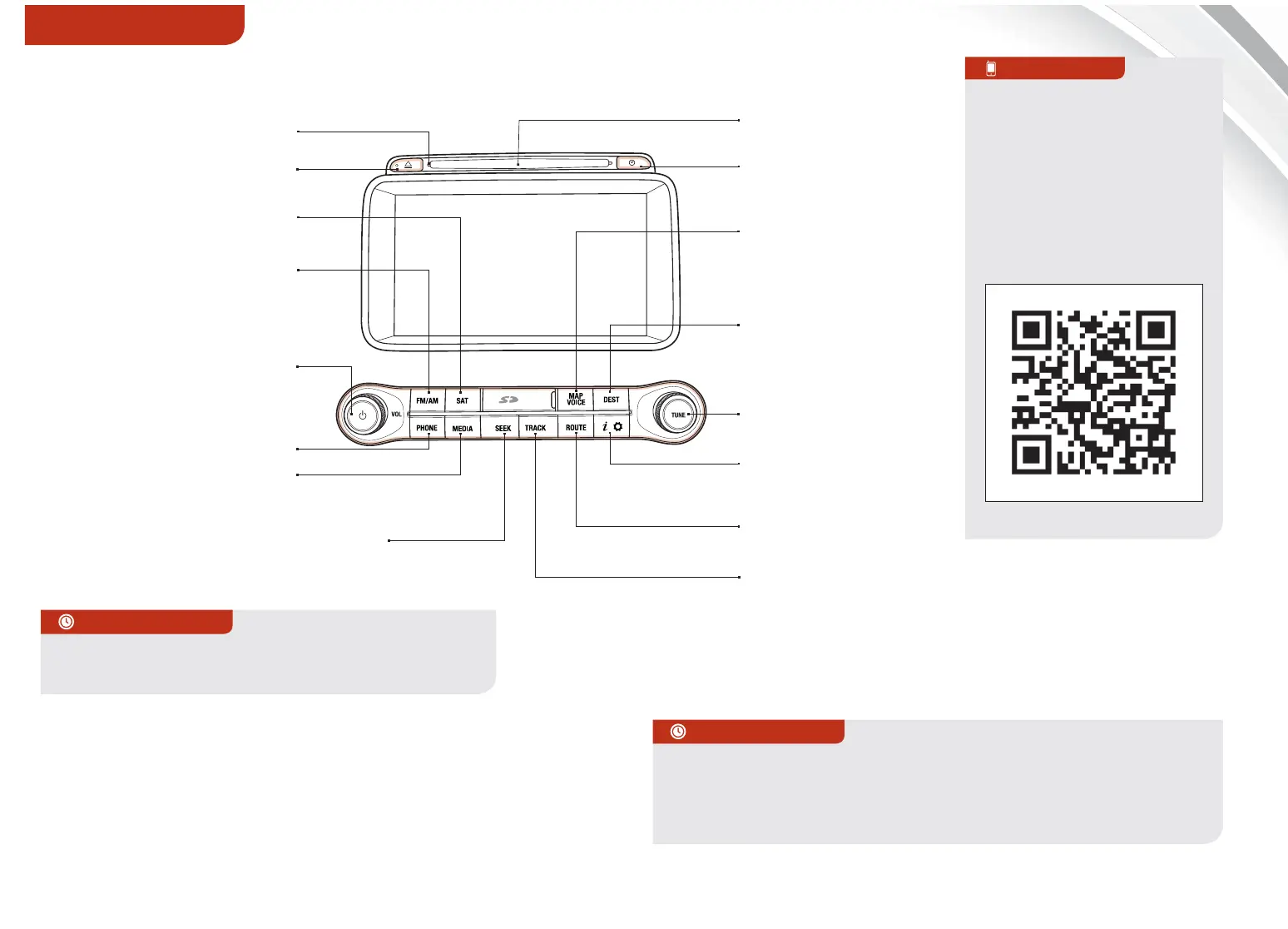
Navigation System with AM/FM/CD/MP3/Sirius - Sirius Trac*
MAP
Press to Power ON/OFF.
Rotate to adjust Volume
Press to enter Phone Mode
Press to select FM/
AM modes
Press to select
Sirius™ mode
Press to display the
eSERVICES/INFO/
SETTINGS modes
Press to select CD/MP3/
USB/iPod
®
/Aux mode
Indicates that a CD has
been inserted
Press to change Radio/
Sirius™ Stations/CD/
MP3/USB/iPod
®
files
Press to display the Map
screen for the current
position/Voice mode
Press to display the
Destination menu screen
Press to display the
Route menu screen
Press to eject CD
Press to access Clock
Display. Press and hold
to enter Clock Setup
Press to select previous/next Radio/
Sirius™ stations /CD tracks/MP3/USB/
iPod
®
files. Press and hold to move
quickly through stations/tracks/files
Insert CD
Navigation Audio
System Videos
To view a video on your
mobile device, SNAP this
QR code or visit the listed
website.
Refer to page 2 for more
information.
QR CODE
http://kutechvideos.com/audio/
nav_eServices
REMINDER: Your vehicle’s audio system may dier from that in the
illustration. See your Owner’s Manual for more details.
Rotate to change Radio/
Sirius™ Station/
CD/MP3 file















 To Next Page