OPTIMA FEATURES & FUNCTIONS GUIDE
24
*IF EQUIPPED
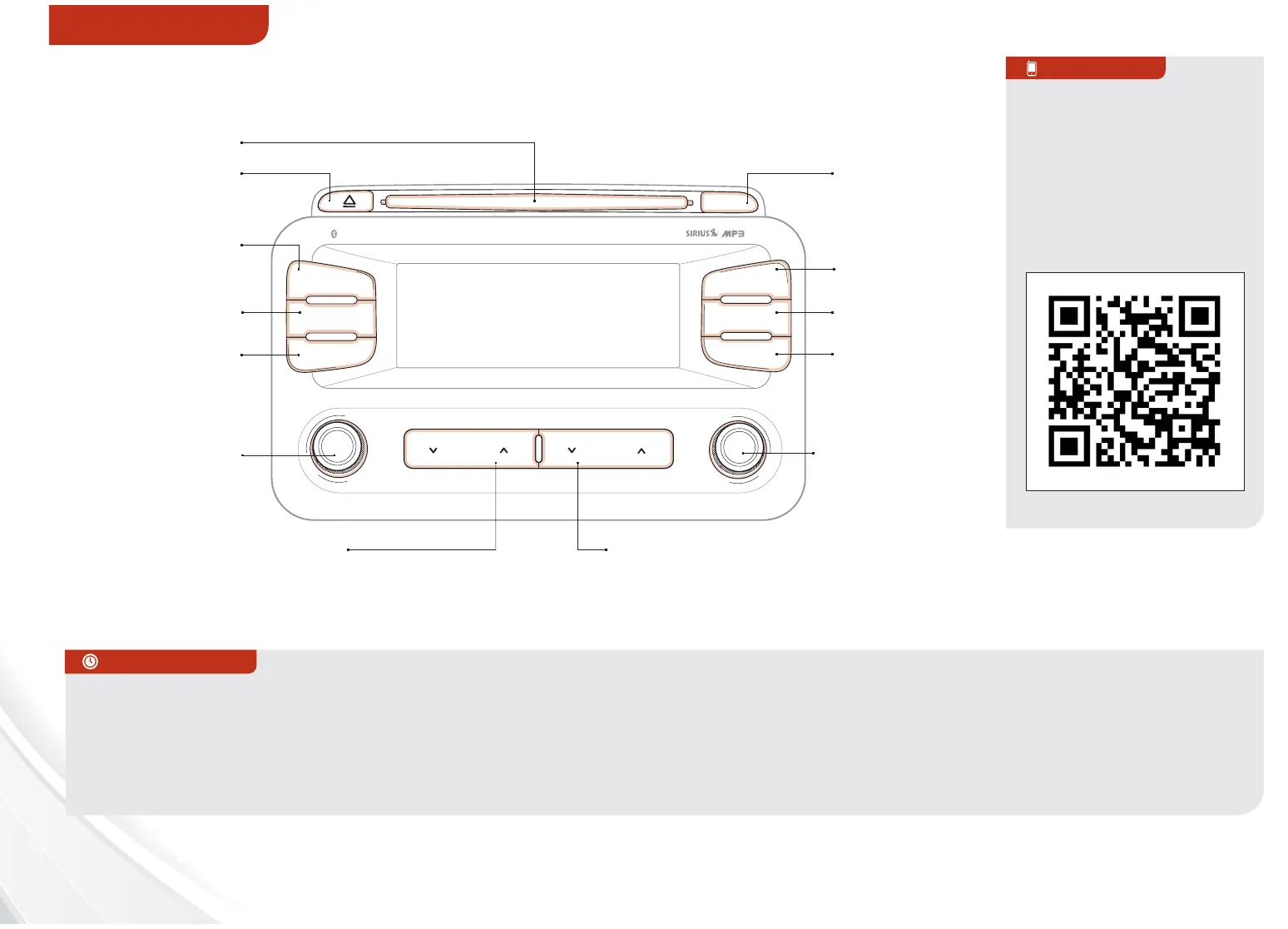
AUDIO SYSTEM
DISP
FM/AM
SAT
MEDIA
eServices
PHONE
SETUP
ENTER TUNE
FILE
POWER
PUSH
VOL
Bluetooth
®
SEEK
TRACK
CATEGORY
UVO System*
REMINDER: Sirius service not available in AK or HI. For further audio system operations, refer to pages 21-24.
Press to eject CD
Press to turn
Display OFF/ON
Press to display
PHONE mode
Press to display
SETUP mode
Press to display
eServices mode
In Sirius mode,
press to move to
the previous/next
category
Press to select next/previous
station/track/channel/song/file.
Press and hold to move quickly
through the stations/tracks/
channels/songs/files
Press knob to turn
Power On/Off.
Rotate knob to
adjust Volume
Up/Down
Press to select
MEDIA mode. Then
press FM/AM button
to toggle through
the Media modes
Press to select
Sirius mode
Press to select
FM/AM mode
In Radio/Sirius/
MEDIA/JUKEBOX
modes, rotate
knob to search for
stations/ channels/
tracks/songs/
files. Press knob to
receive the selected
station/channel/
track/song/file
Insert CD
UVO System Videos
To view a video on your
mobile device, SNAP this
QR code or visit the listed
website.
Refer to page 2 for more
information.
QR CODE
http://kutechvideos.com/audio/
UVO_eServices
REMINDER: Your vehicle’s
audio system may dier from
that in the illustration. See your
Owner’s Manual for more details.
•
• When using the voice command feature, wait for the system
BEEP before speaking the command
• Only MP3 or WMA files may be played or copied to Jukebox.
Commercial CDs or CDs with a CDDA audio format (compact
disc digital audio) cannot be copied to Jukebox
• At any time you can interrupt UVO System Command
Feedback by pressing the TALK button
• Prolonged use of the UVO system in ACC mode may drain the
vehicle’s battery
QUICK TIPS















 To Next Page