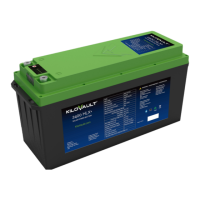
• HLX+ batteries have an automatic standby mode where they will shut themselves down if
they do not see a load of more than 200-250 mA. That is about 3 Watts per series battery
(i.e., 3 watts for a single 12 V battery, 6 watts for 24 V series, and 12 watts for 48 V). In the
standby mode the battery turns back on about every 15-20 seconds to search and see if
there is load connected to it. If your load is not larger than this minimum current then the
battery will not stay on.
• Consider connecting an additional small DC load to the batteries to increase the current
draw to over 250 mA. If you are using an inverter, it is possible that it is going into its own
standby mode and it is consuming less than the minimum current required to keep the
batteries on. Also, for this case of the inverter, consider adding another small additional DC
load to increase the current draw to over 250 mA.
5. Can an HLX+ battery be charged with an auto / RV al-
ternator?
• Yes, as long as the alternator provides the appropriate charging current for your battery
and does not exceed 14.1 V.
6. What is the terminal mounting hardware size?
• M8 - 1.25 x 16 mm bolts. In all models, the terminals extend 1 mm above the case.
7. What are the recommended voltage settings for a gen-
erator?
• We recommend a low-voltage start of 12.3V and a cut-off voltage of 13.9V (multiply those
numbers by 2 for 24V and 4 for 48V systems). Please see the Generator/Automatic
Generator Start settings in section 4.
8. What voltage settings are recommended for an 80%
depth of discharge?
• We recommend a Recharge / Re-Bulk voltage of 12.75 V per HLX+ in series for an 80%
Depth of Discharge.
9. Is there a special mobile application to connect to the
batteries via Bluetooth?
• HAB iT, the KiloVault® mobile Bluetooth application, enables you to view general infor-
mation about the selected individual battery. It can help troubleshoot when attempting to
detect the cause of the battery bank going off-line. The app is available as a free download
for both Android and iOS devices on the iOS and Google Play app stores.
2022
19

 To Next Page
 Loading...