19. Why does HLX iT show my battery at 100% SoC when
the battery voltage hasn’t reached 14.1 V? Why are my
batteries showing dierent States of Charge (SoC) even
though they are at the same voltage?
• The HLX+ SoC needs to be re-calibrated. Please try re-calibrating the battery SoC by do-
ing the Re-Commissioning process:
– Charging the HLX all the way up to 14.1 V. If the SoC reaches 100% before the battery is
at 14.1 V, please do not stop charging. Keep charging all of the way to 14.1 V.
– Then Discharge the HLX all of the way to 12V.
– Then re-charge the HLX normally, once again up to 14.1V.
– The SoC should now be re-calibrated.
Remember, the SoC reported in the app is an approximation for people to use, but the battery be-
havior is actually driven by the Volts and Amps.
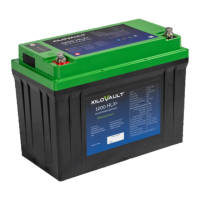
20. My HLX+ is stuck in a protection mode. The voltage
measured at the battery terminals is in the single dig-
its and it does not show up in the HLX iT app. How do I
wake it up?
• Press the HLX+ reset button for 5 seconds.
22

 To Next Page
 Loading...