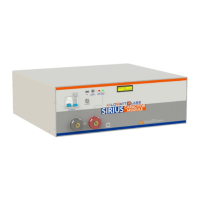
Sirius Capacitor Module – User Manual Model Number - 3550-48-B-1.7C-M-SD-A-G
This manual is subject to change without notice and at the sole discretion of Kilowatt Labs, Inc.
Kilowatt Labs, Inc. | www.kilowattlabs.com
14
→ To make the current zero, hold the fault reset button for 3 seconds and the LCD will display the
following message.
This means that the current is now zero.
To return back to the normal screen, press the fault reset button once more or leave the Module idle
for 5 seconds.
4. Auxiliary USB:
This is an auxiliary connector with isolated UART or Serial Communication for wireless monitoring,
Module Combiner and future functions.
5. COMM Connector USB:
This is a COMM connector to monitor the Module using the Sirius software. FTDi chip is used for this
USB.
6. COMM Status LED:
COMM Status LED indicates the communication status.
• LED Status Indication:


 To Next Page
 Loading...