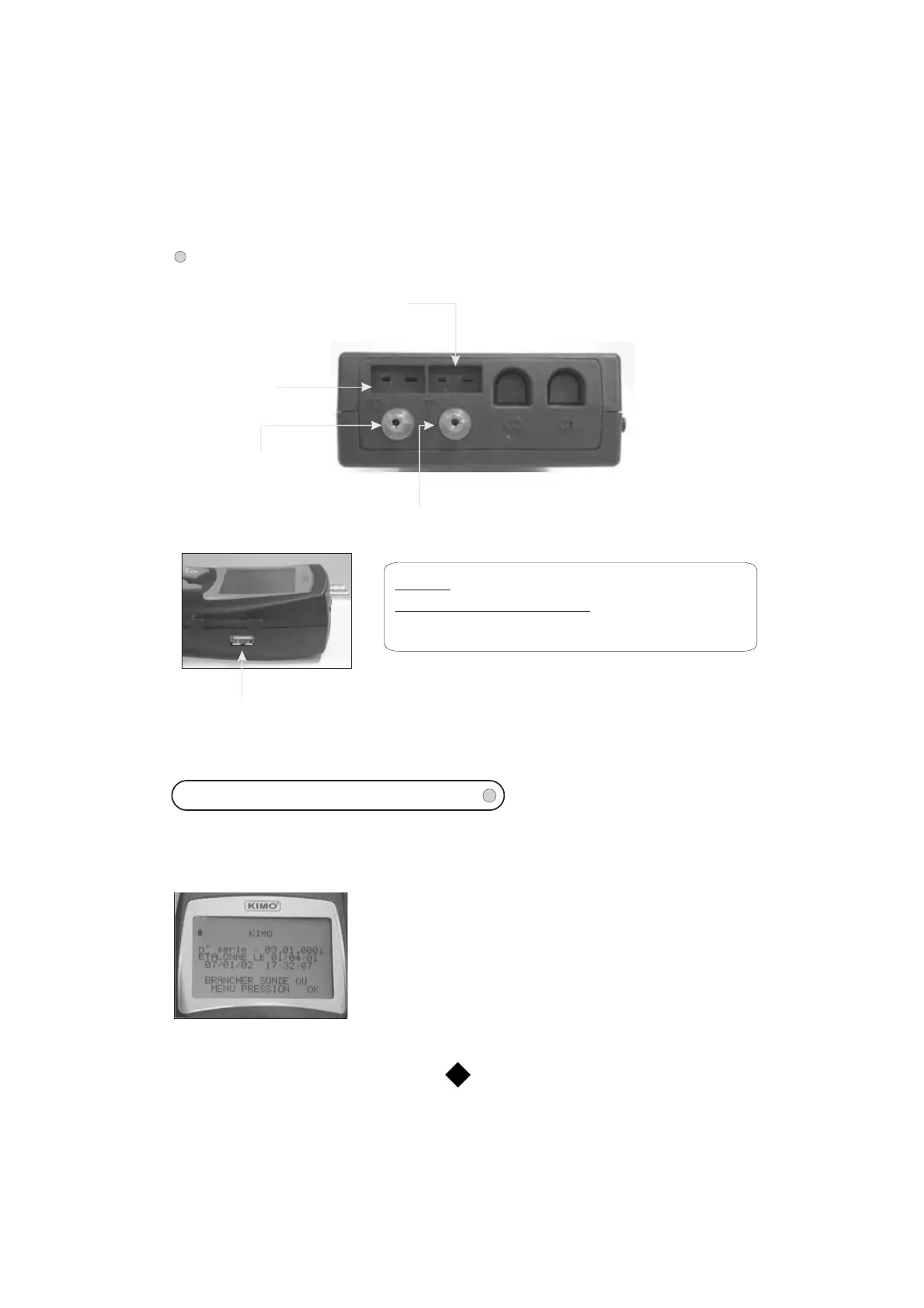
DISPLAY SIDE
Connections :
Thermocouple K
input
(T1)
thermocouple K
input
(T2)
Pressure socket (+)
Depression socket (-)
-:
-:
T1 and T2
Pressure and depression sockets
Connection of thermocouple K probes
Connection of silicone tubes
for measure of pressure or air velocity / air flow with Pitot tube.
USB port for connection
to the printer and
joining to a PC
3
To switch on the instrument, press the key “ON/OFF”.
The screen shows the name of the device, its serial number, its calibration date, the date and hour (see photo
below).
To access to the menu pressure, press on the knob ; To access to
another menu, connect the corresponding probe. If this one uses the
SMART PRO system, the screen shows the type of the connected
probe, and its calibration or adjusting date. To access to the menu press
on the knob. To return to the homepage, disconnect the probe or press
on “ESC” for the menu pressure.
To switch off the instrument, press some seconds on the “ON/OFF” key.
INTRODUCTION OF THE MENU
MP 202



 To Next Page