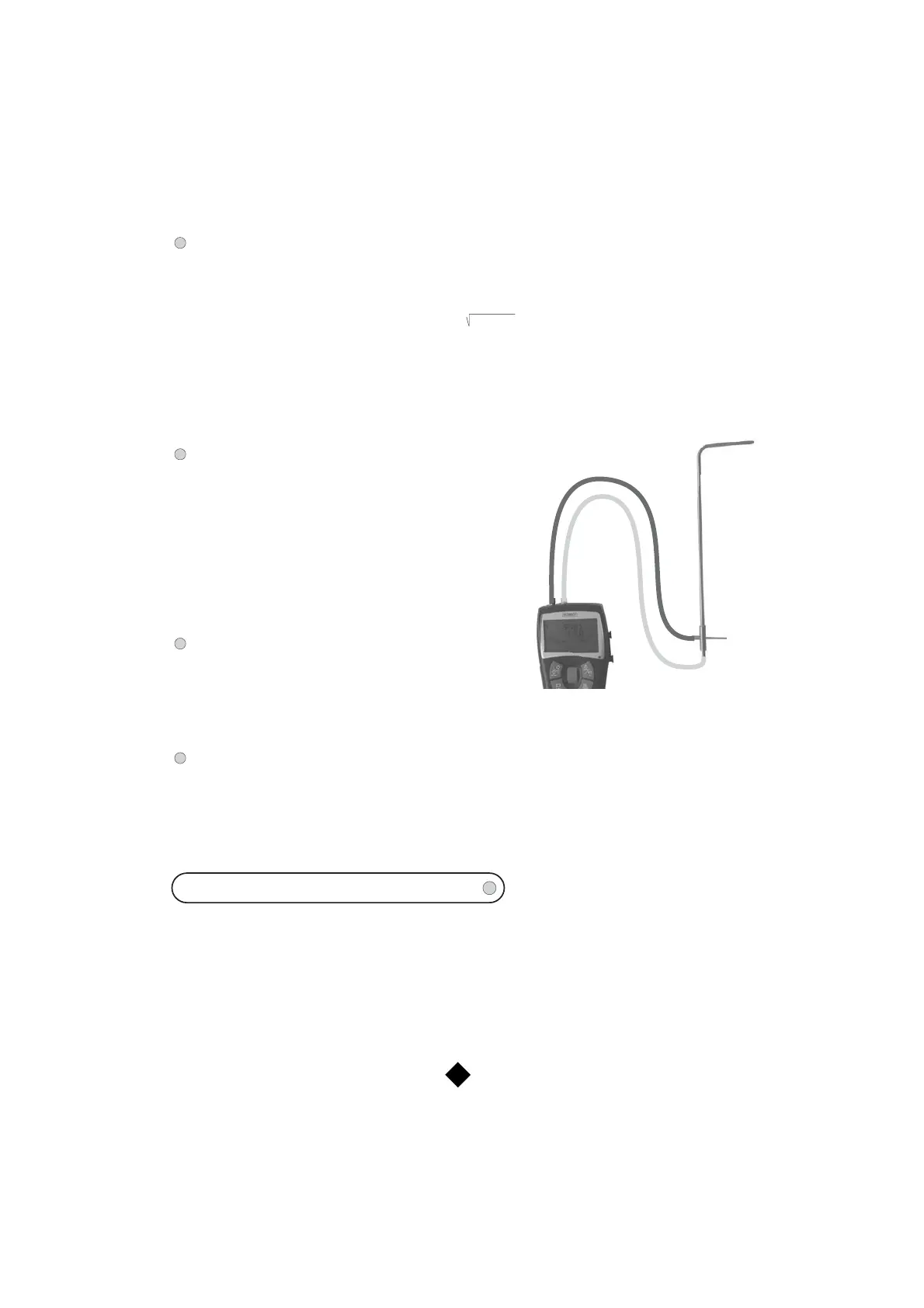
Velocity with Pitot :
Connect the Pitot tube (See plan opposite).
At the bottom of the screen appears the
following submenu:
- Autozero (see p. 4)
- Temperature equalization (see p. 7)
- Automatic point / point average
(see p. 6)
- Point / point average (see p. 6)
- Units (see p. 5)
7
Dynamic pressure = TP - SP
Velocity with Debimo :
At the bottom of the screen appears the following submenu:
- Autozero (see p. 4)
- Units (see p. 5)
- Automatic average (see p. 5)
- Temperature equalization (see p. 7)
Temperature equalization :
It is possible to modify the value of the compensation in temperature. Indeed, the velocity and the airflow
with Pitot's tube and with Debimo blades are calculated from a temperature of use in +20°C. It is thus
necessary to enter the real temperature of use to obtain more precise results.
When you are in the menu ‘Temperature equalization’, modify the symbol (+ o -) by the means of the knob
and validate pressing on the knob. You have to process in the same way to validate each of the 4 figures
of the temperature.
To reach the various settings, switch on the device (do not connect a probe). Press then on "ON / OFF".
The following scrolling down menu appears :
- Date and hour
- Retro-lighting
- Contrast
- Keys Beep
- Languages
- Automatic stop
- Solenoid valve
To validate a function, press on the knob when the wished function is shown on the screen.
SETTINGS
-
+
Total
Pressure
(TP)
+
Static
Pressure
(SP)
-
Air flow with K Factor :
The K Factor is a coefficient making possible to calculate a flow from a Delta P. This coefficient is given by
the manufacturer of supplying diffusers equipped with pressure connections (+ and -). The K Factor is
stated in the technical datasheet from the manufacturer. From the square root of the measured pressure
(Delta P) and from the K factor, you get the airflow :
The window “K Factor flow” appears. During the first use, it displays a zero value of the coefficient
(0,00). To modify the value of the K Factor, press the control knob. You can “Confirm” or “Modify”
your choice. Select “Modify”, then validate. Then enter the value of the coefficient using the control
knob, and validate again (possibility to indicate up to 10 different values). Then select the unities of
flow (m³/s, m³/h, L/s, cfm) and of pressure (mmH2O, inWG, kPa, mmHG, mbar, Pa). Validate. The
screen displays the value of the measured flow, the Delta P and the K Factor.
Flow = Delta P x Kf



 To Next Page