EN
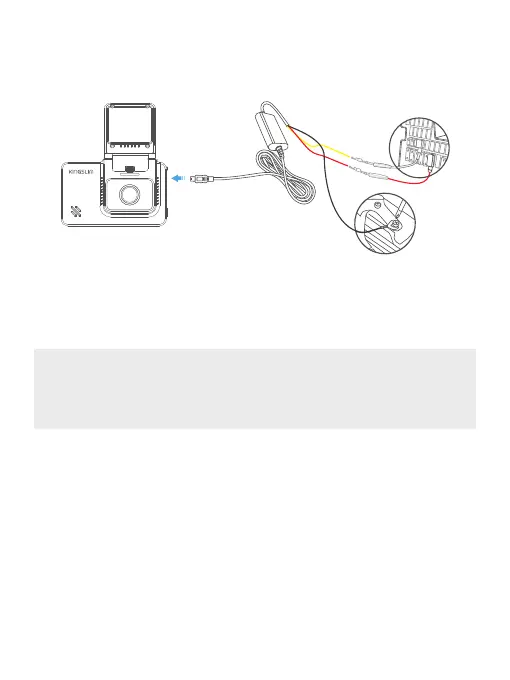
⑤ Crimp the black wire and screw it down to any non-coated metal bolt/screw in your vehicle
to ground it.
⑥ Connect the USB connector of the hardwire kit to the USB input of your dash camera.
2. Low voltage protection
When the voltage detected by the hardwire kit is lower than 11.6V/23.5 (it varies depending on
your vehicle), the hardwire kit will automatically cut off the power after 60s.
Note:
Make sure that the camera’s view is not obstructed by any tint or any other objects. If your
vehicle has side curtain airbags, please be very careful when running any cables along your
vehicle windows. Ensure you are not running cable past any of the airbags as this can
prevent the airbags from deploying.
16



 To Next Page