Note:
Tap the “Emergency Recording” icon , the camera will load the current video. Emergency
recording video will be locked in the front emergency recording or rear emergency recording
folder, and will not be overwritten by new video files. To delete emergency videos, you need
to enter the menu to manually format the memory card.
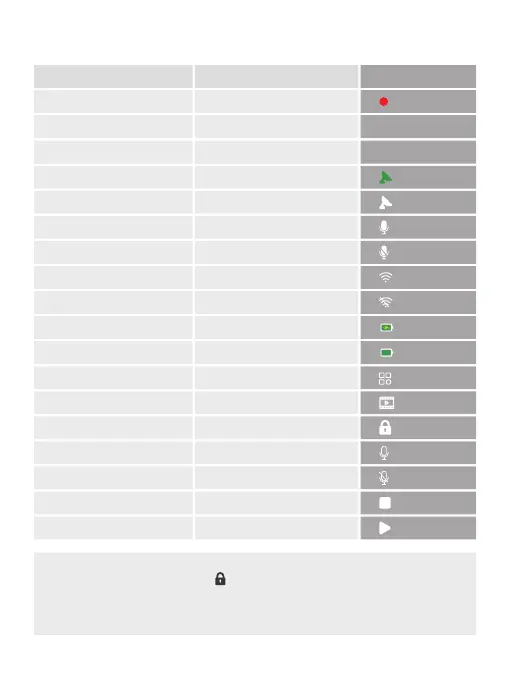
3. Status icons
Interface Status
Recording on Recording status
Recording time Recording time
Date/Time Date/Time
GPS locate Locate successfully
GPS not located Signal searching
Microphone indicator on Microphone on
Microphone indicator off Microphone off
Wifi on Wifi interface
Wifi off Wifi off
Power on Powering
Power off Power off
Setting Menu
Album Playback
Audio on Microphone on
Audio off Microphone off
Start recording Start
Stop recording Stop
Unlock current video
UI
Emergency recording
00:00:34
2020-11-27
21



 To Next Page