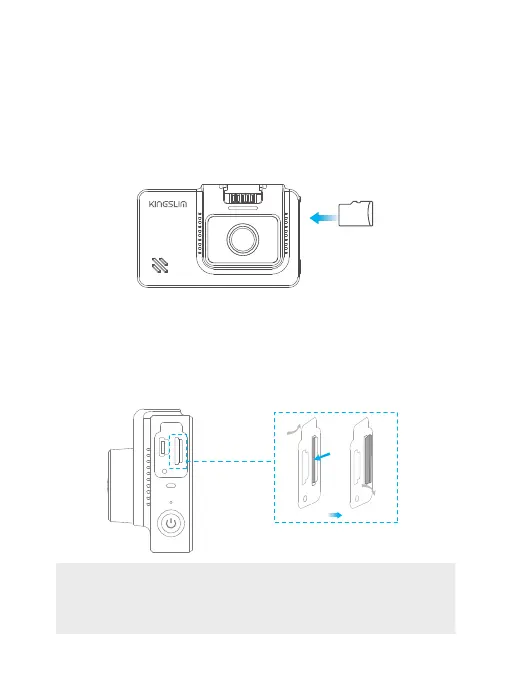
① To install
Make sure the camera is turned OFF first. Insert the memory card half way in. Then use the
finger nail to push the card all the way inward until it clicks and locks in place.
② To remove card
To remove the memory card, gently push its edge inward until it clicks, and then pops out,
then simply pull it out of the slot.
RST
RST
RST
Tip: We recommend formatting your memory card every 2 months to keep it
running smoothly. The memory card has a certain life span. After repeated
reading, writing, and wiping, the life of the memory card will be shortened.
When the card frequently reports errors, please replace it with a new one.
12. Installation
1. Memory card use
A Class 10 or above memory card is highly recommended for the D4 dash cam (memory card
is not included). D4 dash cam supports an up to 256GB memory card. Please format your card
in the camera before using this dash cam. Do not remove or insert the memory card when the
dash cam is turned on. This may damage the memory card. We recommend SAMSUNG
Classic10 U3 or higher speed memory SD card. You can purchase it from Amazon:
Click this link to purchase.
memory
card
08



 To Next Page