Kind reminder: All data will be deleted after formatting. Be sure to back up your
important files before formatting. To ensure the memory card’s optimal performance,
we recommend formatting it every two months. Keep in mind that memory cards
have a limited lifespan, and frequent reading, writing, and erasing can shorten their
lifespan. If you’re prompted about frequent card errors or glitches, please replace
it with a new one.
1.3 Remove the memory card
If you want to remove the memory card, gently push its edge inward until it clicks,
then pops out, and then simply pull it out of the slot.
2. Install the dash cam on the windshield
➀ Choose the right spot: Select a suitable location on your windshield where the
dash cam will have a clear and unobstructed view of the road ahead. Typically,
this is near the rearview mirror or on the passenger side of the windshield.
➁ Prepare the area: Clean the area thoroughly with a microfiber cloth to remove
any dust, dirt, or oil that could affect the bracket's grip.
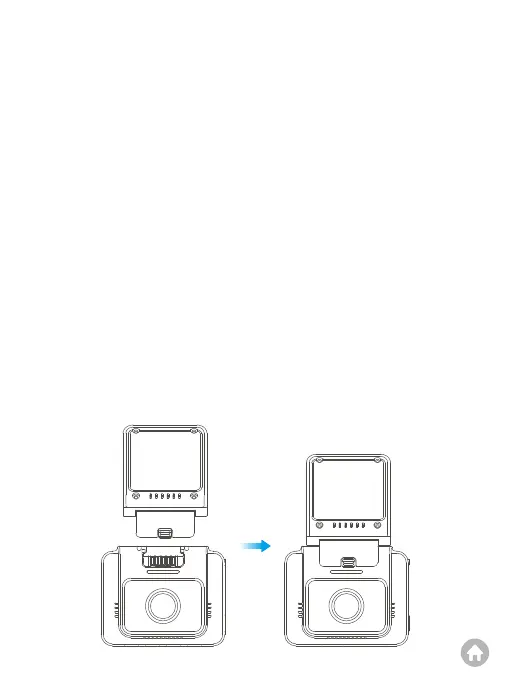
➂ Attach the bracket: Attach the GPS bracket onto the dash cam by aligning the
notches, then press the buckle downward till the bracket is installed in place.



 To Next Page