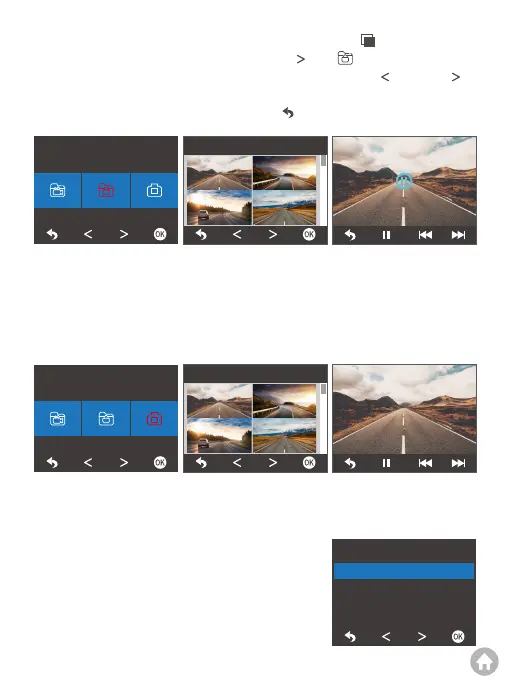
To view emergency videos, first press the Playback button to enter the
Playback screen. Second, press the Next button to “ ”, then press the OK
button to access the Lock File screen. Third, press the Previous or Next
button to choose the video you want to playback. Lastly, press the OK button, the
video will play. You can press the Back button to return to the playback screen.
To playback photos, simply access the Photo file, then choose the photo you
want to watch for playback.
2. Playback on a computer
2.1 Transfer data
Option 1: Transfer data using a USB cable.
(1) Enable USB Storage mode on the Setup screen.
Warm tip: All the videos recorded in G-Sensor or Parking mode are saved in the
Lock File.
Album
Lock file
12:20
06-18 15:23:33
09:10
06-15 09:18:18
23:23
06-16 12:18:22
15:23
06-15 11:20:30
00:00/12:20
Album
Photo file
06-18 15:23:33 06-15 09:18:18
06-16 12:18:22 06-15 11:20:30
06-18 15:23:33
230230618_180RR7M.JPG
1/6
USB Mode
USB Storage
Charge



 To Next Page