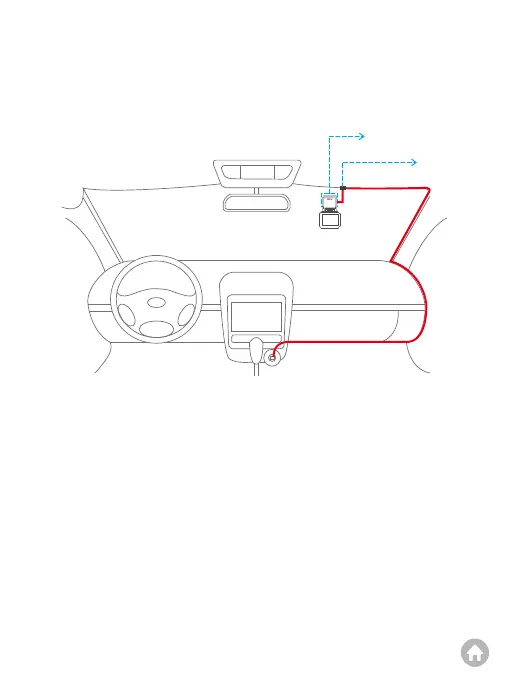
➃ Place the dash cam: First, remove the protective film of the electrostatic sticker
and place the sticker onto the windshield. Second, peel off the protective film
from the 3M adhesive tape and attach it to the GPS bracket. Third, remove the
other film on the tape and firmly press the bracket onto the surface of the
electrostatic sticker on the windshield. Please make sure it sticks securely.
➄ Adjust the angle: Adjust the dash cam's angle by tilting the mount or rotating the
camera lens until it faces directly ahead.
➅ Plug in the dash cam. Simply connect the car charger to the dash cam, then
insert the charger into the car cigarette lighter for charging.
➆ Use the pry tool to hide the cables.
3. Charging
3.1 How to charge:
To charge your dash cam, please connect the car charger to the dash cam’s mini
USB power port, then insert the charger into the car’s cigarette lighter socket.
(Charger input: DC 12-24V, output: DC 5V 2A)
Cable Clip
Electrostatic Sticker



 To Next Page