Document No. 480-15FUM-001.A00
Kingston MobileLite Wireless
Videos
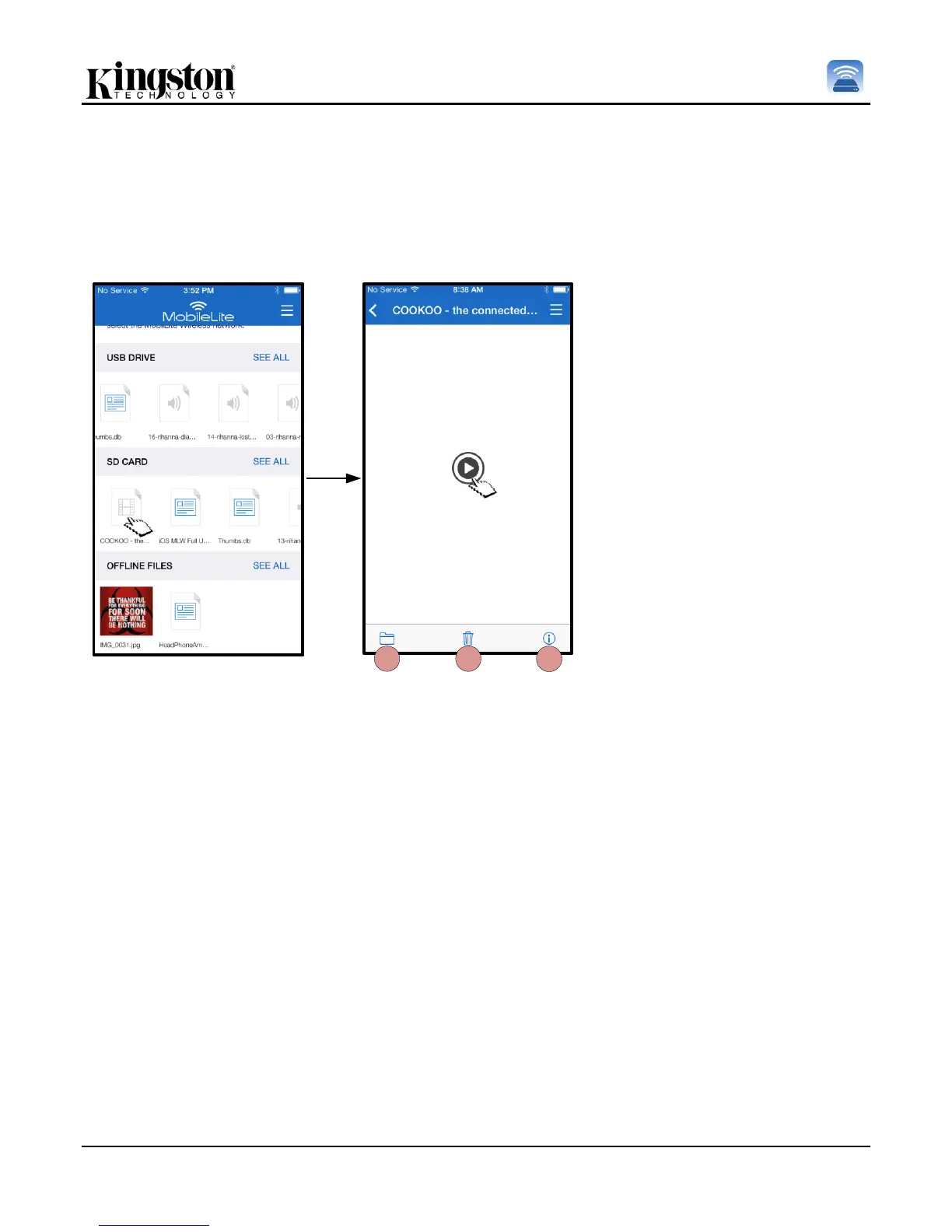
The MobileLite Wireless App allows users to view their videos regardless of whether they are in a plane heading
to a business trip or a good old fashion road trip. Simply begin by tapping on a video file. Upon getting to the
next screen, the user will notice a few options available to them. If the desired task is to watch the video, then
simply selecting the play icon will commence video playback. If the user would rather manage the video file, there
are options available within this screen. See Figure 11.
A. Copy/Move – will copy or
move the file to the target
location
B. Delete – Permanently deletes
the current file
C. Info – Displays file properties
and Metadata. This is also
where the user can change the
file/folder name
Note: Digital rights management (DRM) content is supported by the MobileLite Wireless App. Please be
aware that playing DRM content from within the MobileLite app will do so via the Safari browser.
This means that once the video is over or if the user decides to no longer watch the video, the user will
have to navigate back into the MobileLite Wireless App.



 To Next Page