Document No. 480-15FUM-001.A00
Kingston MobileLite Wireless
Accessing the Internet (Bridge Mode)
Traditionally, the Wi-Fi antenna on your iPad or iPod touch device is used to access the Internet. The MobileLite
Wireless, however, uses the Wi-Fi antenna on your Apple device to stream content, which effectively disconnects
your iOS device from the Internet. Fortunately, MobileLite Wireless’s Wi-Fi antenna supports bi-directional traffic
and can be used for implementing a feature called Bridge Mode. This mode allows you to be connected to
MobileLite Wireless while it is connected to a Wi-Fi network (as a host client) that has access to the Internet.
To set up this feature and see a list of available wireless networks in your range, open the MobileLite Wireless
App and navigate to settings. Under the ‘Network Connection’ tap on the Wi-Fi network you want to connect to.
After making your selection, MobileLite Wireless will prompt you for the Wi-Fi password (if security is enabled)
and reboot. If there is no password, the device will automatically reboot.
Once MobileLite Wireless has rebooted, you will be prompted to select a wireless network. You MUST select
your MobileLite Wireless network in order to maintain access to its contents. Since you’ve already connected to
the network via MobileLite Wireless’s App, there is no need to select it from the list again. If you do select it, you
will be disconnected from MobileLite Wireless.
To verify that you have successfully enabled Bridge Mode:
1. From the Homescreen, select the menu icon
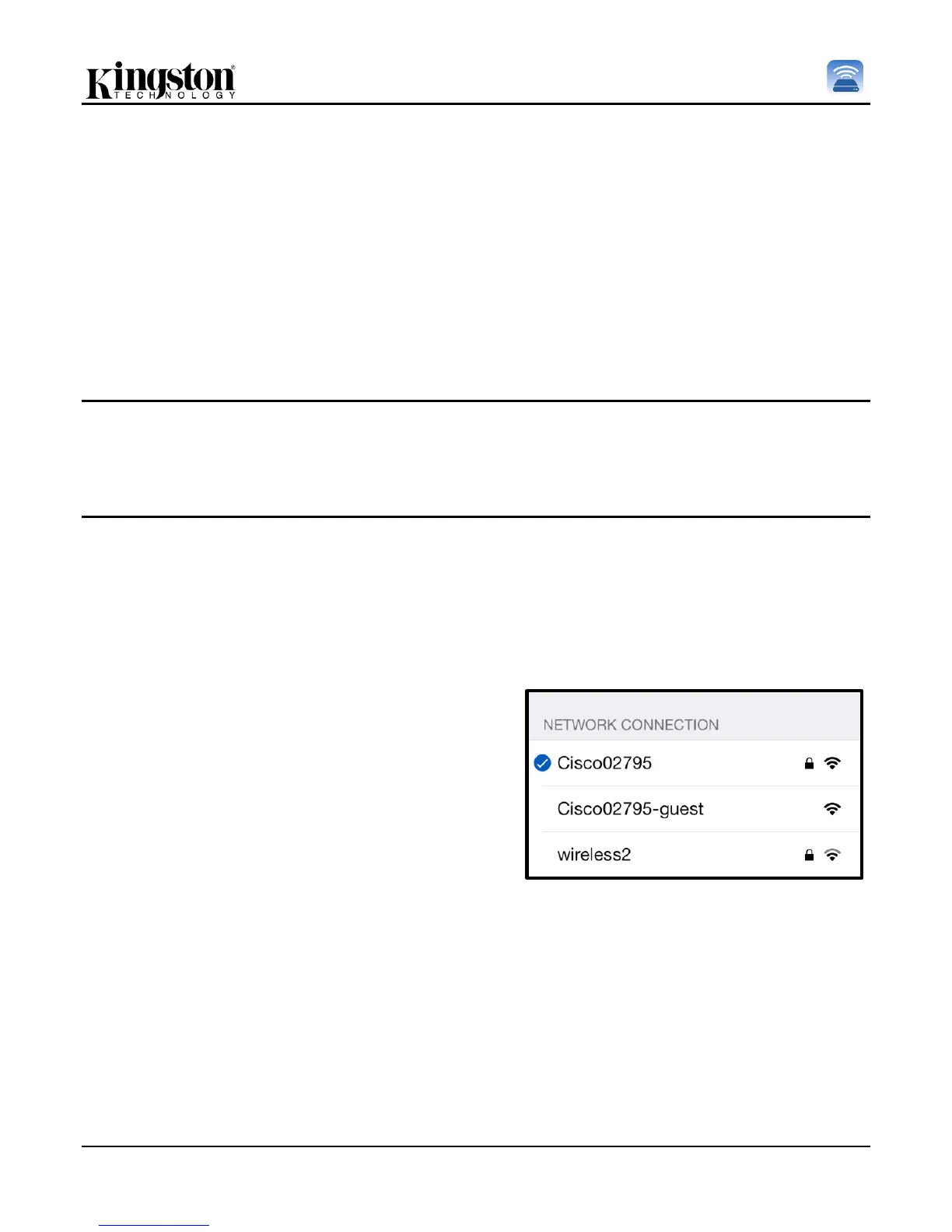
When the list of wireless networks appear, you will notice
a 'check mark' symbol located to the right of the network
you selected in the MobileLite Wireless App. See Figure
19. This indicates that the bridge function is working
properly and you are connected to MobileLite Wireless
and the Internet at the same time.
So if you're streaming content from the MobileLite
Wireless to your Apple device and need to quickly look
something up on-line, just open your Safari browser and
away you go.
Figure 19 – Bridged MobileLite Wireless



 To Next Page