Document No. 480-15FUM-001.A00
Kingston MobileLite Wireless
Setup
Once you’re connected to the MobileLite Wireless network, you can begin to configure your device by launching
the MobileLite application. There are 3 quick simple steps that require your attention before you begin to access
your MobileLite Wireless. Please see below.
Note: The initial setup will only be present the first time you launch the MobileLite app. For any future
changes, you will be required to navigate to the device settings. See page 18.
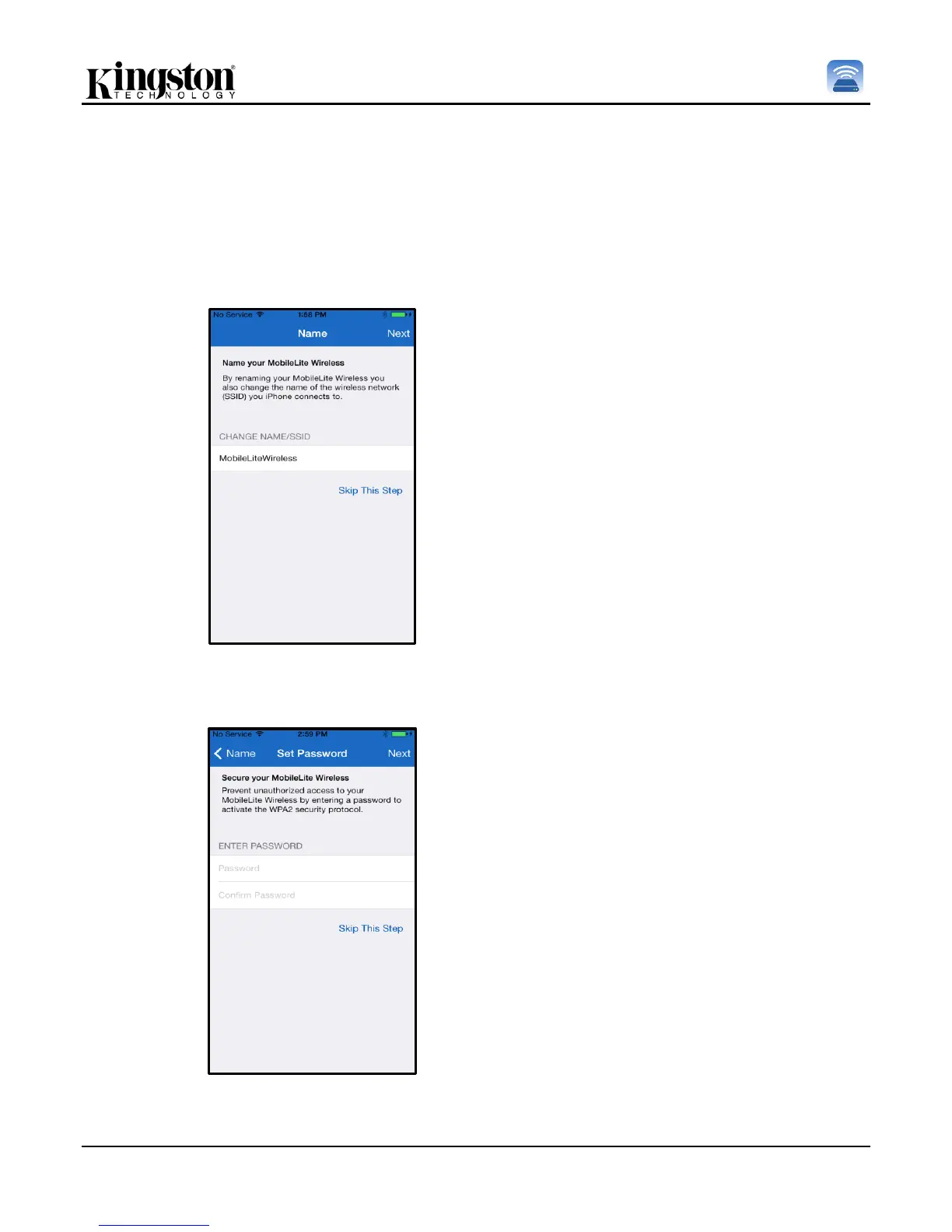
Figure 7.1: Name/SSID Change
The first step provides the option to change
the name / SSID (MobileLiteWireless). This
will prevent any confusion when multiple
devise exist within close proximity. Please
see Figure 7.1.
In Figure 7.2, you will notice the option to
password protect your device from
unauthorized users. With the WPA2 security
protocol in affect, only users who are given
the password will have access to the device.
The password must contain a minimum of 8
characters.



 To Next Page