Document No. 480-15FUM-001.A00
Kingston MobileLite Wireless
Music
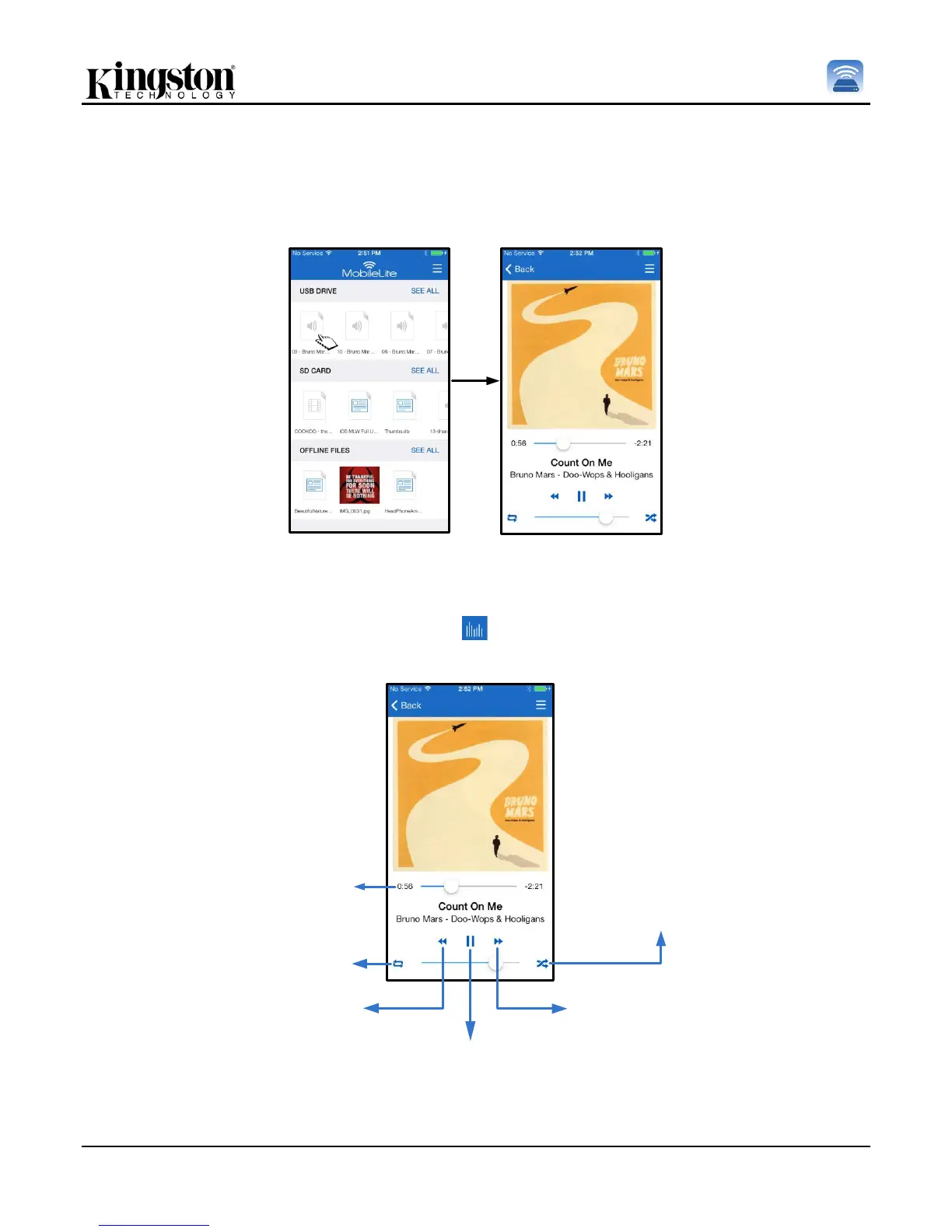
The MobileLite Wireless has a built in media player that enables users to listen to music. The audio player will
continue to run in the background in the case that the user decides to view a slide show, browse the web, or work
on a project. To get started, simply select the desired audio file.
Figure 15.1: Audio Playback
Below, the user will find the available commands for the audio player. If the user navigates to a different location
within the app during song play, an audio player icon ( ) will appear next to the menu icon. Selecting this icon
will bring the user back to the audio player regardless of their current location on the app.
Enable/Disable Shuffle
Previous Song
Play/ Pause
Next Song
replay playlist
replay song
F. Single Tap /
/ Double Tap
Progress Bar
Figure 15.2: Audio Player



 To Next Page