Document No. 480-15FUM-001.A00
Kingston MobileLite Wireless
Media Filters
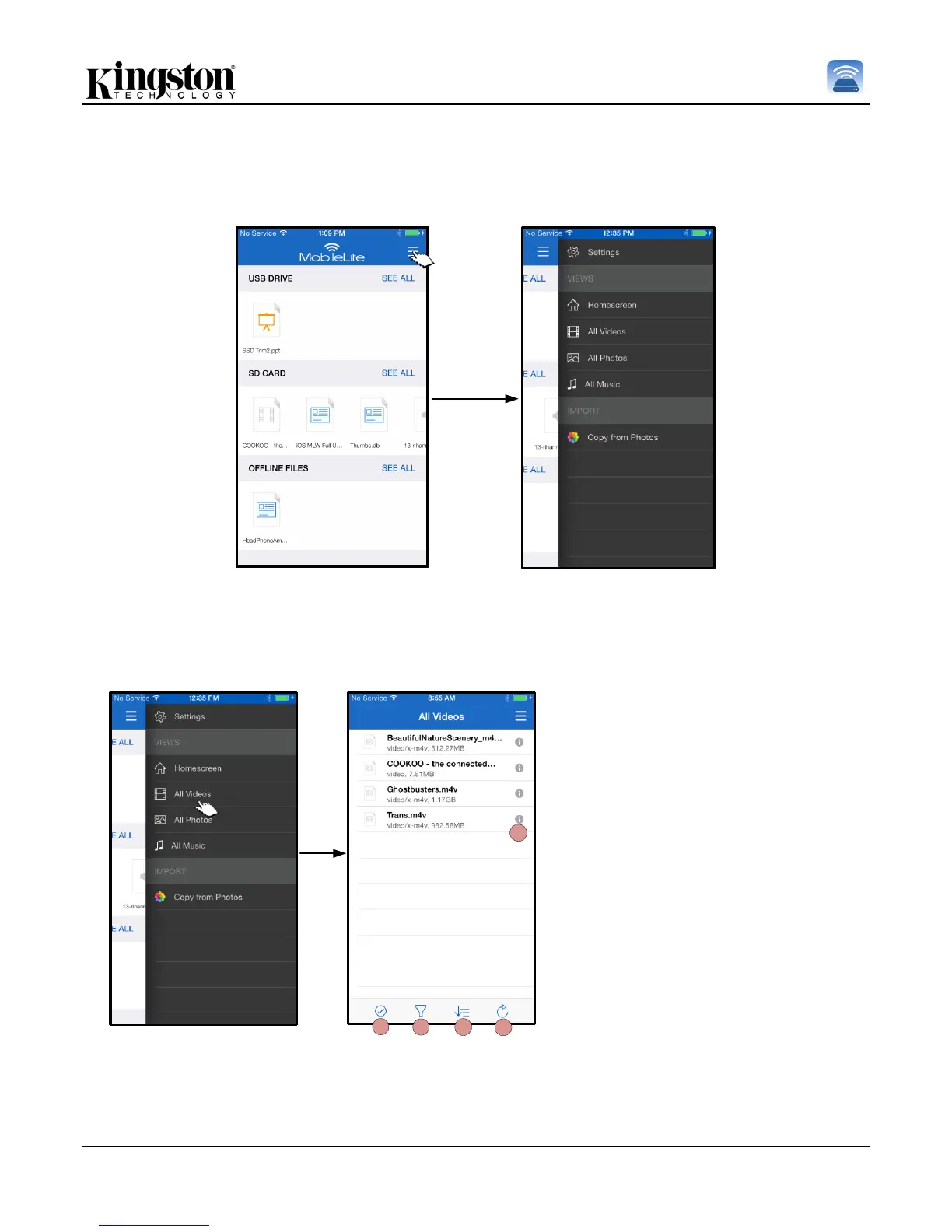
MobileLite Wireless App grants the user access all their media files from a single location. The ‘Menu’ button
provides a convenience for users to view their videos, photos, or music files regardless of storage location.
Figure 16.1: Multimedia options
Furthermore, ‘All videos’, ‘All Photos’, and ‘All Music’ have further options available to them and are explained in
Figure 16.2.
Figure 16.2: All Videos Filter
H. Select - Enables the user to
select file(s).
I. Filter – Allows users to filter the
photos based on storage location
J. Sort – Will allow the user to the
sort the photos based on Name,
size, date or file type.
K. Refresh – Refreshes the user’s
page in case any changes that
were made are not reflected.
L. Info – Displays file properties and
Metadata.



 To Next Page