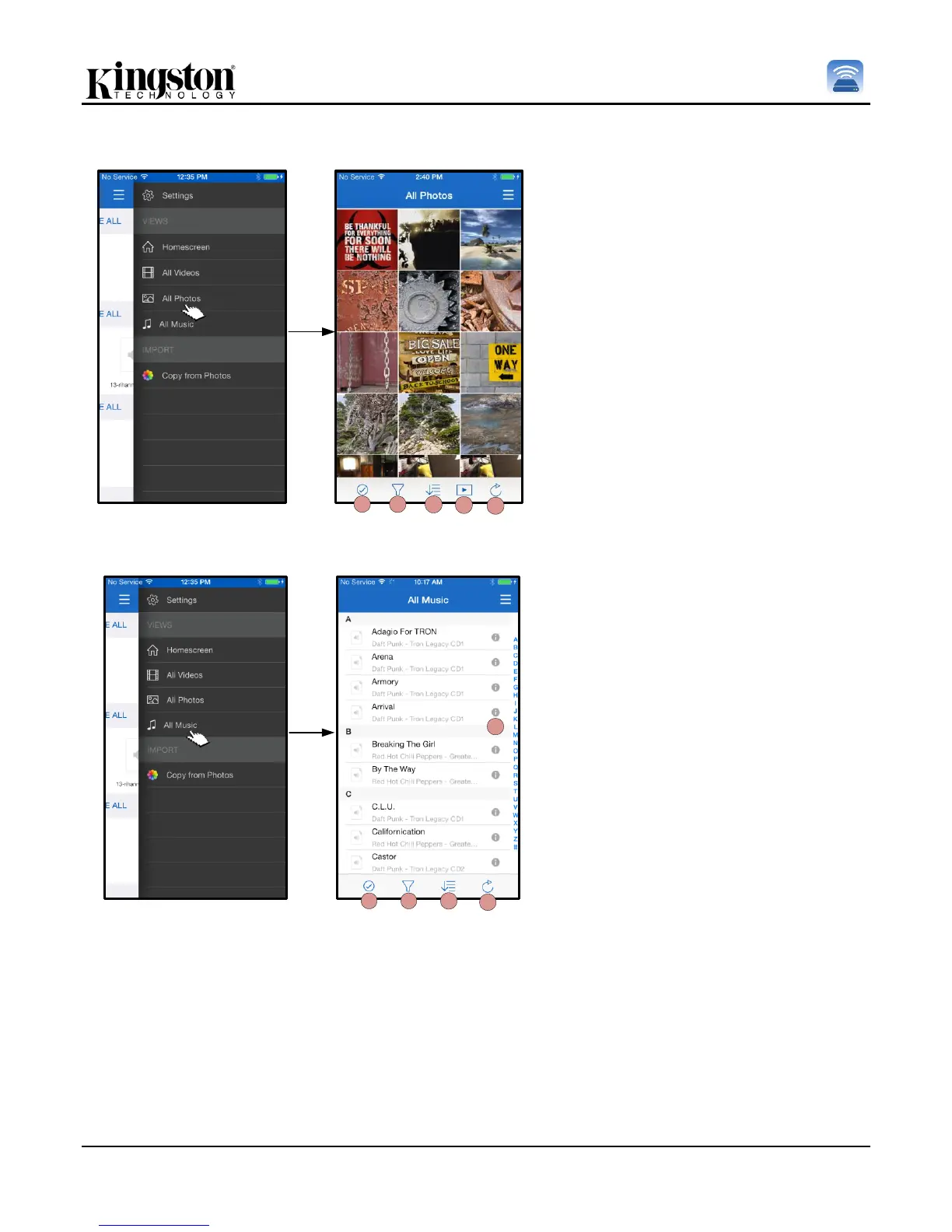
A. Select – This option allows the
user to select file(s) and will also
enable the options below:
B. Filter - Allows the user to filter
the photos based on storage
location
C. Sort – Will allow the user to the
sort the photos based on Name,
size, date or file type.
D. Slideshow – Plays all the photos
found in a slideshow
E. Refresh – Refreshes the user’s
page in case any changes that
were made are not reflected.
A. Select - Enables the user to
select file(s).
B. Filter - Allows the user to filter
the photos based on storage
location
C. Sort – Will allow the user to the
sort the photos based on song
name, artist, or albums.
D. Refresh – Refreshes the user’s
page in case any changes that
were made are not reflected.
E. Info – Displays file properties
and Metadata.



 To Next Page