Document No. 480-15FUM-001.A00
Kingston MobileLite Wireless
Export Photos
Another option available to the user is to export the images from either their USB/SD Card to their iOS device.
This task, like importing a photo, can also be completed within a few simple steps.
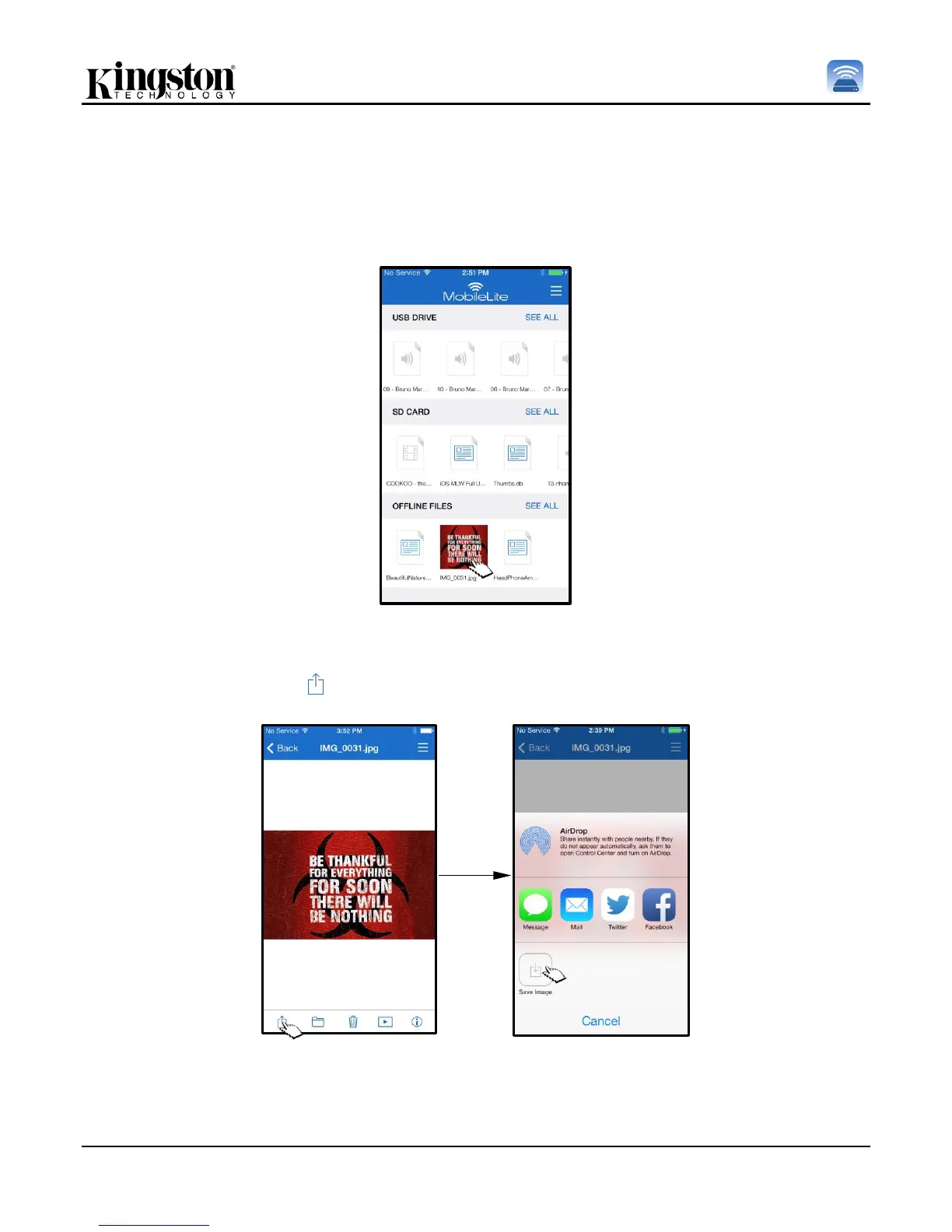
Step 1: Select the image that you wish to export. See Figure 14.1.
Figure 14.1: File to be exported
Step 2: Select the share icon ( ) in order to bring up the share windows and select save
Figure 14.2: ‘Save Image’ is available via the ‘Share’ icon



 To Next Page