Document No. 480-15FUM-001.A00
Kingston MobileLite Wireless
…Continued
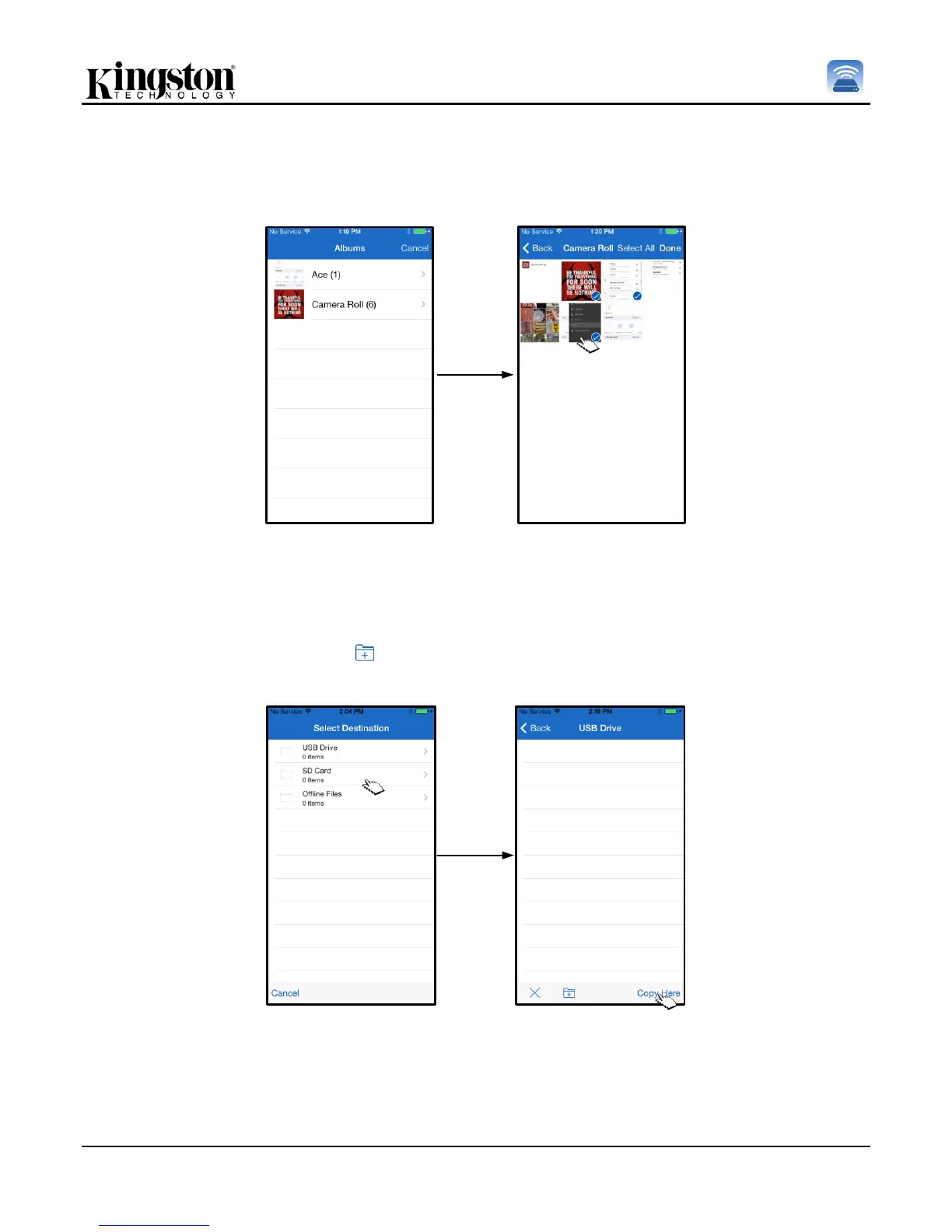
Step 2: Choose the location of the desired photo(s) and continue to select the files desired to be imported. Once
the selected files are chosen, proceed by selecting ‘Done’.
Figure 13.1: Selection of photo(s)
Step 3: Choose the destination and complete the process by selecting ‘Copy Here’. Alternatively, the user can
create a new folder in which to import the photo(s) to.
This may be done by pressing on the ( ) icon. After naming the folder and selecting ‘Save’, the new folder will
appear as a destination option.
Figure 13.2: Destination selection
Note: There is a short delay between creating a folder and it appearing as a destination option.



 To Next Page