Document No. 480-15FUM-001.A00
Kingston MobileLite Wireless
… Continued
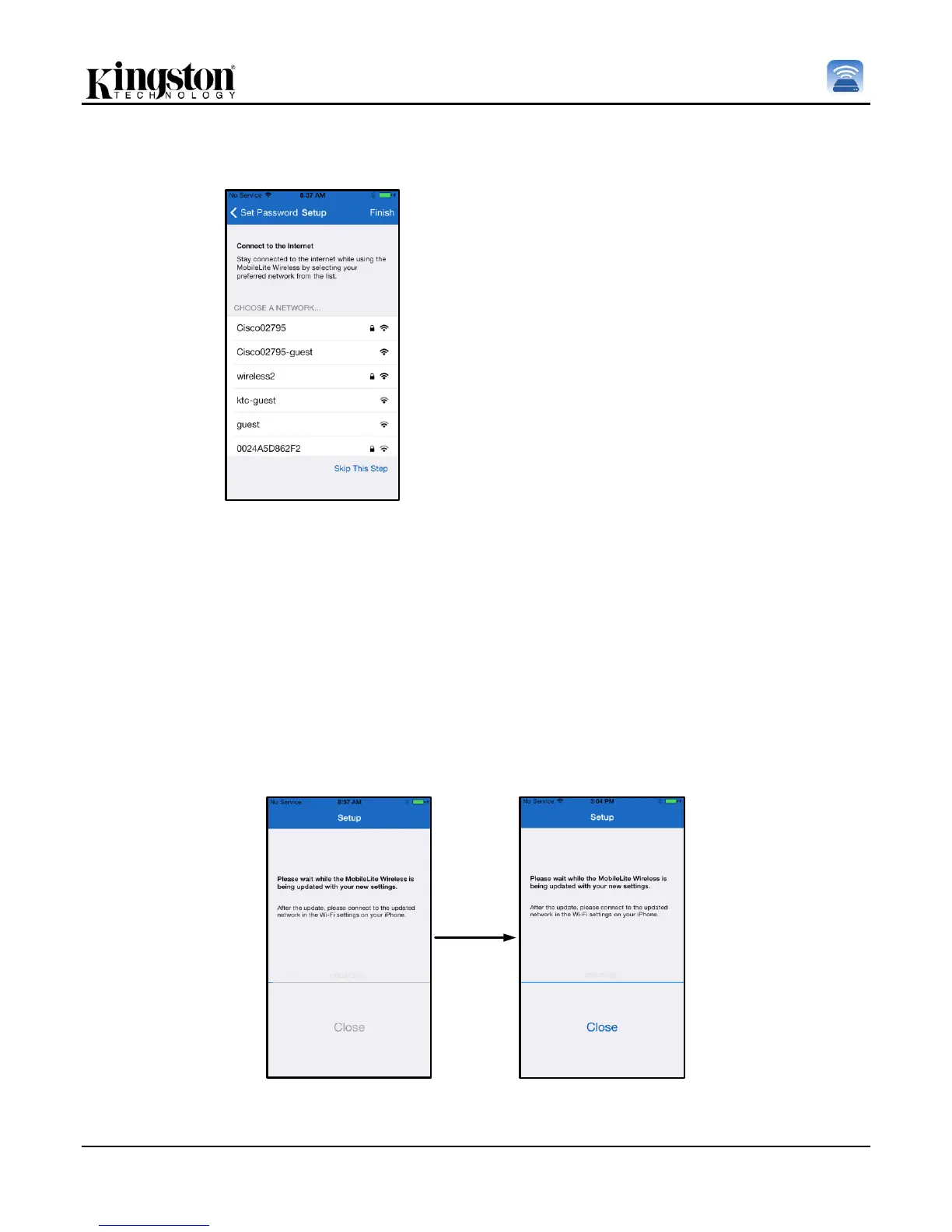
Figure 8.1: Networks available for
Bridging
Connecting to MobileLite Wireless will
substitute your iPad/iPhone’s Internet
connection with MobileLite Wireless’s
wireless connection. In the third step you
are given the option to connect to your Wi-Fi
network via the ‘Bridge’ function. This is a
function that allows you to maintain access
to MobileLite Wireless’s content while
connecting to a Wi-Fi Internet connection.
If any changes were made during the setup process, the device will begin to update. See Figure 8.2.
Alternatively, if no changes were made, you will be taken to the Homescreen and can jump to page 9 for further
instructions.
Once the update process is complete the ‘Close’ button will change from gray to blue. Continue to the
Homescreen by tapping on the ‘Close’ button.
Note: Depending on your device’s network configuration, it may be required to connect to the MobileLite
Wireless through your iDevice settings.
Figure 8.2: Update Process



 To Next Page